
Summit Appliance Division · Felix Storch, Inc. · www.summitappliance.com · 718-893-3900 · info@summitappliance.com
TrimKitCMV Installation
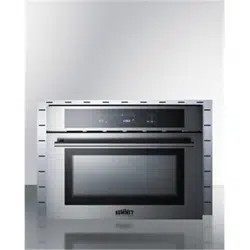
This trim kit allows you to install the CMV24 speed oven in a wider cabinet opening (27” wide for the
TrimKitCMV27, 30” for the TrimKitCMV30). Before installing the speed oven, follow these steps to install
the trim kit.
1. Using a screwdriver, remove the four screws installed on the trim kit. Place the screws and nuts
safely to the side, as you will need them again momentarily.
2. Place the trim kit around the speed oven, lining it up so that the four vertical holes in the rear of
the trim kit match the holes on the speed oven.
3. Open the speed oven door and use a screwdriver to re-attach the screws, tightening the nuts in
the rear.
4. Proceed with installing the speed oven as described in the CMV24 manual.