1. Overview
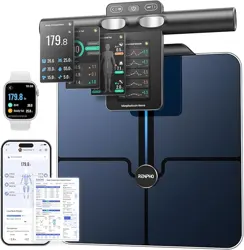
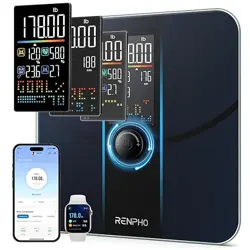
The INEVIFIT EROS is a Bluetooth-enabled body composition scale. It measures body weight and uses bioelectrical impedance analysis (BIA) to calculate 12 additional body composition metrics. Data is transmitted to a smartphone app for tracking and analysis.
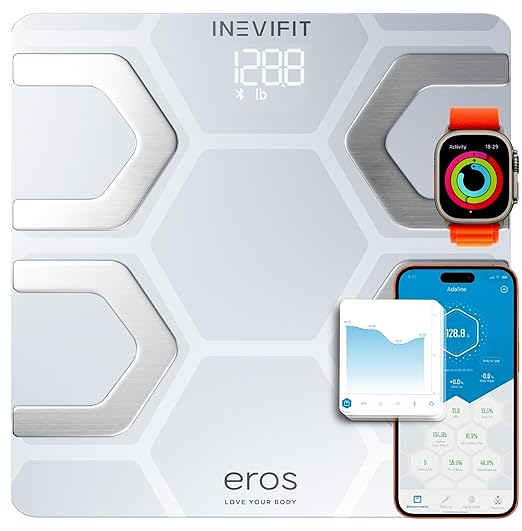
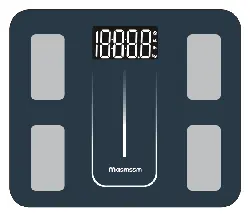
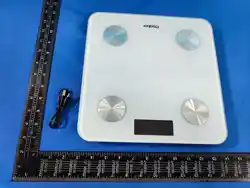
The scale features a 6mm tempered glass platform, a large 3.6-inch LED display, and a maximum weight capacity of 400 lbs (180 kg).
2. What's in the Box
- EROS Smart Scale
- Instruction Manual
- 3 x AAA Batteries
3. Key Features & Specifications
3.1 Body Composition Metrics
The scale tracks 13 key metrics:
- Body Weight
- Body Fat Percentage
- Body Water Percentage
- Muscle Mass
- BMI (Body Mass Index)
- BMR (Basal Metabolic Rate)
- Bone Mass
- Skeletal Muscle
- Fat-Free Body Weight
- Subcutaneous Fat
- Protein
- Metabolic Age
- Visceral Fat
3.2 Physical Specifications
| Brand | INEVIFIT |
|---|---|
| Model Number | I-BF002W |
| Color | White |
| Recommended Use | Adults |
| Weight Capacity | 400 Pounds (180 kg) |
| Platform Dimensions | 11.8 x 11.8 x 1 inches |
| Platform Material | 6mm Tempered Glass |
| Display Type | LED |
| Display Size | 3.6 inches |
| Readout Accuracy | +/- 0.1 kg |
| Power Source | 3 x AAA Batteries (included) |
| Connectivity | Bluetooth |
3.3 App & Connectivity
- App Name: Eros Scale
- Platform Support: iOS and Android.
- User Profiles: Supports unlimited profiles for multiple users.
- Health App Sync: Seamlessly syncs data with Fitbit, Apple Health, and Google Fit.
4. Getting Started
4.1 Initial Setup
- Place the scale on a hard, flat surface (e.g., tile, hardwood). Avoid carpets or uneven floors.
- Open the battery compartment on the underside of the scale.
- Insert the 3 included AAA batteries, observing the correct polarity (+/-).
- The scale will initialize. The display may light up briefly.
4.2 Connecting to the App
- On your smartphone, download the "Eros Scale" app from the Apple App Store or Google Play Store.
- Open the app and create an account or log in.
- Enable Bluetooth on your phone.
- Step onto the scale with bare feet to activate it. The scale's display will turn on.
- Follow the in-app instructions to pair your smartphone with the scale. This typically involves confirming a device code.
- Set up your user profile in the app by entering details such as height, age, and gender. This information is necessary for calculating body composition metrics.
Video: Product Setup & App Connection
The video guides you through product setup and connecting the scale to the smartphone app.
5. Use Guide
5.1 Taking a Measurement
- Ensure the scale is on a flat, hard surface.
- Open the Eros Scale app on your smartphone. Ensure Bluetooth is enabled.
- Step onto the scale with bare, dry feet. Position your feet so they are aligned with the four metal electrodes.
- Stand still while the scale takes your measurement. The LED display will show your weight, then cycle through other metrics.
- Your smartphone will vibrate or chime when the measurement is complete. All 13 body composition metrics will be displayed in the app.
- Step off the scale. It will automatically turn off after a few seconds.

For consistent results, take measurements at the same time of day (e.g., in the morning before eating or drinking) and under similar conditions.
5.2 Understanding the Display & Indicators
- LED Display: Shows weight (in lbs or kg) and may briefly show icons (like a Bluetooth symbol) during connection.
- Auto-On/Auto-Off: The display turns on automatically when you step on the scale and turns off shortly after you step off.
- Unit of Measure: The unit (lbs/kg) can typically be changed within the companion app settings.
5.3 Using the App
- Dashboard: View your latest measurements and trends over time.
- History: Review past measurements in graph or list form.
- Profiles: Add and manage profiles for different users. The scale can automatically recognize users based on weight.
- Settings: Adjust units, set goals, and manage connections to other health apps (Fitbit, Apple Health, Google Fit).
Video: Product in Use
The video showcases the product in use, demonstrating the measurement process and app interface.
6. Care & Maintenance
- Cleaning: Wipe the glass platform with a soft, slightly damp cloth. Do not use abrasive cleaners or submerge the scale in water.
- Batteries: Replace the 3 AAA batteries when the low battery icon appears on the display or if the scale becomes unresponsive.
- Storage: Store in a dry place. Avoid extreme temperatures or humidity.
- Surface: Always use on a hard, flat surface for accurate measurements.
7. Troubleshooting
7.1 Scale Won't Turn On
- Check that the batteries are correctly inserted.
- Replace the batteries with new ones.
- Ensure the battery compartment is securely closed.
7.2 Inconsistent or Inaccurate Readings
- Ensure the scale is on a completely hard, flat surface (not carpet).
- Make sure your feet are bare, dry, and positioned correctly on the electrodes.
- Stand still until the measurement is complete.
- Verify your user profile data (height, age, gender) in the app is correct.
7.3 Bluetooth Connection Issues
- Ensure Bluetooth is enabled on your smartphone.
- Ensure the Eros Scale app is open and running in the foreground.
- Move your smartphone closer to the scale.
- Restart the app and/or your smartphone's Bluetooth.
- Remove the scale from your phone's Bluetooth paired devices list and re-pair it through the app.
7.4 App Not Syncing Data
- Check your internet connection.
- Verify you are logged into the correct account in the Eros Scale app.
- Check the permissions for the Eros Scale app and the connected health apps (Apple Health, Google Fit, Fitbit).