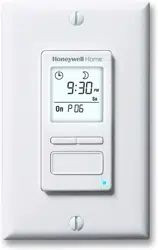
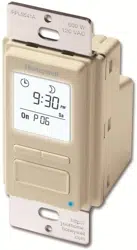
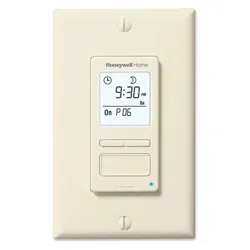
User Manual
Applications
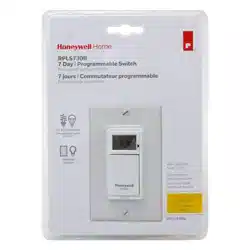
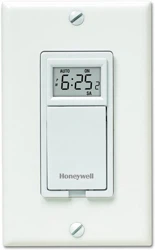
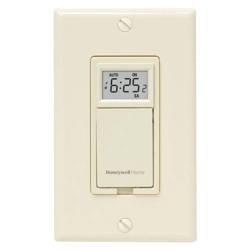
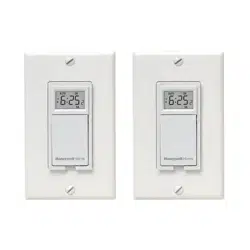
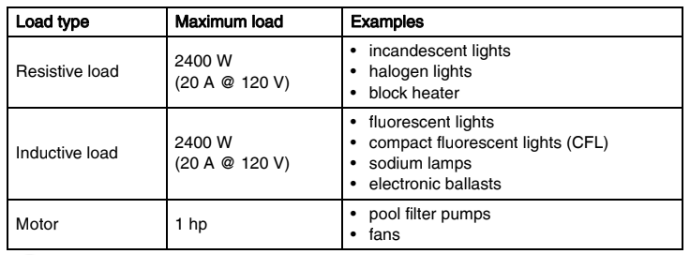
The RPLS730B / RPLS731B programmable wall switch has been designed to control lightings and motors:
Installation
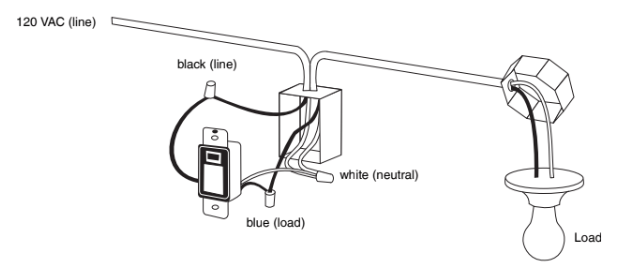
NOTE: This switch cannot be used if there are not at least 2 white wires joined by a connector inside the electrical box.
1. Cut power at the circuit breaker to avoid electric shock.
2. Remove the existing switch.
3. Install the new switch as shown in the diagram below.
4. Apply power at the circuit breaker.
Power-On
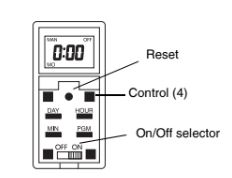
1. Pry the switch door open from the bottom using a small screwdriver.
2. Ensure the ON/OFF selector is set to ON.
3. Reset the switch using a paper clip. 0:00 will flash.
If the display is blank:
- Ensure the ON/OFF selector is properly engaged in the ON position. Push it to the right using a small screwdriver.
- At first power-up after the installation, the screen of the switch may be blank or dim, or become so when you turn the light on. However, during that time, the switch is fully functional. Wait 2 minutes for the switch’s built-in battery to be sufficiently charged and the screen will return to its normal contrast.
Setting the Clock
NOTE: The switch displays the time in 24-hour format by default or following a reset.
1. To change to 12-hour format (or vice versa), proceed as follows:
- Press one of the control buttons to ensure the MAN or AUTO indicator is displayed.
- Press the MIN and HOUR buttons simultaneously and brieftly (0:00 display = 24- hour, 12:00 display = 12-hour ).
2. Set the time using the HOUR and MIN buttons. If you have selected the 12-hour format, ensure that PM appears on the screen when an afternoon time is displayed.
3. Set the day using the DAY button.
4. Press one of the control buttons or close the switch door to return to normal operation.
Selecting the Operating Mode
The programmable switch has 2 operating modes: manual (MAN) and automatic (AUTO). To switch mode, press the switch door for 3 seconds.
Manual mode
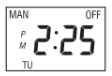
The programmable switch operates as a regular switch. Briefly press the switch door to turn the lights On or Off. The mode (MAN) and state (ON or OFF) are displayed.
Automatic mode
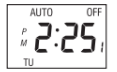
The programmable switch follows the programmed schedule. The mode (AUTO), state (ON or OFF) and current program number are displayed. To temporarily override the programmed schedule, briefly press the switch door. The new state (ON or OFF) will flash to show that this state is temporary. The override remains in effect until you press the switch door again or until the beginning of the next program.
Programming the schedule
You can set up to 7 programs. To set a program, you need to enter its start time (ON) and its end time (OFF).
1. Pry the switch door open using a small screwdriver.
2. Press the PGM button to display a program and its On or Off time. For example, when you first press PGM, program number 1 (P1) and its On time (ON) will appear. -:-- will appear instead of the time if the program is not set (inactive).
3. Press the DAY button to select the day to which you want to apply the program.
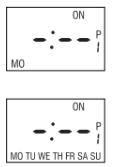
4. NOTE: If you want to apply the program to every day of the week, press DAY until all the days are displayed. (This still counts as 1 program, not 7)
5. Press the HOUR and MIN buttons to set the ON time (time when you want the lights to turn on). If you have selected the 12-hour format, ensure that PM appears on the screen when an afternoon time is displayed.
6. After you have programmed the ON time, press the PGM button to display the OFF time (time when you want the lights to turn off).
7. Repeat steps 3 through 5 to program the OFF time. If the program ON time is set for every day of the week, the program OFF time will automatically be set for every day.
8. To set another program, repeat steps 2 through 6. Programs that are not set will remain inactive.
9. Press one of the control buttons or close the switch door to return to normal operation.
Troubleshooting
Blank display
- Verify circuit breaker at main panel.
- Ensure the ON/OFF selector is at ON.
- Reset the switch using a paper clip.
Faded or irregular display
- Ambient temperature below freezing point
Cannot switch between 24-hour format and 12-hour format
- First, press one of the control buttons so that MAN or AUTO appears on display.
Programs do not run as expected
- Make sure the switch is properly programmed.
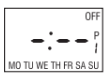
- Note that -:-- indicates an inactive program.
- If the switch has been configured for hour format, check that PM appears on the left side of the screen when an afternoon time is displayed.
The switch resets itself without apparent reason when used to control an inductive load such as a relay or a contactor.
- The reset is caused by the load. Install a snubber (AC130-03) at each relay/contactor.
Technical Specifications
Supply: 120 VAC, 50 / 60 Hz
Maximum load: 2400 watts resistive or inductive, 1 HP motor
Operating temperature range: 5°F to 122°F (-15°C to 50°C)
Storage temperature range: -4°F to 122°F (-20°C to 50°C)
Power outage: The programs are protected by a rechargeable battery. The screen is blank during the power outage.
Warranty
Honeywell warrants this product, excluding battery, to be free from defects in the workmanship or materials, under normal use and service, for a period of one (1) year from the date of purchase by the consumer. If at any time during the warranty period the product is determined to be defective or malfunctions, Honeywell shall repair or replace it (at Honeywell's option). If the product is defective,
i) return it, with a bill of sale or other dated proof of purchase, to the place from which you purchased it, or
ii) call Honeywell Customer Care at 1-800-468-1502. Customer Care will make the determination whether the product should be returned to the following address: Honeywell Return Goods, Dock 4 MN10-3860, 1885 Douglas Dr N, Golden Valley, MN 55422, or whether a replacement product can be sent to you.
This warranty does not cover removal or reinstallation costs. This warranty shall not apply if it is shown by Honeywell that the defect or malfunction was caused by damage which occurred while the product was in the possession of a consumer. Honeywell's sole responsibility shall be to repair or replace the product within the terms stated above.
HONEYWELL SHALL NOT BE LIABLE FOR ANY LOSS OR DAMAGE OF ANY KIND, INCLUDING ANY INCIDENTAL OR CONSEQUENTIAL DAMAGES RESULTING, DIRECTLY OR INDIRECTLY, FROM ANY BREACH OF ANY WARRANTY, EXPRESS OR IMPLIED, OR ANY OTHER FAILURE OF THIS PRODUCT. Some states do not allow the exclusion or limitation of incidental or consequential damages, so this limitation may not apply to you.
THIS WARRANTY IS THE ONLY EXPRESS WARRANTY HONEYWELL MAKES ON THIS PRODUCT. THE DURATION OF ANY IMPLIED WARRANTIES, INCLUDING THE WARRANTIES OF MERCHANTABILITY AND FITNESS FOR A PARTICULAR PURPOSE, IS HEREBY LIMITED TO THE ONE-YEAR DURATION OF THIS WARRANTY. Some states do not allow limitations on how long an implied warranty lasts, so the above limitation may not apply to you. This warranty gives you specific legal rights, and you may have other rights which vary from state to state. If you have any questions concerning this warranty, please write Honeywell Customer Relations, 1985 Douglas Dr, Golden Valley, MN 55422 or call 1-800-468-1502.