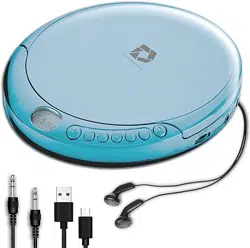
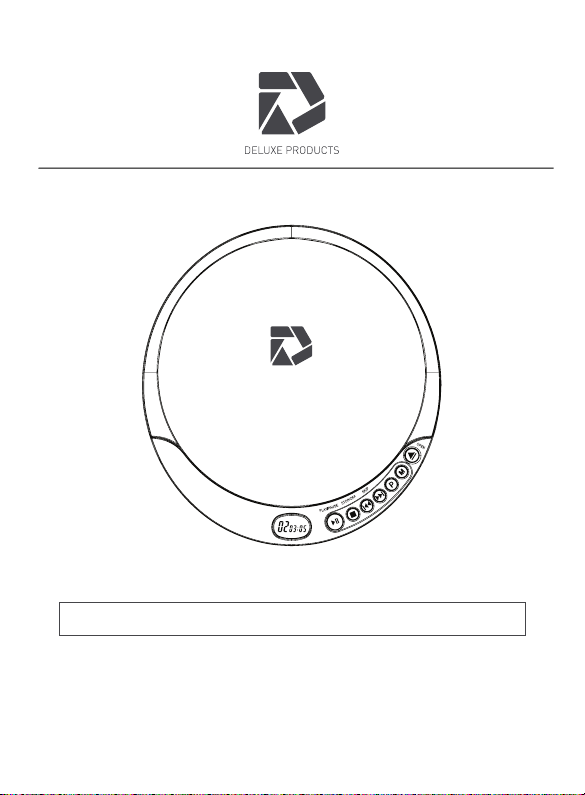
60 SEC ANTI SKIP PORTABLE CD PLAYER
DP-PCD-001 - USER MANUAL (V8)
PLEASE READ THIS USER MANUAL COMPLETELY BEFORE OPERATING THIS
UNIT AND RETAIN THIS BOOKLET FOR FUTURE REFERENCE.
CONTACT: [email protected]
E-1
DEAR DELUXE PRODUCTS CUSTOMER
Selecting new audio equipment such as the unit you've just purchased is only the start
of your musical enjoyment. Now it's time to consider how you can maximize the fun and
excitement your equipment offers. This manufacturer and the Electronic Industries
Association's Consumer Electronics Group want you to get the most out of your
equipment by playing it at a safe level. One that lets the sound come through loud and
clear without annoying blaring or distortion and, most importantly, without affecting your
sensitive hearing. Sound can be deceiving. Over time your hearing "comfort level"
adapts to higher volumes of sound. So what sounds "normal" can actually be loud and
harmful to your hearing. Guard against this by setting your equipment at a safe level
BEFORE your hearing adapts.
To establish a safe level:
Start your volume control at a low setting.
Slowly increase the sound until you can hear it comfortably and clearly, and without
distortion.
Once you have established a comfortable sound level:
Set the dial and leave it there.
Taking a minute to do this now will help to prevent hearing damage or loss in the future.
After all, we want you listening for a lifetime.
We Want You Listening for a Lifetime
Used wisely, your new sound equipment will provide a
lifetime of fun and enjoyment. Since hearing damage from
loud noise is often undetectable until it is too late, this
manufacturer and the Electronic Industries Association's
Consumer Electronics Group recommend you avoid
prolonged exposure to excessive noise.
Customer's Record:
The serial number of this product is found on its back cover. You should note the
serial number of this unit in the space provided as a permanent record of your
purchase to aid in identification in the event of theft of loss.
Serial Number: _______________ Model# DP-PCD-001
E-2
WARNING
Note: This product complies with DHHS rule 21 CFR, subchapter J, Part 1040 at the
date of manufacture.
SAFETY PRECAUTIONS
1. As the laser beam used in this compact disc player is harmful to the eyes, do not attempt to
disassemble the casing.
2. Stop operation immediately if any liquid or solid object should fall into the cabinet. Unplug the
unit and have it checked by qualified personnel.
3. Do not touch the lens or poke at it. If you do, you may damage the lens and the player may
not operate properly.
4. Do not put anything in the safety slot. If you do, the laser diode will be ON when the lid is still
opened.
5. If the unit is not to be used for a long period of time, make sure that all power sources are
disconnected from the unit. Remove all batteries from the battery compartment and unplug the
adaptor from the wall outlet Make It a practice to remove the adaptor by grasping the main body
and not by pulling the cord. (Not Included)
6. This unit employs a laser. The use of controls or adjustment or performance of procedures
other than those specified herein may result
in exposure to hazardous radiation
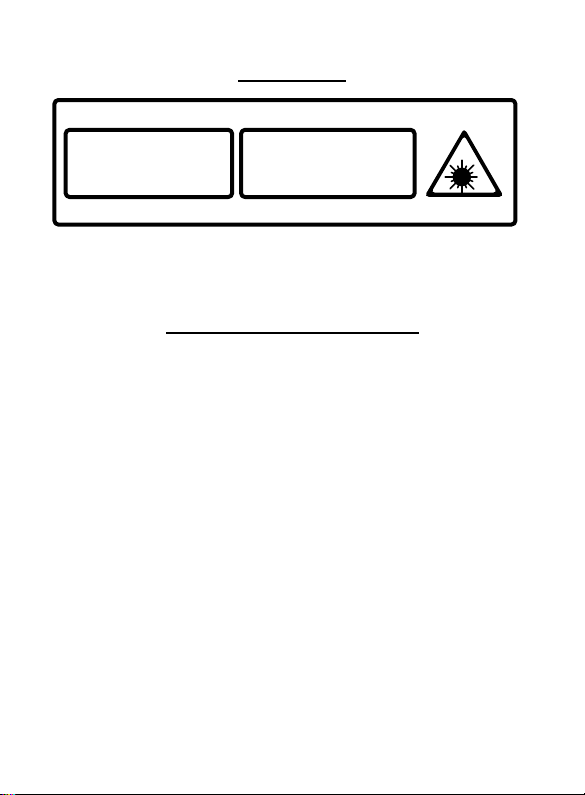
CLASS 1 LASER PRODUCT
This product contains a low power laser device.
CLASS 1 LASER PRODUCT
AP
P
AREI
L
LASER DE CLASSE 1
PRODUC
T
O LASER DE CLASE 1
CAUTION
INVISIBLE LASER RADIATION
WHEN OPEN AND INTERLOCKS
DEFEATED
AVOID EXPOSURE TO BEAM.

E-3
COMPLIANCE WITH FCC REGULATIONS
This device complies with Part 15 of the FCC Rules. Operation is subject to the following
two conditions:
(1) this device may not cause harmful interference, and
(2) this device must accept any interference received, including interference that
may cause undesired operation.
NOTE: This equipment has been tested and found to comply with the limits for a Class B
digital device, pursuant to Part 15 of the FCC Rules. These limits are designed to provide
reasonable protection against harmful interference in a residential installation. This
equipment generates, uses and can radiate radio frequency energy and, if not installed
and used in accordance with the instructions, may cause harmful interference to radio
communications. However, there is no guarantee that interference will not occur in a
particular installation. If this equipment does cause harmful interference to radio or
television reception, which can be determined by turning the equipment o and on, the
user is encouraged to try to correct the interference by one or more of the following
measures:
- Reorient or relocate the receiving antenna.
- Increase the separation between the equipment and receiver.
- Connect the equipment into an outlet on a circuit different from that to which the
receiver is connected.
- Consult the dealer or an experienced radio/TV technician for help.
CAUTION: Changes or modifications not expressly approved by the party
responsible for compliance could void the user’s authority to operate
the equipment.

E-4
PROTECT YOUR FURNITURE
This model is equipped with non-skid rubber 'feet' to prevent the product from moving
when you operate the controls. These 'feet' are made from non-migrating rubber
material specially formulated to avoid leaving any marks or stains on your furniture.
However certain types of oil based furniture polishes, wood preservatives, or cleaning
sprays may cause the rubber 'feet' to soften, and leave marks or a rubber residue on
the furniture. To prevent any damage to your furniture we strongly recommend that
you purchase small self-adhesive felt pads, available at hardware stores and home
improvement centers everywhere, and apply these pads to the bottom of the rubber
'feet' before you place the product on ne wooden furniture.
IMPORTANT NOTES
1. This product does not contain a separate Power On/O switch. After inserting a
disc and installing batteries/ AC adaptor, simply press the Play button to switch
on and play a disc. (Micro USB Cable Included - USB adaptor not included)
2. In order to maximize battery life and provide optimum playing time this product
incorporates an Auto Power off function. The power to the player will automatically
switch o approximately 30 seconds after a disc has finished playing or when the
CD lid is opened.
PREPARATION FOR USE
Unpack the unit carefully to remove all the accessories from the packing. Verify that the
following accessories are present before setting up the unit.
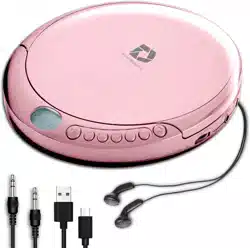
Accessories:
Main Unit x 1
Earbuds x 1
User Manual x 1
Aux / Line In Cable x 1
Micro USB Cable x 1
E-5
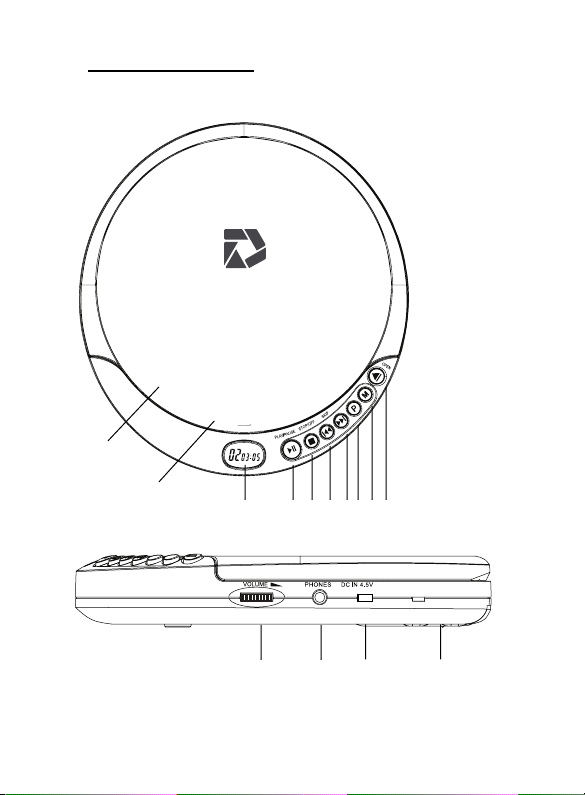
LOCATION OF CONTROLS
1
2 3 4 5 6 7 8 9
1. CD Door
2. LCD Display
3. Play/Power
(Pause/Off)
4. Stop Button
5. Skip/Search
Backward
Button
6. Skip/Search
Forward Button
7. Program Button
8. Mode Button
9. CD Door Open
Switch
10. Volume Knob
11. Headphone
Jack
12. Micro USB
Power Port
13. Battery
Compartment
14. Lens Display
10 11 12 13
14
E-1
POWER SOURCE
This CD player operates on two 1.5V DC “AA” size (UM-3) alkaline batteries (Not Included)
or AC adaptor with an output of 5V DC (Not Included).
Install Batteries
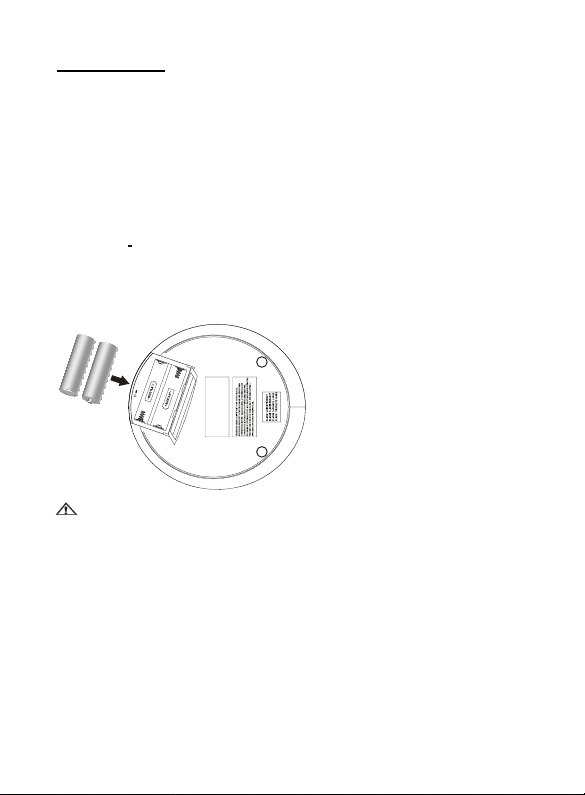
1. Open the battery compartment cover located on bottom of cabinet.
2. Insert two 1.5V DC “AA” size (UM-3) alkaline batteries (Not included) into the
Battery compartment following the polarity markings as indicated in the
compartment.
3. Close the battery door.
IMPORTANT:
Be sure that the batteries are installed correctly. Wrong polarity may damage the unit and
void the warranty.
BATTERY NOTE AND CARE
1. Danger of explosion if the battery is replaced incorrectly. Replace only with the
same or equivalent type
2. Do not mix old and new batteries.
3. Do not mix alkaline, standard (carbon-zinc) or rechargeable (nickel-cadmium)
batteries.
4. If the unit is not to be used for an extended period of time, remove the batteries.
Old or leaking batteries can cause damage to the unit and may void the warranty.
5. Do not try to recharge batteries not intended to be recharged; they can overheat
and rupture. (Follow battery manufacturer’s directions).
6. Do not dispose of batteries in fire, batteries may leak or explode.
Requires 2 AA batteries (not included).
E-2
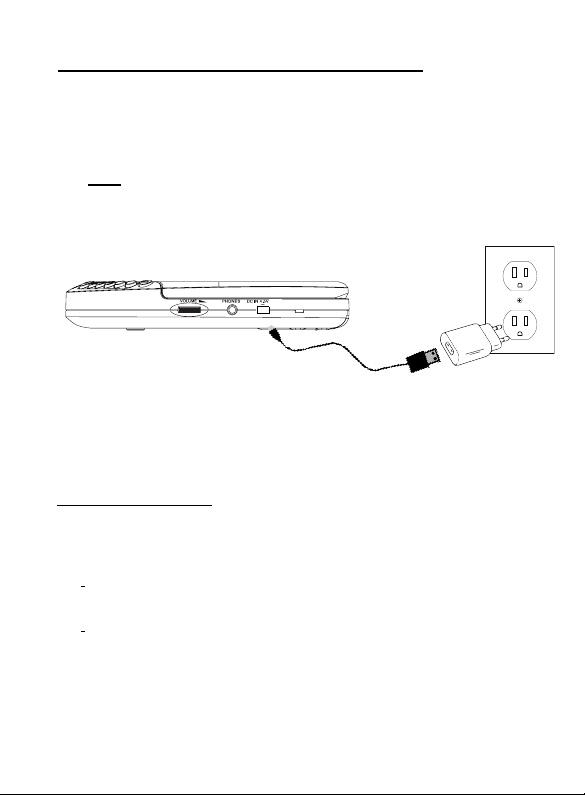
Using an USB Wall adaptor (not included) to power the unit
NOTE: When AC adaptor is connected, the batteries will be automatically disconnected
and the player will now operate on the adaptors power. Once the adaptor is unplugged
the player will automatically switch to back to battery power.
EARBUDS CONNECTION
Connect the plug of the stereo earbuds (included) into the PHONES socket. Compatible
with any stereo earbuds or headphones with 1/8 Headphone Jack.
CAUTION
• AVOID EXCESSIVE VOLUME LEVELS FOR LONG PERIODS OF TIME WHEN
USING THE HEADPHONES. PROLONGED USE AT HIGH LEVELS MAY
IMPAIR YOUR HEARING.
• Do not use earbuds while operating a motorized vehicle, as it may create a
traffic hazard and is illegal in many areas
1. Connect Deluxe Portable CD Player to Micro USB Cable (Included)
2. Connect Micro USB Cable to USB Wall Adapter (Not Included). Please
make sure it is at least DC 4.5V
3. Connect USB Wall Adapter (Not Included) to Wall Outlet.
NOTE: Before connecting the USB Wall adaptor (Not included) to the
wall outlet, make sure that the AC voltage of the adaptor corresponds
to you local AC outlet voltage. The polarity of the adaptor must match
to the polarity markings next to the DC jack on the player
Micro USB Cable (Included)
USB Adapter (NOT Included)
E-3
CD OPERATION
PLEASE READ THIS IMPORTANT INFORMATION:
CD mechanisms used in devices like this are designed to fully read all commercial CDs.
They will also read self-compiled CD- but it may take up to 10
seconds for playback to start. If playback does not start, it is likely due to the quality of
the CD-R/RW disc and/or the compatibility of the CD compilation software.
Manufacturer is not responsible for the playback quality of CD-R/RW discs. Do
not attach a label or seal to either side of the CD-R/RW disc. It may cause a
malfunction. This player does not read MP3 file CDs
Turning Unit Power On and Off
To Turn ON the unit, press the PLAY/PAUSE button, LCD display will be on and then
read the inserted disc after display “60 SEC” anti-skip message. If no disc is inserted
or the inserted disc has an error, the display will show “disc”.
- To Turn OFF, in CD stop mode, press STOP button once, display will go off.
In CD playing mode, press STOP button twice will also turn off the power.
NOTE: When the unit is stopped for approximately 30 seconds, the power will be
automatically turned off.
Play Mode
1. In power off mode, press the CD door OPEN switch to open the CD door.
2. Insert a CD with the label side facing upward and then close the CD door.
3. Press the PLAY/PAUSE button to turn on the unit. The display will show “60
SEC”, total number of tracks and playing time in sequence and then start to play
first track automatically.
4. While playing, press the PLAY/PAUSE BUTTON to pause, the elapsed
time will flash. Press PLAY/PAUSE BUTTON again to resume playing
5. Rotate the VOLUME CONTROL KNOB to adjust volume level.
6. Press the STOP BUTTON to stop playing.
7. Press the STOP BUTTON again to turn the unit off. NOTE: Do not
open the CD DOOR when a CD is playing.
E-4
PLAY MODE
NORMAL PLAYBACK
The whole disc is played and the player will stop after the last track is finished.
SKIP AND SEARCH MODE
1. During Play or Pause mode, tap the SKIP Forward " " or SKIP BACKWARD "
" BUTTON to go to the next track or go back to the beginning of the current track.
2. During play mode or Pause mode, press and hold the SEARCH Forward " " or
SEARCH BACKWARD " " BUTTON to search within the current track with
audible high speed playback.
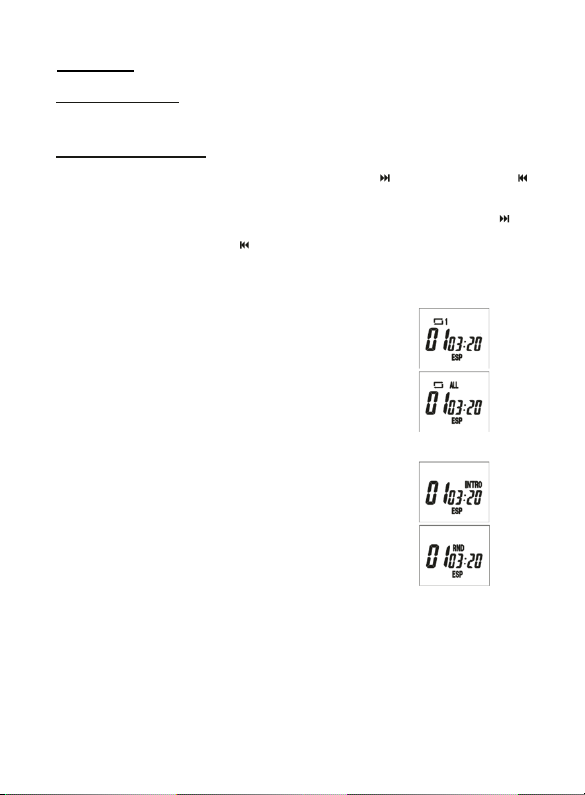
Every time the MODE button is pressed, the corresponding mode appears in the
display window, in the following sequence:
REPEAT 1:
When shown on the LCD display, the current track on the disc will
be repeated.
REPEAT ALL:
When shown on the LCD display, all tracks on the disc will be
repeated.
To cancel the Repeat function, press the MODE button repeatedly
until the icon disappears.
INTRO:
To play the first 10 seconds of each track on the disc.
RANDOM:
Enables all the tracks on the disc to be played in a random
sequence.
To cancel INTRO & RANDOM function, press the MODE button repeatedly until the
icon disappears.

E-5
PROGRAMMED PLAY
1. In CD stop mode, press the PROG button once, PROG appears. PROG icon and
Track number “00” start flashing in the display.
2. Press SEARCH/SKIP / button to select the
desired track.
3. When the desired track is displayed, press the PROG button to
register. The PROG number changes to 02. Track number
returns to 00 and flashes together with PROG.
4. Repeat above steps 2 and 3 to program more tracks. Up to 20 tracks can be
programmed into the memory.
5. Press PLAY/PAUSE button to start the programmed play.
6. To erase the program, in STOP mode simply press the STOP button.
ANTI-SKIP PROTECTION
This player incorporates an electronic anti-skip circuit to prevent interruption of the
sound output when the unit is subjected to shock, vibration or rolling during disc
playback. The anti-shock system will automatically activate when a disc is playing, the
ESP indicator will appear in the display and flashing.
Once anti-skip buffer is full, it will give you approximately 60 seconds of protection
against interruption of sound output. If the player is subjected to shock or rolling for
longer than the buffer memory, some interruption of sound output will occur. This is
normal and to be expected and the sound will resume once the player has stabilized
from the shock or rolling disturbance.
Note: The anti-skip function provides for continuous sound output when the unit is
subjected to shock or vibration. It will not compensate for errors arising from the
use of defective, scratched or dirty discs.
E-6
LCD DISPLAY INFORMATION
At initial start u p
• The display will show “60 SEC” then “- -“ and then the total number of tracks
and total playing time. The disc will start playing and the display will show the
first track number & instant playing time.
• To review the total number of tracks and total playing time of the disc, press
the STOP button once.
During PLAY mode
• The track number and the elapsed time are displayed.
During PAUSE mode
• When the track playback is paused, the elapsed time flashes.
CARE AND MAINTENANCE
1. Never wrap the earbuds cord around any animal or person. Special care
should be taken with long wires.
2. Clean the unit with a soft, damp (never wet) cloth. Solvent or detergent should
never be used.
3. Avoid operating your unit under direct sunlight or in hot, humid or dusty places
to reduce the risk of fire or electric shock.
4. Keep your unit away from heating appliances and sources of electrical noise
such as fluorescent lamps or motors.
5. For better Display clarity, avoid operating the unit under direct sunlight or in
strong room illumination.
6. Unplug the unit from the electrical power outlet immediately in case of
malfunction.
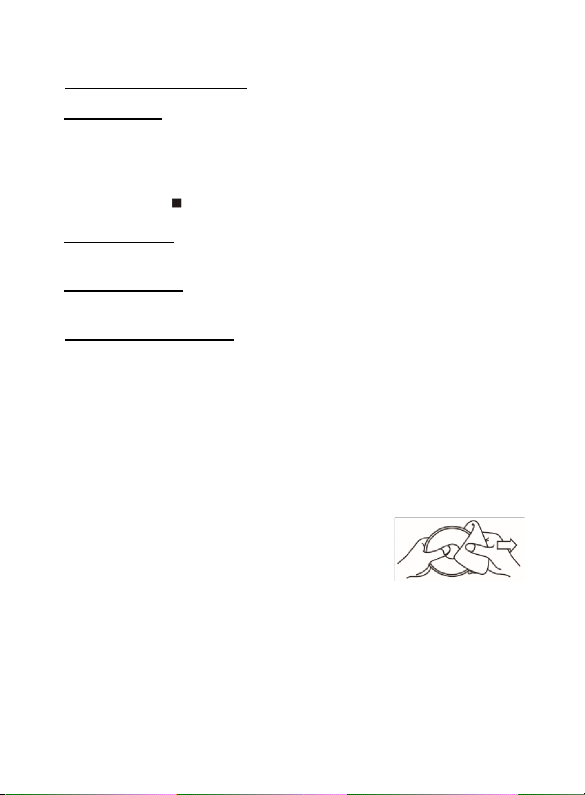
7. If drop-outs or interruptions occur in the music
during CD play, or if the CD fails to play at all, its
bottom surface may require cleaning. Before
playing, wipe the disc from the center outwards
with a lint-free soft cleaning cloth.
CAUTION: Never allow any water or other liquids to get inside the unit while cleaning.
E-7
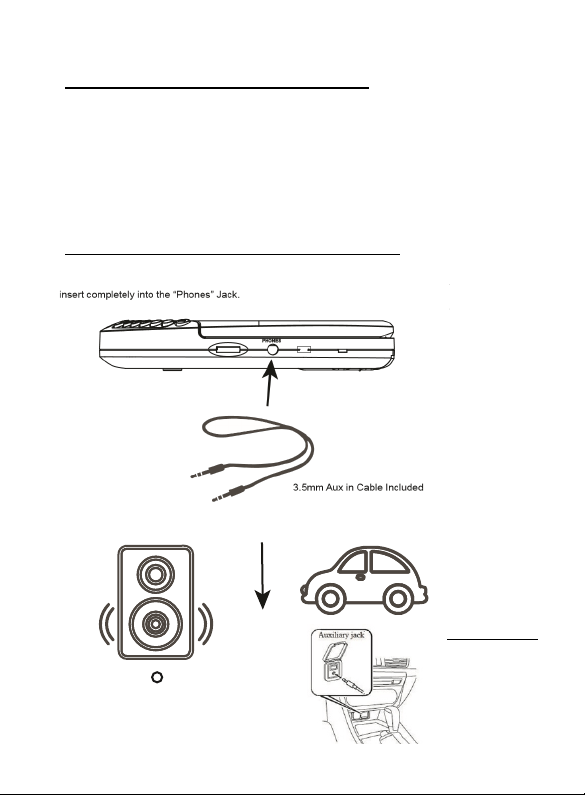
CONNECTING TO EXTERNAL SPEAKER OR CAR
Connect one end of the 3.5 Aux in Cable (Included) to the “Phones” Jack. Ensure to Connect the other
end of the 3.5mm Aux in Cable to the Aux in or Line in Jack of your External Speaker or Car.
If your Car has a USB port, then you may also power your Deluxe Portable CD Player with the supplied
Micro USB Cable.
Helpful Tips:
-Ensure to adjust the VOLUME on BOTH the Portable CD Player and External Speaker/Car
-On the External Speaker or Car ensure to set the SOURCE to AUX in or LINE in
-Refer to the instruction manual of your External Speaker or Car
NOTE: EXTERNAL SPEAKER / CAR MUST HAVE AUX IN / LINE IN JACK
OR
Aux / Line In
IMPORTANT: CAR MUST
HAVE AUX IN / LINE IN JACK
(
E-8
TROUBLESHOOTING GUIDE
If you experience problems in the use of this player, please check the following
PROBLEM
POINTS TO CHECK
Player fails to function
Disc may be inserted upside down
Disc not mounted correctly
Dirty or defective disc
Dirty lens
Player lid not closed
Moisture/Condensation, allow player to warm up to
room temperature for 60 minutes AC power to adaptor
switched off
Weak batteries
Auto switch off has occurred
No sound from earbuds
Earbuds plug is not firmly inserted into the Phones
socket.
Intermittent sound
Dirty or defective disc
Dirty pick up lens
Player is subject to excessive vibration or shock
Low battery power
Poor headphone connection
CD Skipping
Disc is dirty or defective.
Allow CD player to play for at least 60 seconds to buffer
for the Anti Skip protection to work correctly
SPECIFICATIONS
Power Requirement: 2 x “AA” (UM-3) batteries (not included) or
AC Adaptor 4.5V (not included)