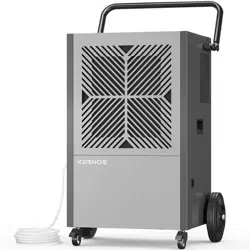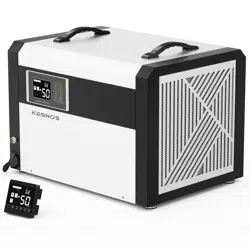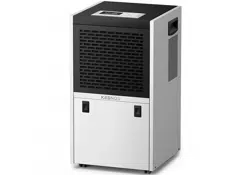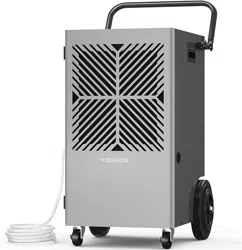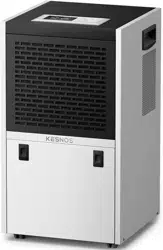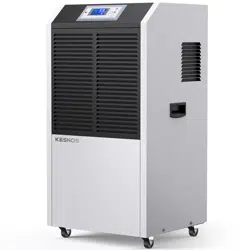

Commercial Dehumidifier
PD900AC
Please read the manual carefully
before using the unit
USER MANUAL
www.kesnos.com


FOR CUSTOMERS
TO ACCESS CUSTOMER SUPPORT FASTER
Thank you for purchasing our dehumidifier.
Kesnos wishes that our products and services can bring convenience to
your work and life. We highly recommend that you keep the manual for
reference if you encounter unexpected events using the unit.
Please read the manual carefully to ensure proper use of the dehumidifier.
Our dehumidifiers are widely used in family bedrooms, bathrooms,
basements, offices and storage rooms, etc.
The dehumidifiers from Kesnos provide quick and efficient operation to
reduce room's humidity and bring you a healthy and comfortable life.
If there is any problem of the product, please contact Kesnos
Customer Service at with your Purchase support@kesnos.com
Order ID to help you address the problem more effectively.
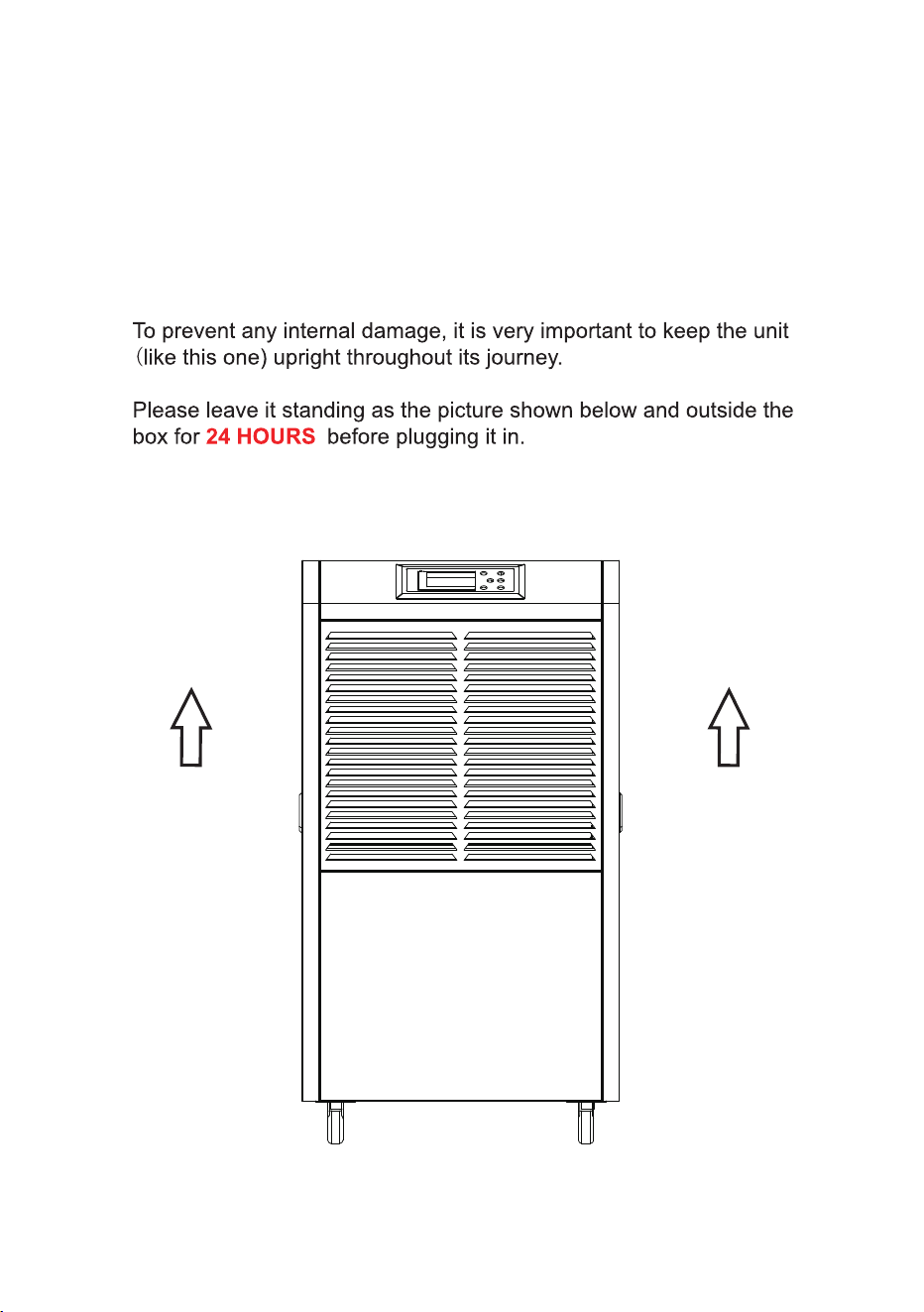
BEFORE FIRST USE:

The graphics and functions provided in this manual may not be the same
as the actual product. Please always refer to the actual product.
The model of the machine on the manual is for reference only, please
check the corresponding content and operate the machine based on the
actual product.
The right to interpret the relevant terms belongs to the company.
TABLE OF CONTENTS
Safety Instructions..................................................................................
Introduction & Features .........................................................................
Parts Descriptions..................................................................................
Operation Instructions............................................................................
Specification.................................. ........................................................
Malfunction Code..................................................................................
Special Notes .......................................................................................
Faults & Processing Methods..................................................................
Warranty Contact Us...........................................................................&
1
2
3
6
7
8
9
12
14
Cleaning & Maintenance.......................................................................
11
SAFETY INSTRUCTIONS
Safety Notes:
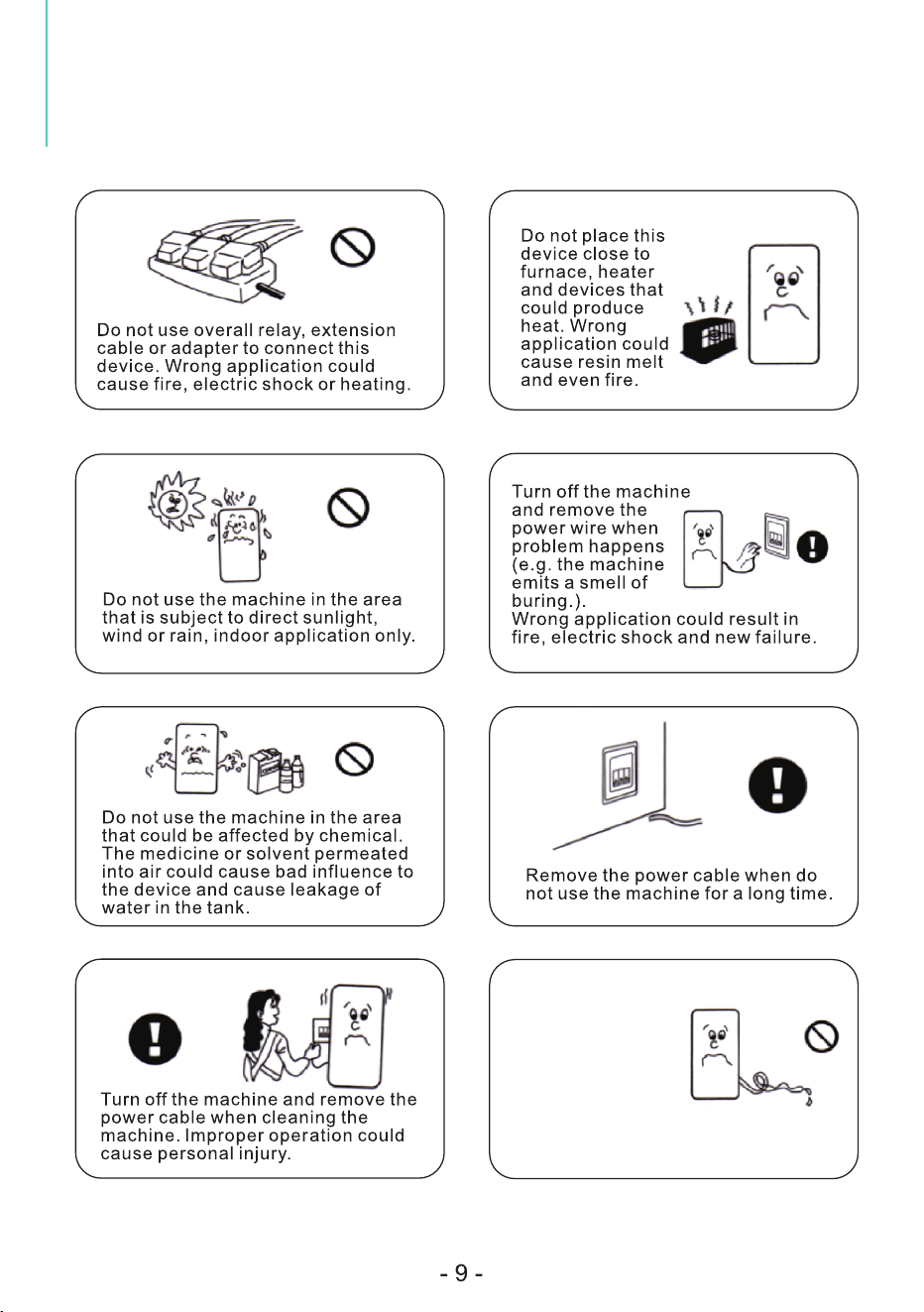
Cautions!
Before plugging in the machine, ensure the voltage is within the range of label. This
dehumidifier is only used for the specified applications.
Please place the machine vertically for two hours prior to powering on the machine in
the 1 st time application.
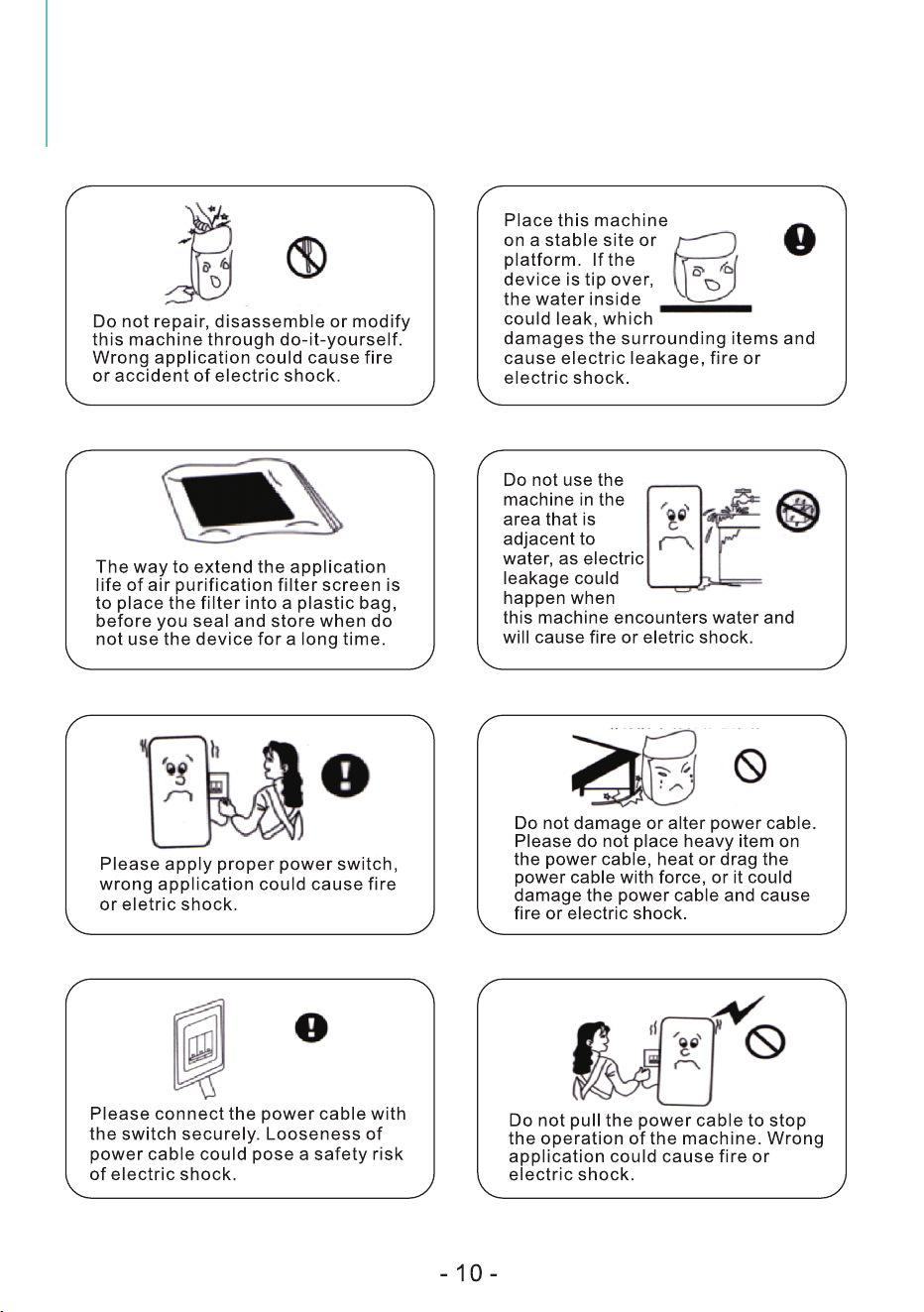
Do not soak the machine into water or spray water directly on the machine during cleaning.
When using the dehumidifier, other objects surrounding the machine at least need to be
kept at a distance of 39.4 inches (1m) away from the machine.
Draw out the plug before cleaning the device or the filter trap and any other part of the
machine.
Do not use the extension cable to connect with power; ask the professionals for the
installation when there are no proper socket available.
This appliance can not be used by children aged under 8 years old and persons with
reduced physical, sensory or mental capabilities or lack of experience and knowledge
unless they have been given supervision or instructions concerning use of the appliance in
a safe way and understand the hazards involved.
Children shall not play with the appliance. Cleaning and user maintenance shall not be
made by children without supervision.
To avoid the occurrence of danger, ask manufacturers, agents or qualified staff for the
replacement of damaged power wire.

Features
Dehumidifier is used for reducing the air moisture of its installation space to a
proper level, so as to fit people in the daily life and material storage.
Elegant in shape, compact in size and convenient in operation, this
dehumidifier is widely used in the dehumidification of many sites with high
moisture such as scientific iresearching, medical & health care, commodity
storage, underground engineering, so as to prevent the loss caused by
moisture, rust, decomposition of apparatus, devices, telecommunications
devices, medicines and files, etc.
Considering the variation of climate and environment, and the optimum setting
humidity for physiological health of human, protection of indoor furniture and
other items varies between 45%RH to 65%RH, it is suggested to set the
humidity within this range.
1. Elegant appearance of high grade; reasonable and firm structure with
compact design.
2. Computerized control, easy to operate, specialized timing function.
3. Applicable for normal low temperature with high efficiency automatic
defrosting system.
4. Unique 1%RH adjustable humidity setting function.
5. Continuous hose drainage function.
6. Specialized environment temperature display, humidity display and automatic
fault diagnosis function.
7. Equipped with universal wheels at the bottom to move freely.
8. Adopt the world renown compressor and humidity sensor.
INTRODUCTION
AND FEATURES
Introduction
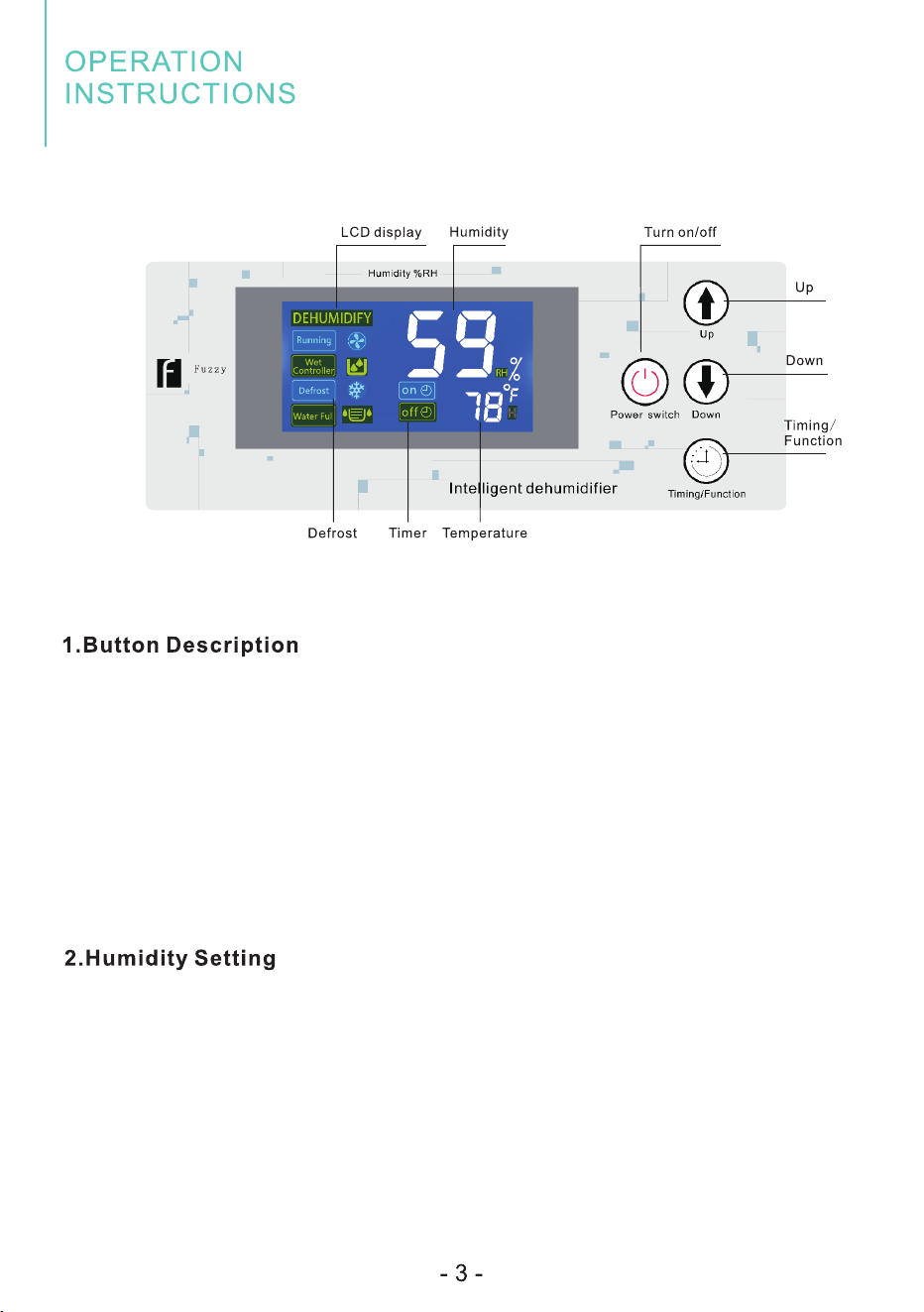
1. Power Button: In power-off status, press this button to turn on the
device and vice versa. In power-on status, the LED screen will light up
and vice versa.
Note: Dark screen does not mean the power Is disconnected.
2. Up/Down Button: Set up or set down the humidity value.
3. Timing key: Long press to enter timing setting, short press to confirm
parameters setting.
In powered-on status, press Up/Down button to set the humidity value
between the range of 10%-98%RH.
Press the "Timing" button to confirm the setting or no operations for
seconds will exit the setting status automatically.

3. Timer Setting
This timer setting function is designed for you to set a time to turn off (when
the machine is on) or to turn on (when the machine is off) the machine,
automatically by the timer.
In power-on or power-off status, long press the "Timing" button to enter
timer setting status, the timer icon " " and "h" will light up, the small
number will flash to show the setting time.
You can press "Up" or "Down" button to set the timer within 1-24 hours by
1-hour increment or decrement, which can be reset again after invalid.
Press and hold the "Timing" button for several seconds, it can be set
continuously. If no timer setting, the small number on the screen will
display the current temperature.
If the timer being set successfully, the small number will display the
remaining time, and if you press the "Timing" button again, the small
number will return to the remaining time automatically after a few seconds.
If the timer is set to "0 0 ", this is called the invalid time.
4. Operation Description
1. Power on: The air blower starts and compressor 1 will start after seconds.
2. Power off: Compressor 1 and compressor 2 immediately stop, and the air
blower will stop after seconds.
3. When continuous power supply, the compressor can only be restarted 3
minutes after its shutdown.
5. Display Status Description
When the fan is delayed, the running icon " " will flash, and if the fan Running
is running, the running icon " " will be on, otherwise it will be off. Running
When the compressor is delayed, the dehumidification icon " " will flash, and if
the compressor is running, the dehumidification " " icon will be on, otherwise it
will be off.
If the ambient humidity is lower than the setting humidity, the compressor will be
stopped, and the humidity control icon " " will flash, otherwise it will Wet Controller
be off.
When the machine needs to be cleaned, the cleaning icon " " will flash,
otherwise it is off.
When the machine is defrosting, the defrost icon " " will flash, and go Defrost
out when the defrosting ends.

6. Defrost Function
When the dehumidifier is running at a lower temperature, the system will
automatically determine whether there is a presence of frost. If any frost
exists, it will defrost automatically.
Defrost Action: The air blower keeps running and the compressor stops.
When Defosting: The "Defrost" character or the " " icon will flash.
When Defrosting Stops: The "Defrosting" character or the " " icon
will go out, the air blower and the compressor will both work according to
dehumidification requirements.
7. Temperature Protection Function
When the ambient temperature is higher than the default high temperature
of 113°F, the system will enter high temperature protection, the small
number will indicate "HH", and the compressor will stop;
When the ambient temperature is lower than the default low temperature
of 39.2°F, the system will enter the low temperature protection, the small
number will indicate "LL", and the whole machine will stop.
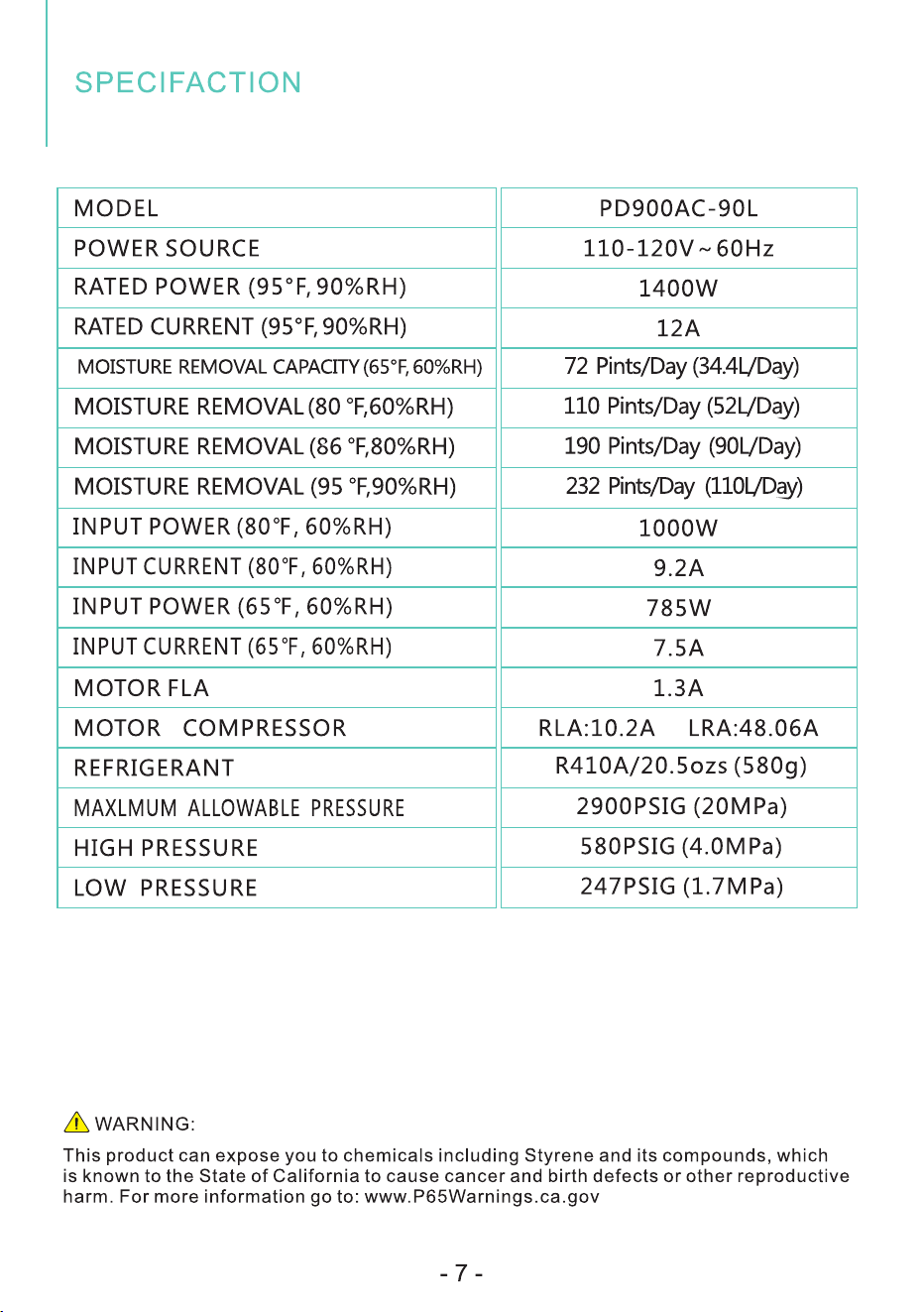
Working temperature of this product ranges from 41°F(5°C) or higher
95°F(35°C). In any case of the room temperature exceeds this range, the
machine can not work properly.
The parameters above are subject to modification by the company without
further notice.
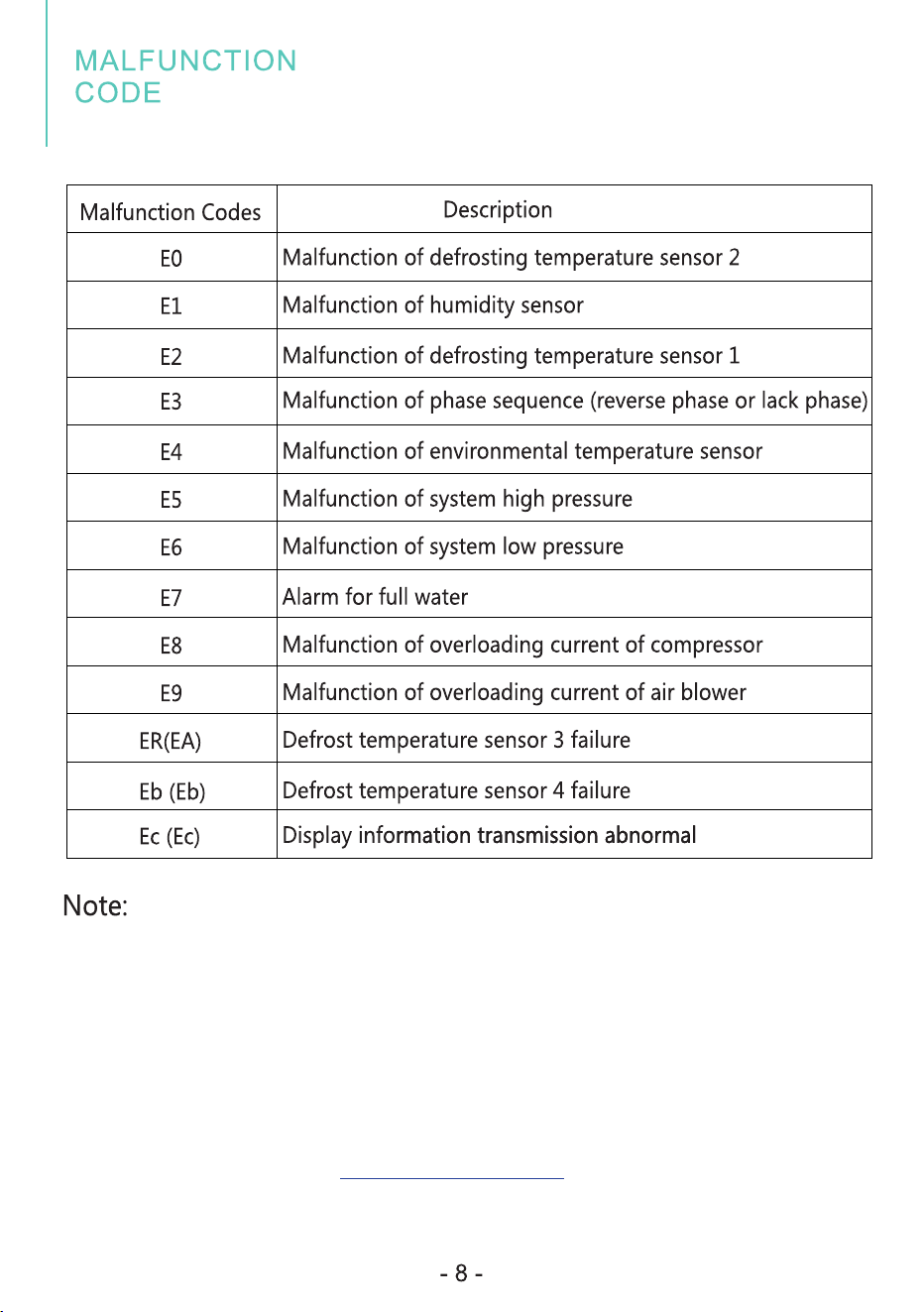
1.If display E0, E1, E2, E3, E4, ER or Eb fault, the compressor and air blower will
still work, only alarm and display the fault code, the machine can start again
when powered on (press any button to lift the alarm.).
2. After troubleshooting the E3, E5, E6, E8 or E9 error, the alarm can only be
lifted after cutting off the power and reconnecting again.
3. When Ec error occurs, the machine will not be controlled by the control panel.
If the malfunction is still present, please don't hesitate to contact Kesnos
Customer Service email at for help. support@kesnos.com
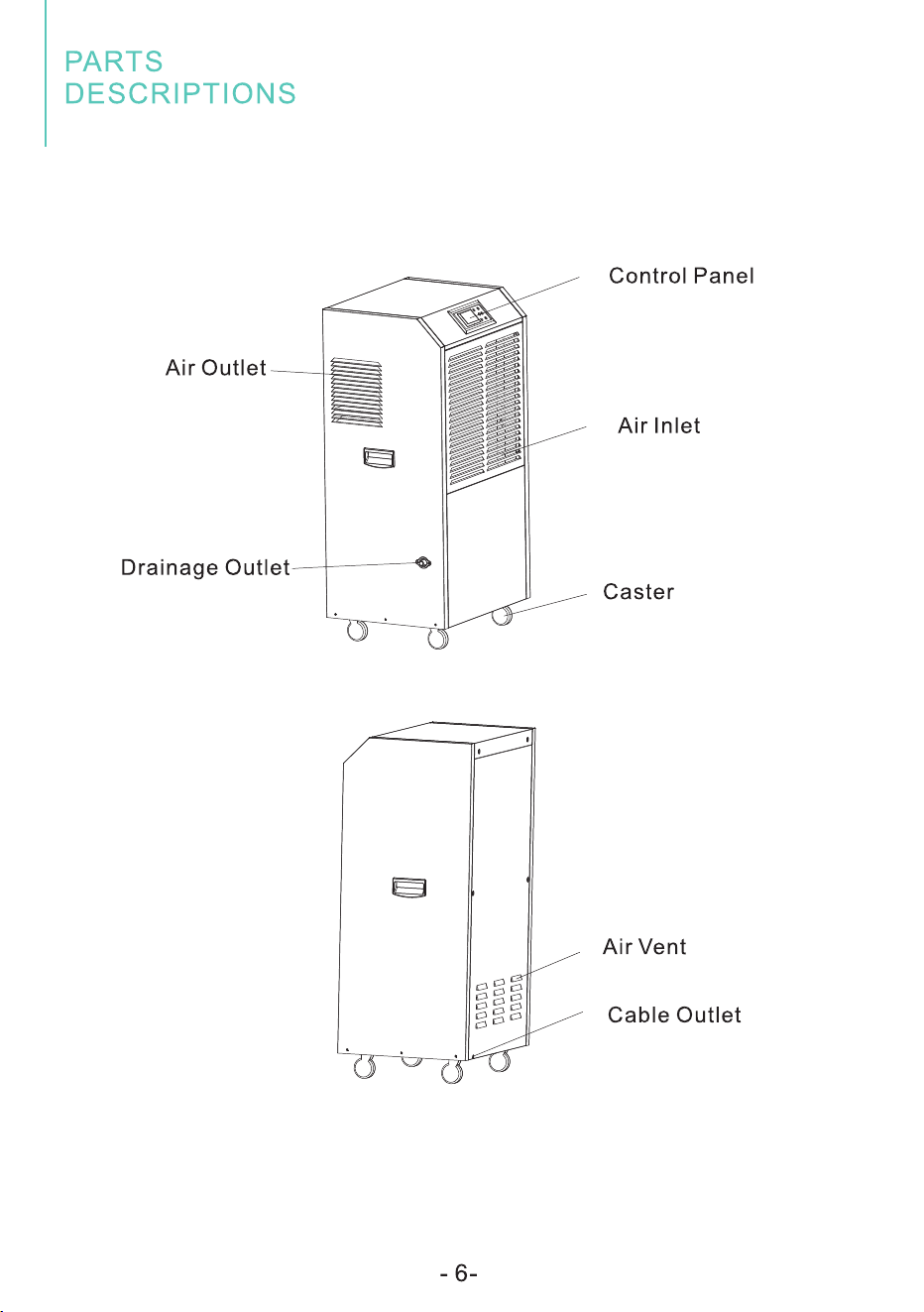
Place the drainage
hose well when
drain water conti-
nuously so as to
flow the water
freely. If work in
a cold temperature
that could freeze the water, then
the continuous drainage may not
be applicable.
SPECIAL NOTES
SPECIAL NOTES
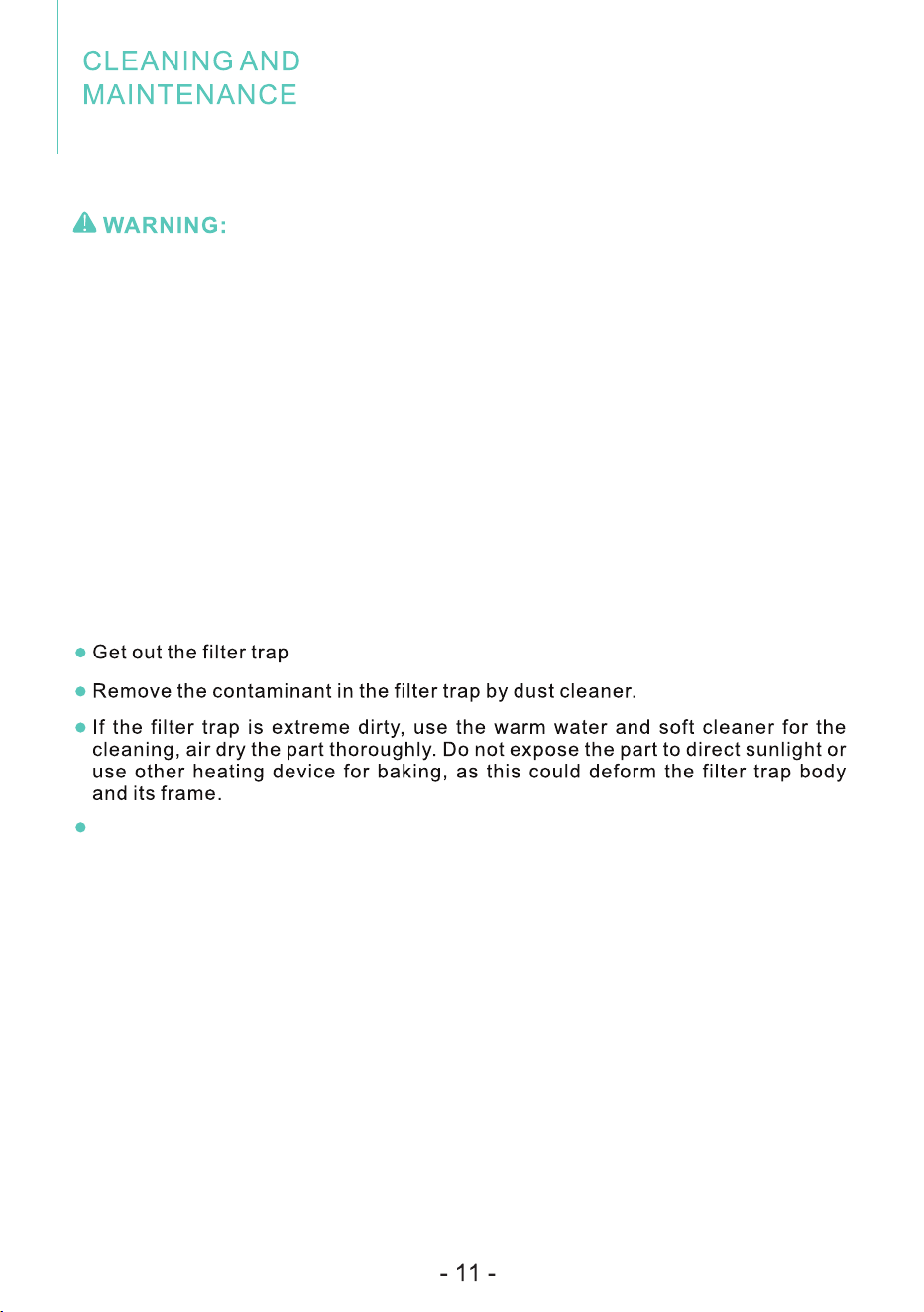
Please make sure to draw out the power cable before cleaning and maintenance to
the machine.
Do not use detergent, steel wool, chemically treated cloth, gasoline, benzine,
thinner or other solvents for the cleaning as these items could damage the machine
body.
Cleaning the Filter
This device is equipped with a filter trap that can be washed, by which this
machine can isolate large part of the contaminants transmitted through air, such
as dust, smoke, animal fur, mold spore and pollen, reduce the substances that
could cause sensitization.
lt is suggested to check the filtering mesh regularly, make cleaning at least one
time per month or before storage.
Equip the filter trap back in the device after cleaning.
1. The device is attached with one drainage hose; it is connected to the drainage
outlet for continuous drainage.
2. Ensure no bending in the drainage hose for smooth water flow.
User shall never repair or disassemble the machine body through do-it-yourself,
improper repairing could endanger the user's body.
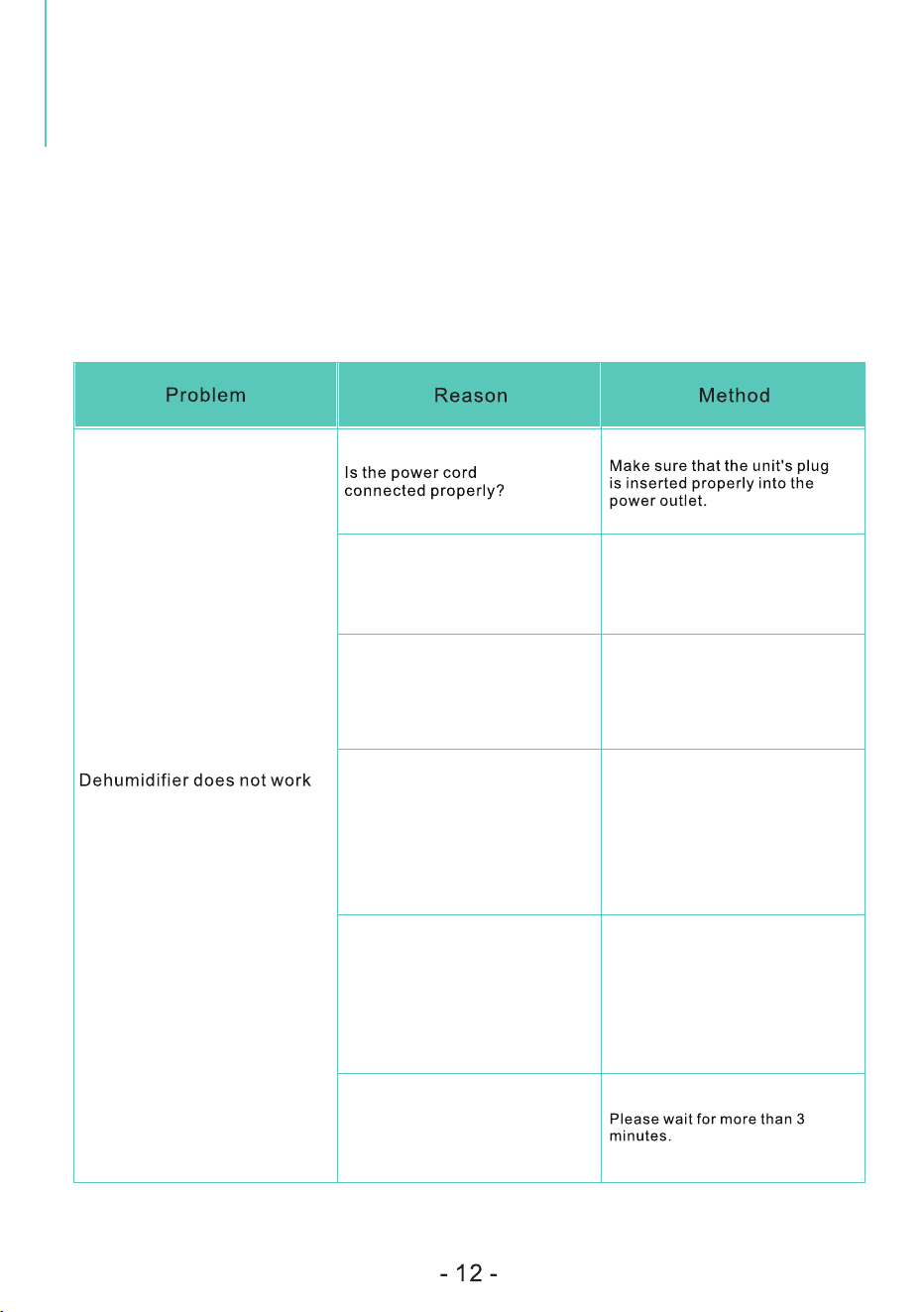
Check the information below for troubleshooting steps, it will save you time to resolve
issues that may happen with the unit.
The list includes most of the common cases, but not the results of defective unit, crafts
or materials in the unit.
lf all troubleshooting steps have been exhausted and the issue is still occurring, please
feel free to reach out to Waykar Customer Seryice to get further assistance.
Water tank is not placed in a
proper position
Pull out the water tank and put it
back properly in the machine and
make sure the tank is empty.
Room temperature is too high or
too low: above 95℉ or below 41℉.
This product does not apply to
over hot or cold environment, the
machine will automatically enter
the protection mode in this
condition.
Room temperature is between
41℉(5℃) and 68℉ (20℃)
The machine will automatically
defrost when running under lower
ambient temperature, which is a
normal phenomenon. It will restart
dehumification again until the
defrosting process finished.
Is the ambient humidity lower or
reaching the preset humidity
level? (When the room humidity
has reached or lower than the
preset level, the dehumidifier
will enter the Standby Mode)
Please set the humidity by 5%RH
lower than the room humidity or
set the humidity to 30%RH.
This is to prevent the frequent
start of the machine. Does the
machine stop working just now?
FAULTS AND
PROCESSING METHODS
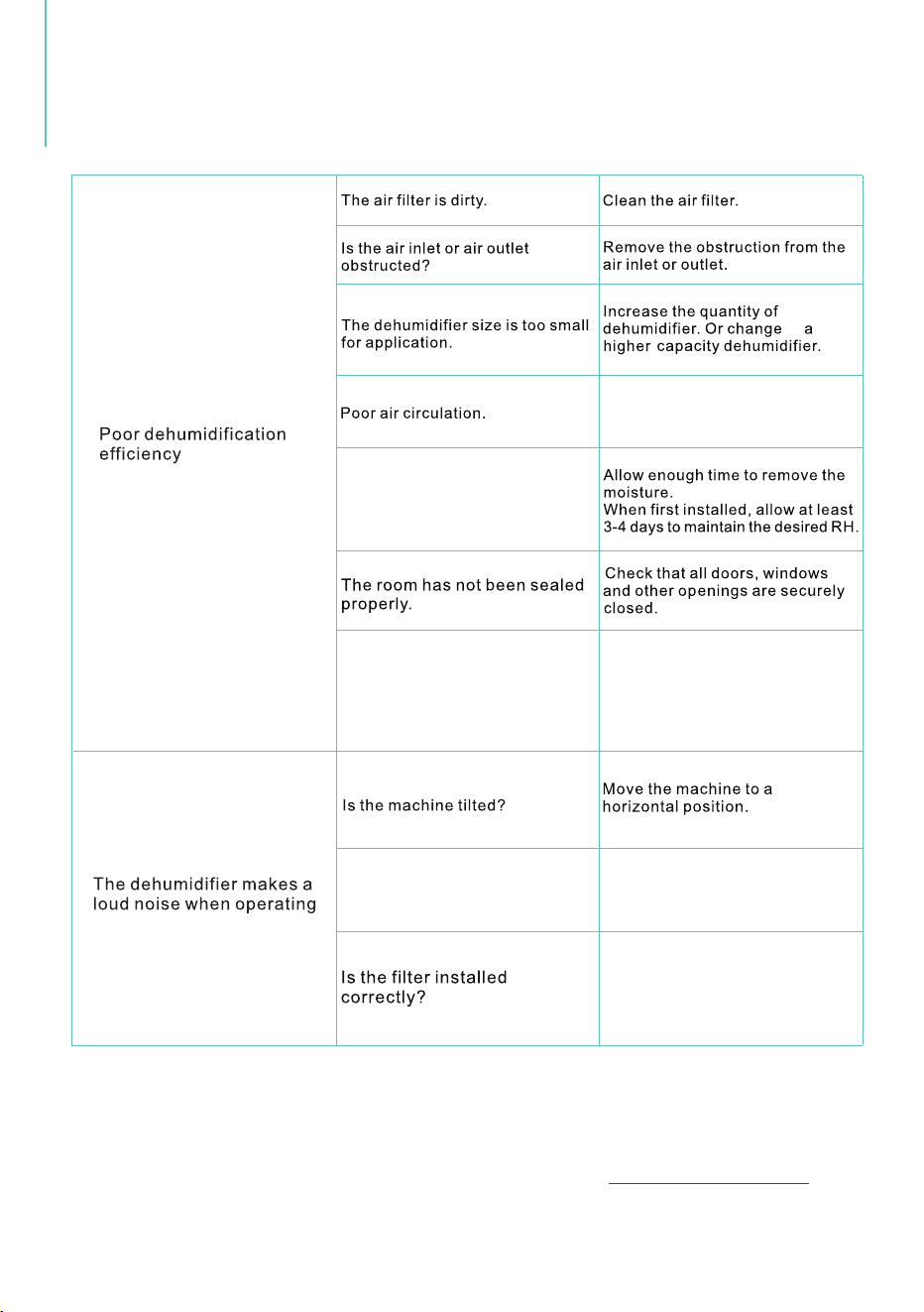
Room temperature is too low, or
below 41℉ (5℃): The machine will
not work or undergo poor
dehumifying efficiency in low
temperature.
Please wait until the temperature
rises to above 5℃ or higher.
to
Clean up the dirt or lint on the air
outlet and intake.
Please check whether the
packing bag of the filter had
been removed and the filter has
been installed correctly.
Warning
If the dehumidifier is still not working properly as expected and the troubleshooting steps
or solutions above may not resolve the issue, please unplug the power and shut down
the dehumidifier, then contact Kesnos Customer Service at .support@kesnos.com
Is the air intake or outlet being
blocked?
Please leave about 20cm
(7.9 inches) around the product.
Do not allow enough time to
remove the moisture.
FAULTS AND
PROCESSING METHODS
- 13 -
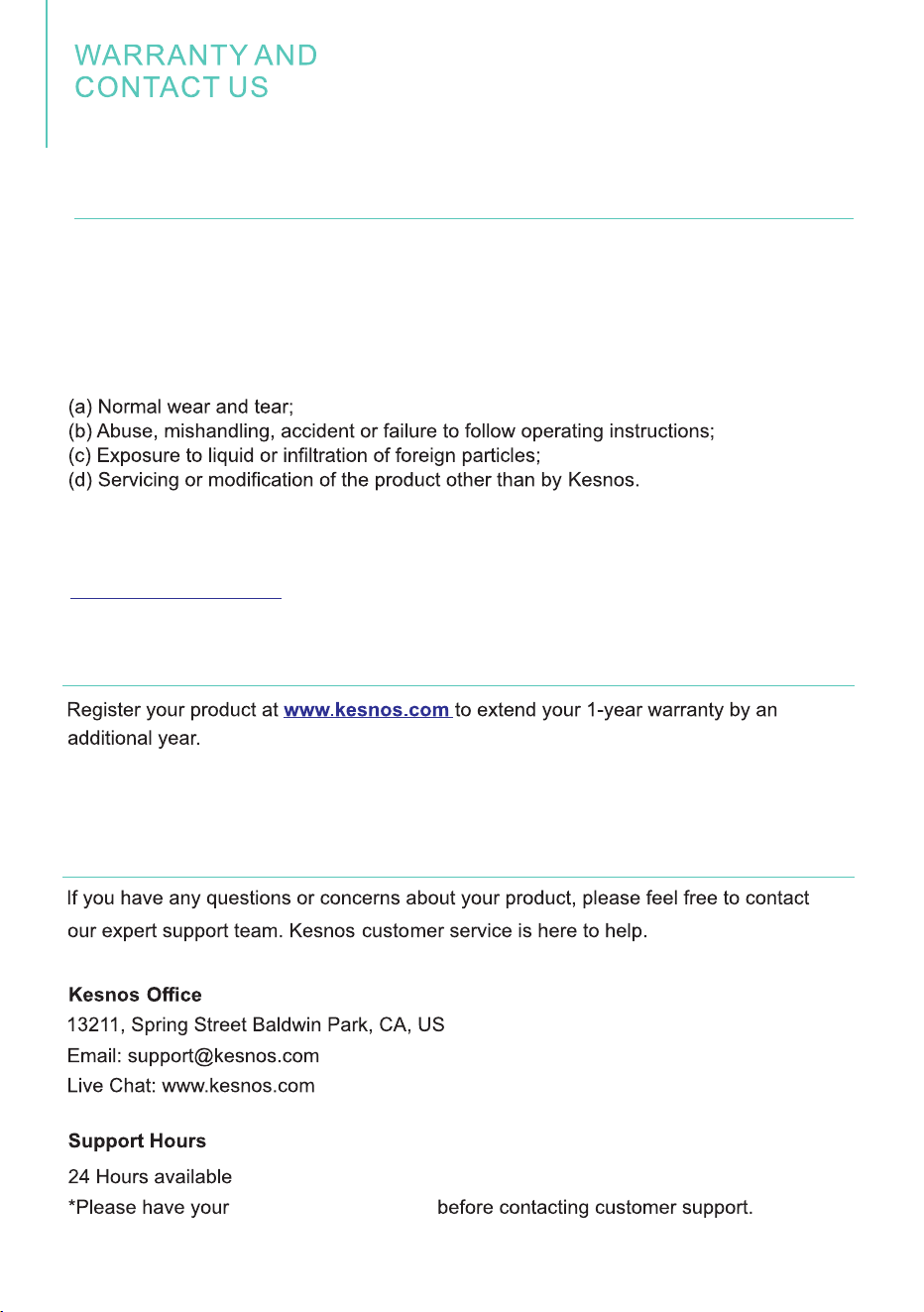
Kesnos offers a 12-month warranty to all of our products together with the original
proof of purchase when a defect occured, including those newly purchased and
unused, from Kesnos or through an authorized reseller, wholly or substantially, or as
a result of faulty manufacturing parts, or workmanship during the Warranty Period.
The warranty does not apply if damage is caused by other factors, including but
without limitation of:
There are our general terms for the warranty service, but we always encourage our
customers to contact us if any issues, regardless of warranty terms. If you are
experiencing an issue with Kesnos product, you can reach out to us at
support@kesnos.com, we will dedicate our efforts to resolve it for you. )
*Please fill out all required fields and inlcude your Order ID, Date of Purchased if
applicable.
Order Number ready
Warranty
Extend Your Warranty by 1Year
Customer Support
- 14 -
We are expecting to see our products fulfill your life and hear your voice.
Your satisfaction means a lot to us.
Please tag us if you share a snap on your social media.
www.kesnos.com
www.kesnos.com