
P.03
OPERATION INSTRUACTIONS
IMPORTANT
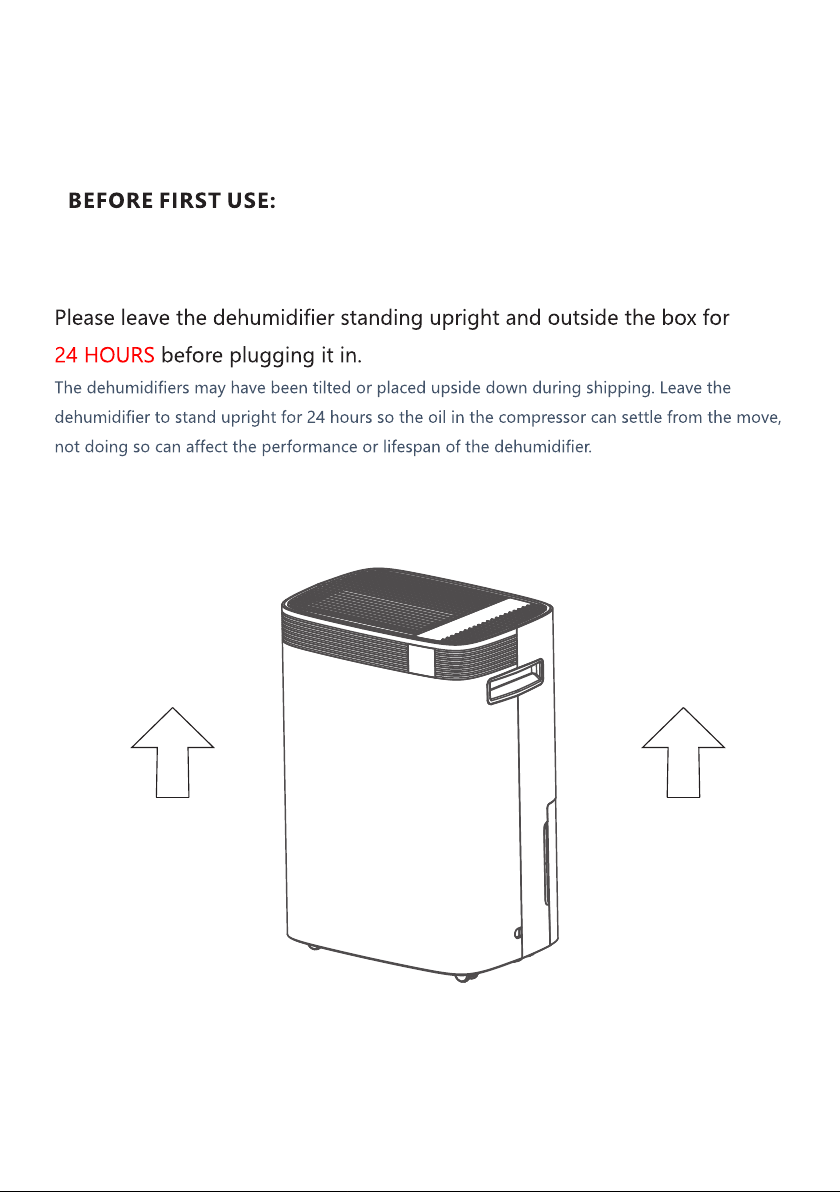
Please let the dehumidifier stand upright box for before initial plugging in.24 hours
1. Position Your Dehumidifier
· Place the dehumidifier on a smooth, level floor that is strong enough to support the dehumidifier
with a full bucket of water.
· To maintain efficiency, operate the dehumidifier in an enclosed area. Keep nearby doors and
windows closed.
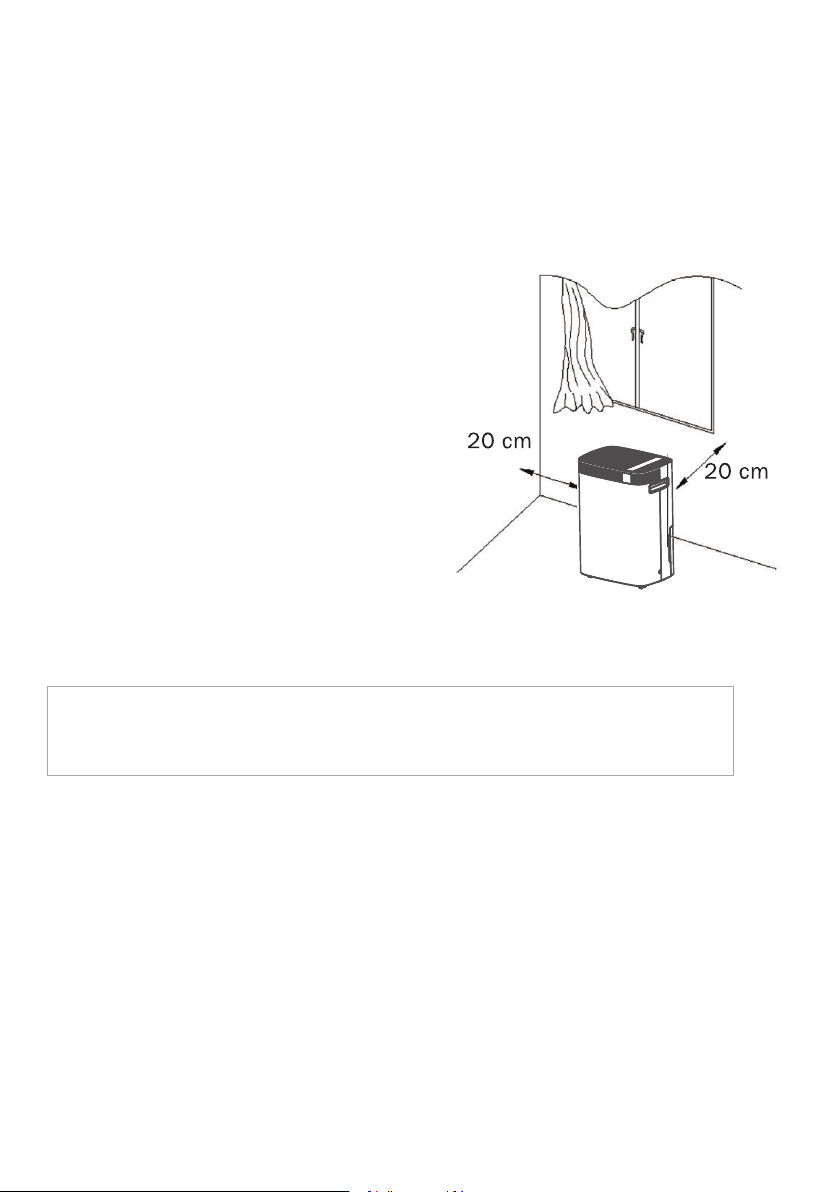
· Maintain a minimum clearance of 20 cm (7.9 inches)
on the sides and back of the dehumidifier and 40 cm
(16 inches) on the top of the dehumidifier to allow
for proper air circulation.
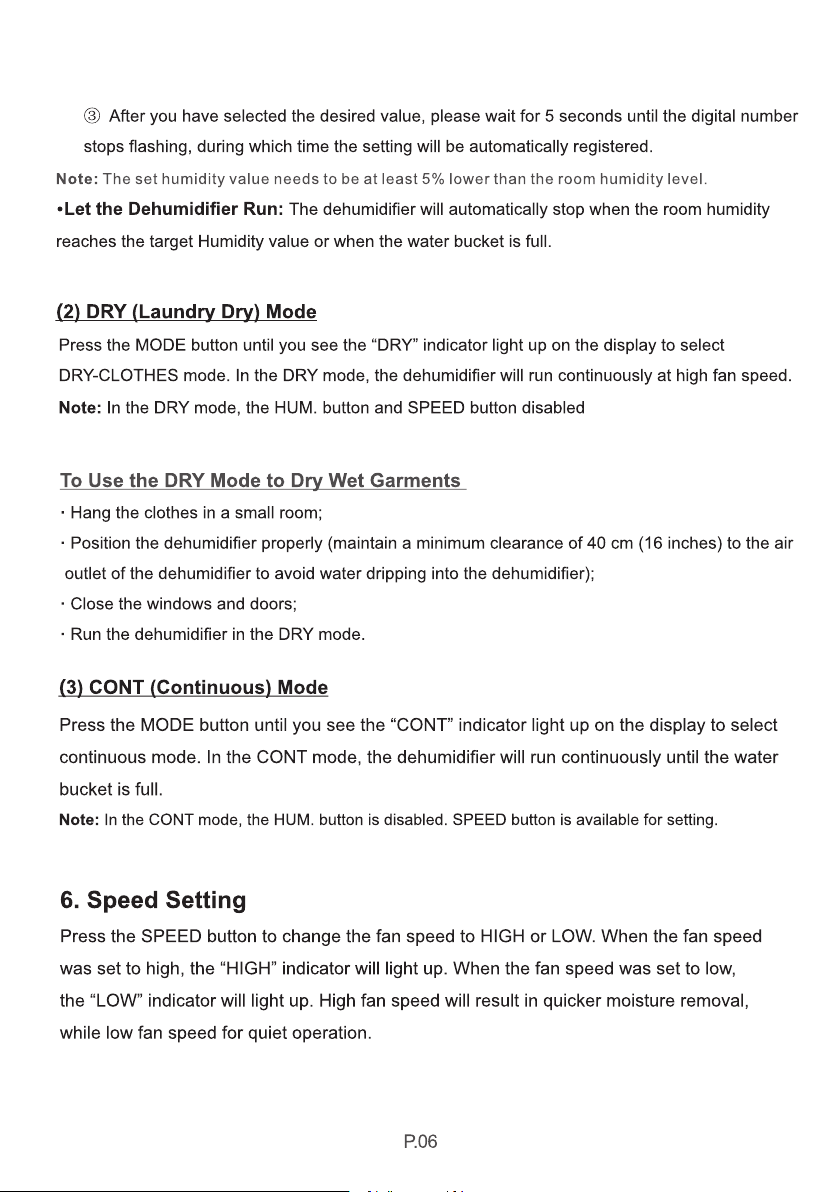
· To use the dehumidifier to dry wet clothes, maintain
a minimum clearance of 40 cm (16 inches) to the air
outlet of the dehumidifier to avoid water dripping
into the dehumidifier.
· The functioning temperature range is between 5°C
(41°F) and 35°C (95°F).
Uncoil the power cord and plug it firmly into a properly grounded 110-120 volt AC outlet.
After plugged in, the control panel will light up for 1-2 seconds and then goes off, which is the
normal self-diagnose process and does not require any user intervention.
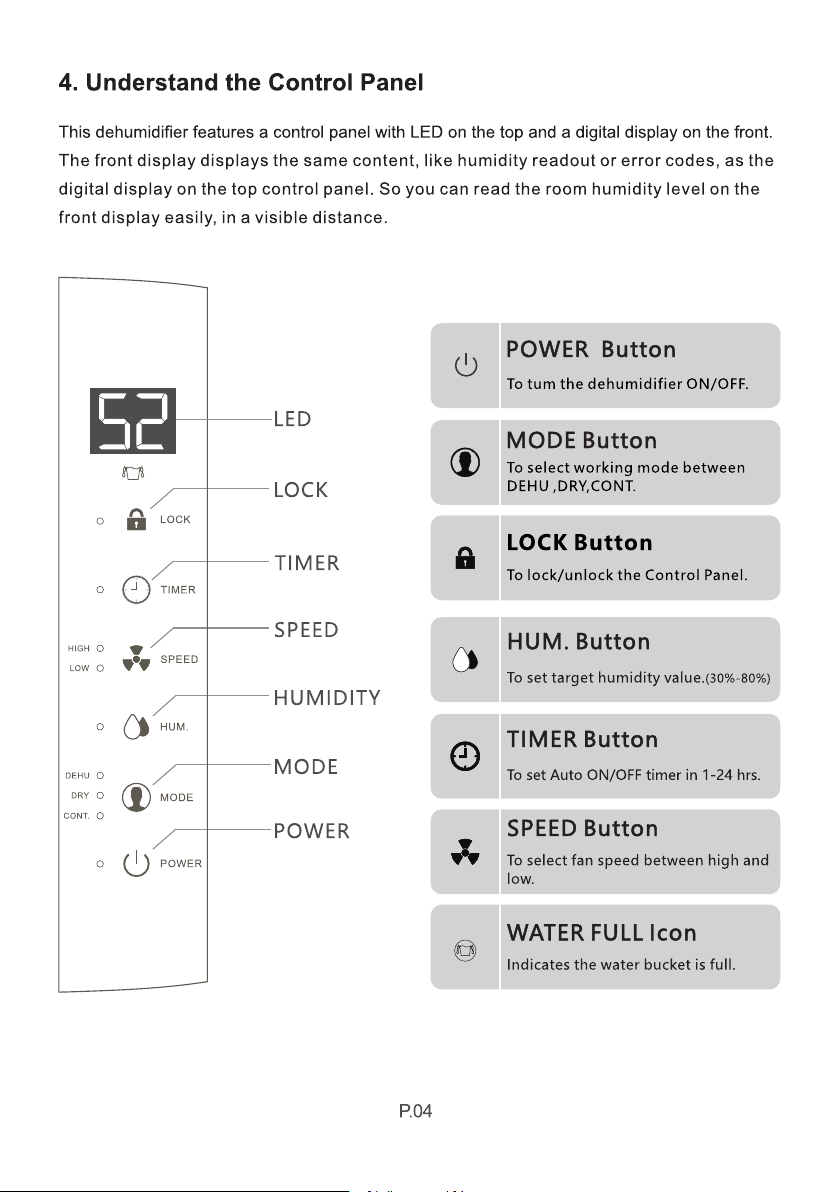
3. Turn the Dehumidifier On
Press the POWER button to turn the dehumidifier on. Typically, the dehumidifier will run in the
default setting with set humidity 30% at low fan speed in the normal DEHUMIDIFY(DEHU) mode.
NOTE: :If the dehumidifier does not run automatically and you see the “FULL” icon illuminate, please
remove the water bucket and re-install it properly
2.Plug in
(7.9inch)
(7.9inch)

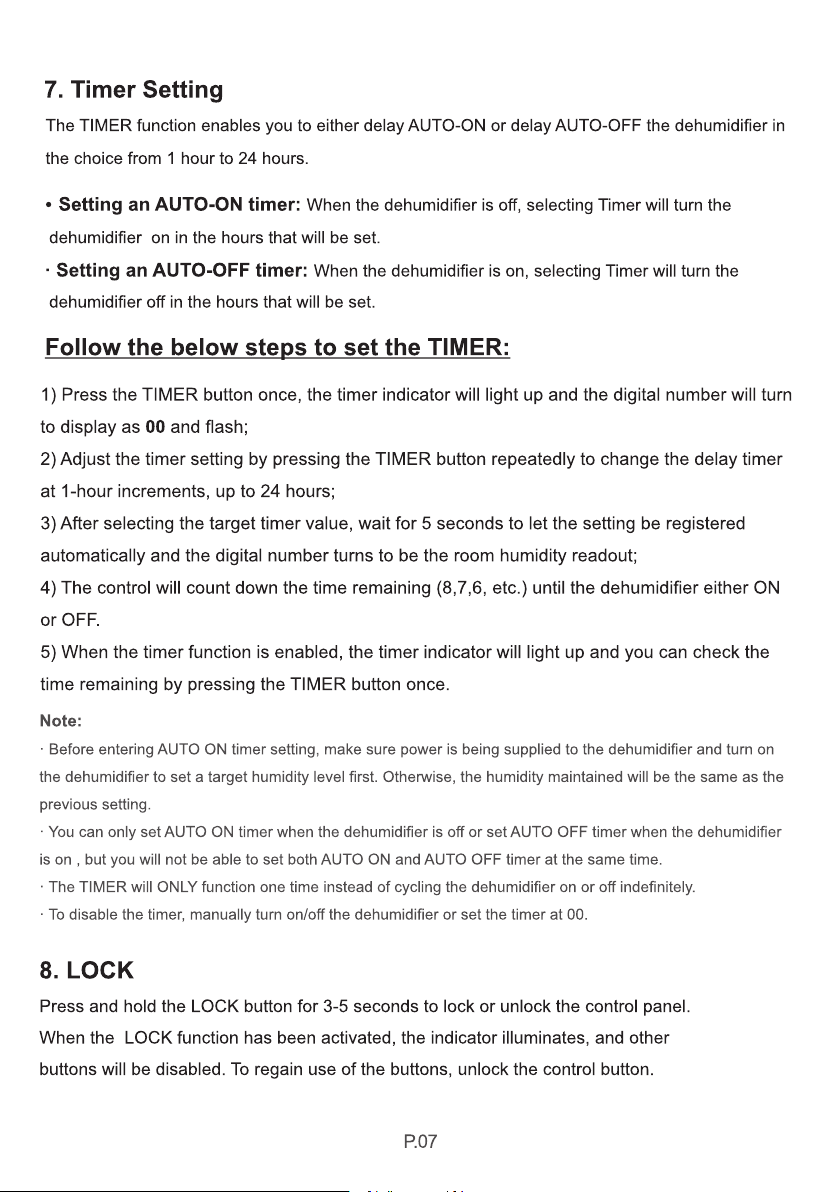
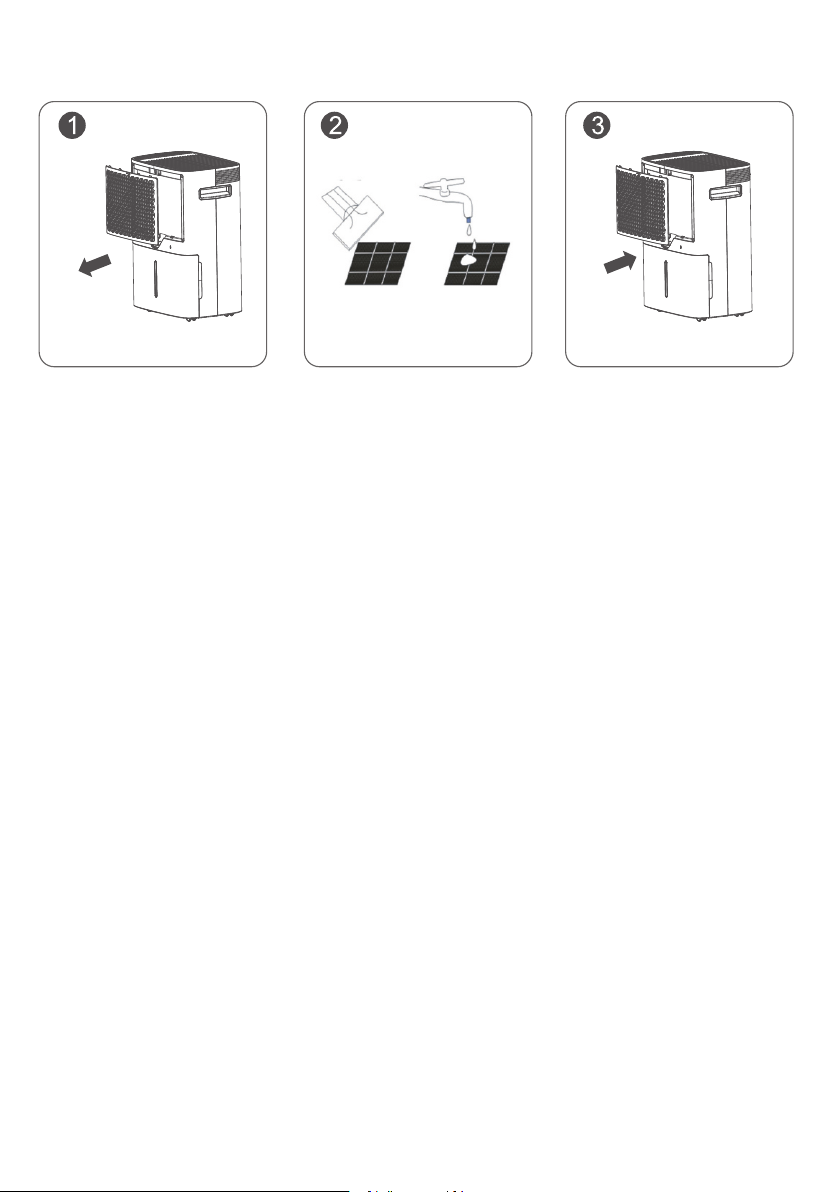
4. When Not Using Dehumidifier for Long Periods of Time
· Operate the dehumidifier on high fan mode for half a day, and then wait 1 day before
emptying the bucket.
· Clean the housing and vents, water bucket, and air filter. Ensure the whole dehumidifier
is clean and dry.
· Wrap the cord and drain pipe and bundle them to keep safe.
· Cover the dehumidifier with a plastic bag.
· Store the dehumidifier upright in a dry, well-ventilated place.
P.12
P.14
TROUBLE SHOOTING
1. Error Codes
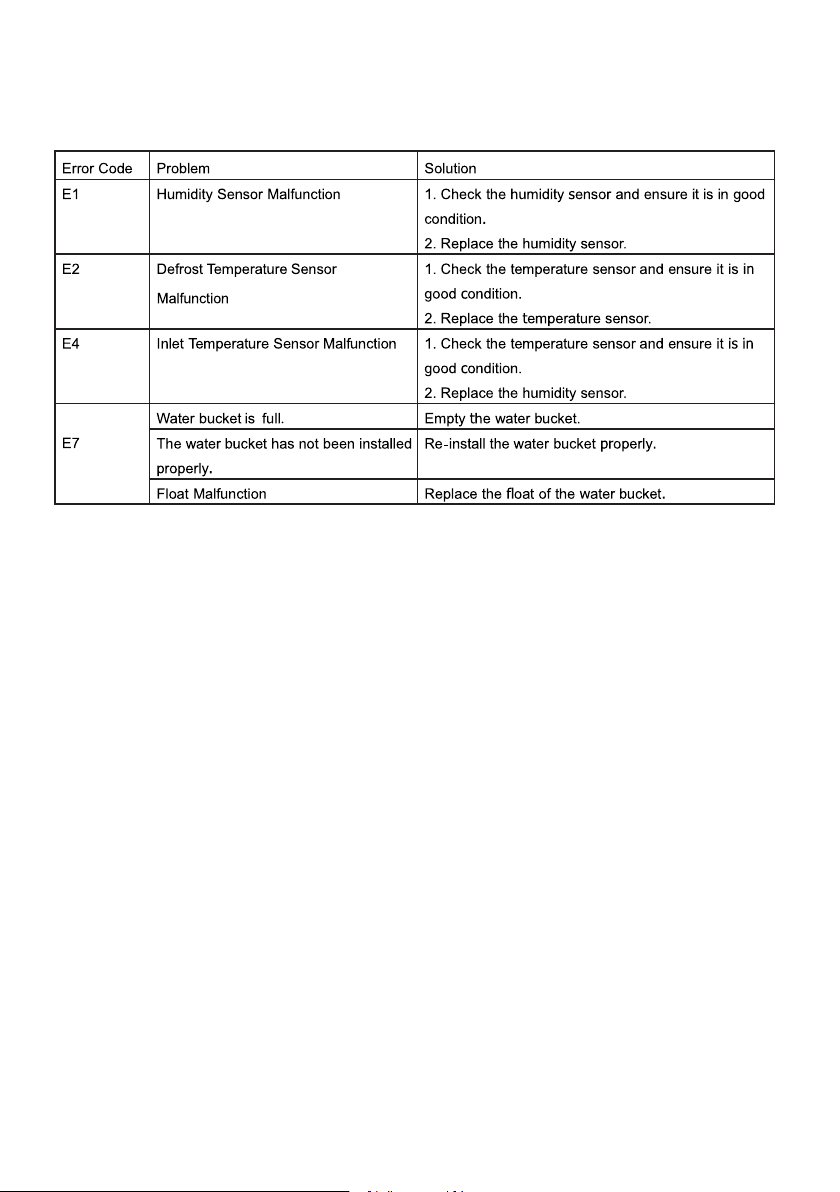
When E1, E2, or E4 error displays, you can hear an alarm that could last 15 seconds. In this case,
the dehumidifier is still running. You can follow the below steps to eliminate the error message:
· Pressing any button on the control panel to eliminate the alarm.
· Turn off the dehumidifier and unplug it to check if any obstructions.
· Restart the dehumidifier 10 minutes later.
If the ERROR message does not disappear after the restart, immediately contact COLZER customer
service at .service@colzer.com
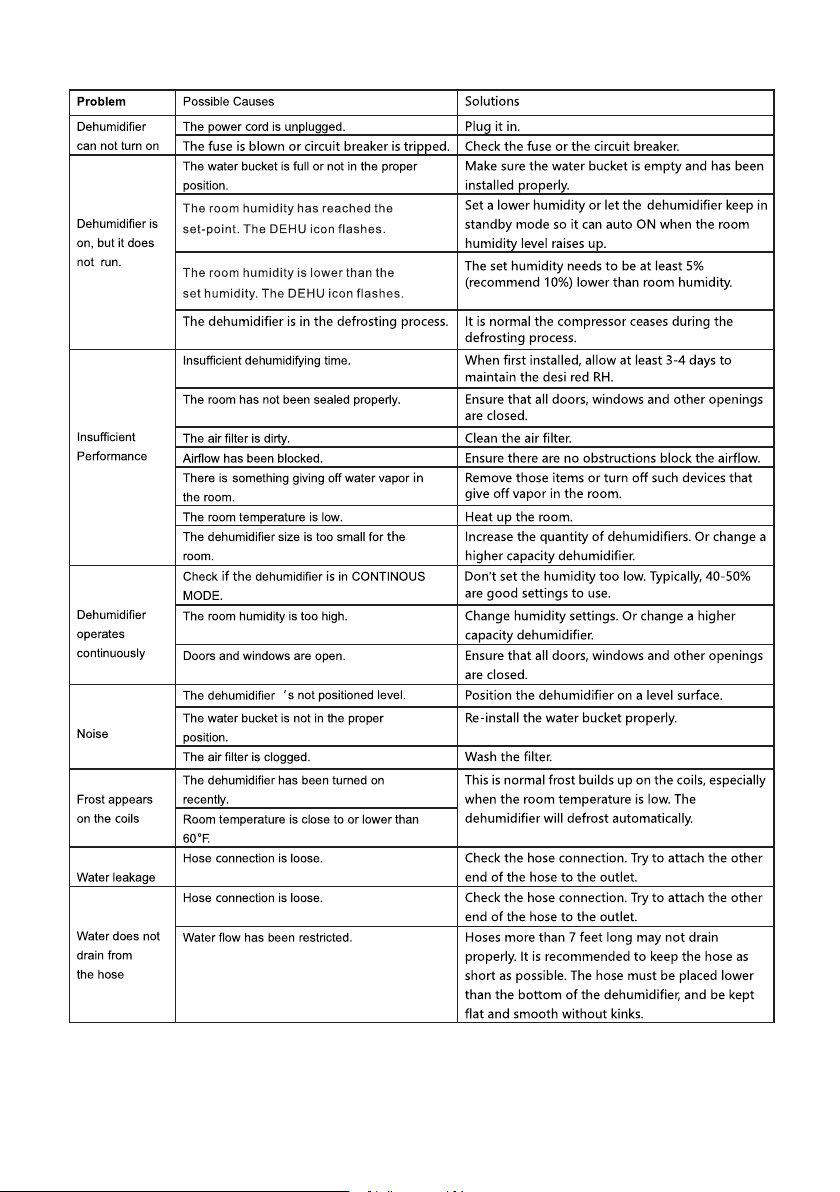
2. Trouble Shooting
The below chart will help you solve common problems that may occur. If the problem you come
across can not be fixed after troubleshooting or the problem is not listed in the below
troubleshooting chart, please contact COLZER customer service to obtain professional support.
P.15