ELEPHAS AC401 Smart 4K Projector with WiFi and Bluetooth Compatible with Netflix/Prime Video/YouTube, 270° Rotatable, AI Auto Focus & Keystone, Portable Home Theater Movie Projector for Indoor Outdoor
Product's Documents
Below are documents related to this product, you can read online or download:
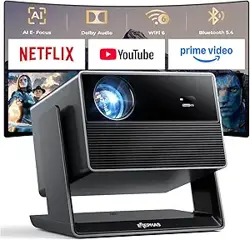
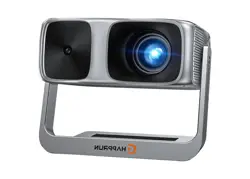
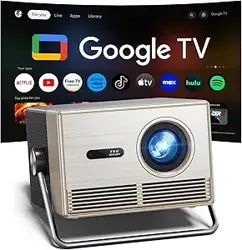
The ELEPHAS Smart 4K Projector (Model AC401) is a portable home theater projector designed for both indoor and outdoor use. It integrates a smart streaming system with pre-installed applications, eliminating the need for an external streaming device. The projector features a 270° rotatable design, advanced auto-calibration, and high-speed wireless connectivity.
What's in the Box
ELEPHAS Smart 4K Projector (AC401)
Remote Control
Power Cord
HDMI Cable
Projector Lens Cover
User Manual
Features
All-in-One Smart Streaming Hub
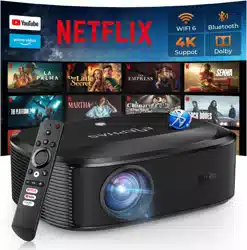
The projector comes with a fully integrated smart system. Netflix, Prime Video, and YouTube are pre-installed, allowing direct streaming without an external stick. The system supports regular updates and provides access to a wide range of applications.
4-in-1 TOF Smart Auto-Calibration System
Using advanced TOF (Time of Flight) laser sensing technology, the projector automatically performs the following adjustments in seconds:
Auto Focus: Instantly sharpens the image.
Auto Keystone Correction: Corrects trapezoidal distortion for a rectangular image.
Auto Obstacle Avoidance: Detects and avoids obstructions in the projection path.
Auto Screen Alignment: Aligns the image to fit the screen or wall area.
No manual adjustment is required, even on uneven or tilted surfaces.
270° Rotatable Design
The projector body can be rotated 270 degrees, enabling projection onto walls, ceilings, or any flat surface. This allows for flexible placement in bedrooms, living rooms, or outdoor settings.
Image Quality and Brightness
Native Resolution: 1920 x 1080 (Full HD). Supports 4K decoding (3840 x 2160).
Brightness: 800 ANSI Lumens.
Color Gamut: Intelligent AI image optimization simulates up to 98% of the NTSC cinema-grade wide color gamut.
Image Size: 38.5 inches to 200 inches.
Throw Distance: 1.18 meters to 6 meters.
Connectivity
Wi-Fi 6: Dual-band (2.4GHz and 5GHz) for stable, buffer-free streaming.
Bluetooth 5.4: Two-way connection for headphones, speakers, and other devices.
Wireless Casting: Supports AirPlay, Miracast, and DLNA for screen mirroring from phones, tablets, and laptops.
Wired Ports: HDMI, USB, and 3.5mm audio jack.
Audio
The projector features built-in speakers with Dolby Audio support for rich, clear sound suitable for movies, music, and gaming.
Specifications
Attribute
Specification
Brand
ELEPHAS
Model
AC401
Native Resolution
1920 x 1080 (Full HD)
Maximum Display Resolution
3840 x 2160 (4K Support)
Display Type
LED
Brightness
800 ANSI Lumens
Color Gamut
Up to 98% NTSC (simulated)
Image Size
38.5" - 200"
Throw Distance
1.18 m - 6 m
Connectivity
Wi-Fi 6 (Dual-band), Bluetooth 5.4, HDMI, USB, 3.5mm Jack
Wireless Casting
AirPlay, Miracast, DLNA
Built-in Media
Netflix, Prime Video, YouTube
Speaker
Built-in, Dolby Audio support
Special Features
TOF Auto Focus, Auto Keystone, Auto Obstacle Avoidance, Auto Screen Alignment, 270° Rotation
Form Factor
Desktop / Tabletop / Ceiling Mount
Item Dimensions (L x W x H)
9.7" x 12.7" x 13.2"
Item Weight
4.35 kg
Wattage
150 W
Warranty
2-year manufacturer warranty
Use Guide
1. Setup and Placement
Place the projector on a stable, flat surface or mount it on a ceiling (ceiling mount kit not included).
Connect the power cord to the projector and plug it into a power outlet.
Remove the lens cover from the projector.
2. Power On and Initial Setup
Press the power button on the projector or on the remote control.
The projector will start and automatically perform the TOF auto-calibration (focus, keystone, obstacle avoidance, and screen alignment). Wait for the process to complete.
Follow the on-screen instructions to connect to your Wi-Fi network.
Sign in to your streaming accounts (Netflix, Prime Video, YouTube) when prompted.
3. Using the Smart System
Use the remote control to navigate the home screen.
Select the pre-installed apps (Netflix, Prime Video, YouTube) to start streaming.
To install additional apps, use the built-in app store (if available) or cast from your mobile device.
4. Adjusting the Image
Auto Adjustment: The projector automatically adjusts focus and keystone on startup. To manually trigger auto-adjustment, press the dedicated button on the remote control.
Manual Adjustment: Use the focus ring on the lens (if available) for fine-tuning.
Rotation: Gently rotate the projector body up to 270 degrees to project on walls or ceilings.
Zoom: Adjust the projection size by moving the projector closer to or further from the screen (1.18 m to 6 m throw distance).
5. Connecting External Devices
HDMI: Connect a laptop, gaming console, or Blu-ray player using the HDMI cable.
USB: Connect a USB drive to play media files directly.
Bluetooth: Pair Bluetooth headphones or speakers. Go to Settings > Bluetooth and select your device.
Screen Mirroring: Use AirPlay (iOS), Miracast (Windows/Android), or DLNA to cast content from your device.
6. Audio Output
The built-in speakers provide audio output by default.
For external audio, connect speakers via Bluetooth or use the 3.5mm audio jack.
To use Bluetooth headphones, pair them through the Bluetooth settings menu.
7. Power Off
Press the power button on the remote or the projector.
Wait for the cooling fan to stop before unplugging the power cord.
Replace the lens cover to protect the lens when not in use.
Troubleshooting
Issue
Possible Solution
No image / black screen
Ensure the lens cover is removed. Check that the power cord is securely connected. Verify the input source is correct (HDMI, built-in apps).
Image is blurry
Allow the auto-focus to complete. If still blurry, manually adjust the focus ring or trigger auto-focus from the remote.
Image is trapezoidal
The auto keystone correction should fix this. Ensure the projector is placed on a stable surface. Re-trigger auto-calibration.
No sound
Check the volume level on the remote. Ensure Bluetooth is not connected to a muted device. Verify the audio output setting (internal speaker vs. external).
Wi-Fi connection issues
Ensure you are within range of your router. Restart the projector and router. Check that you are entering the correct Wi-Fi password.
Remote control not working
Replace the batteries in the remote. Ensure there are no obstructions between the remote and the projector's IR sensor.
App not loading (Netflix, etc.)
Check your internet connection. Restart the projector. Ensure the app is updated to the latest version.
Safety and Care
Do not look directly into the projector lens while it is on. The bright light can cause eye injury.
Place the projector on a well-ventilated surface. Do not block the air vents.
Avoid exposing the projector to extreme temperatures, moisture, or direct sunlight.
Clean the lens with a soft, dry cloth. Do not use abrasive cleaners.
Unplug the projector during thunderstorms or if it will not be used for an extended period.
Use only the supplied power cord and adapter.
Warranty and Support
This product is covered by a 2-year manufacturer warranty.
For support, please contact the ELEPHAS store on Amazon or refer to the contact information provided in the product packaging.