Model: HQ-JS2326BK
Overview
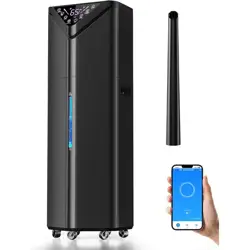
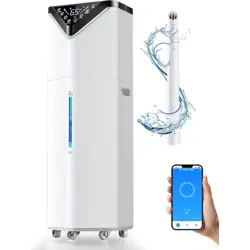
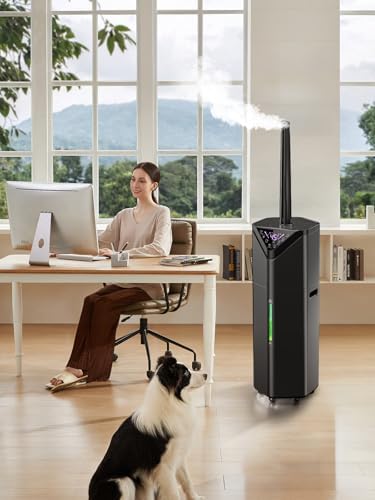
This manual provides instructions for the setup, operation, and maintenance of the Hiswelle 19L/5Gal Smart Humidifier. This floor-standing humidifier is designed for large rooms up to 2800 sq ft and features smart app control, a 5-gallon water tank, and an automatic 180° rotating mist tube.

Features & Specifications
Key Features
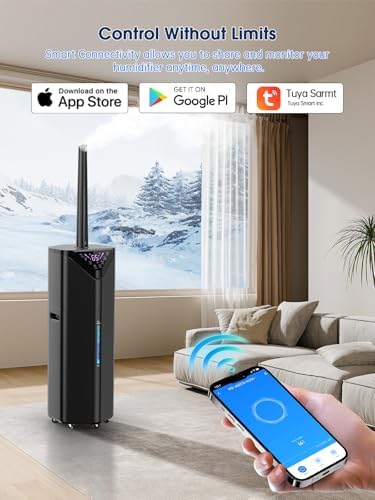
- Smart App Control: Manage settings remotely via the free "Tuya" app (requires 2.4GHz Wi-Fi network for initial setup).
- Large Capacity: 5-gallon (19L) water tank for up to 60 hours of continuous operation.
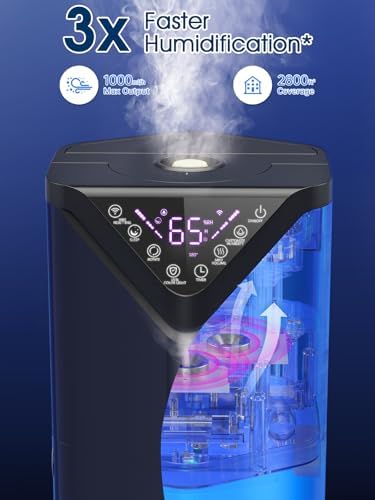
- High Output: Mist output up to 1000ml/h using three core atomizers.
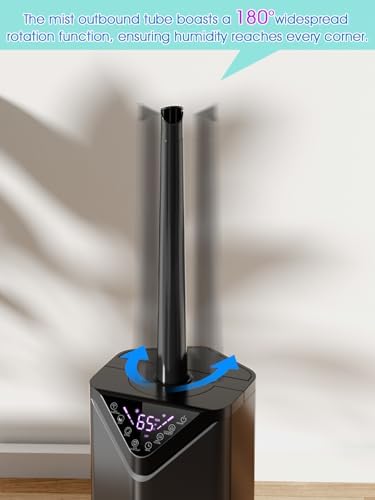
- Automatic Oscillation: 180° rotating mist tube for even distribution.
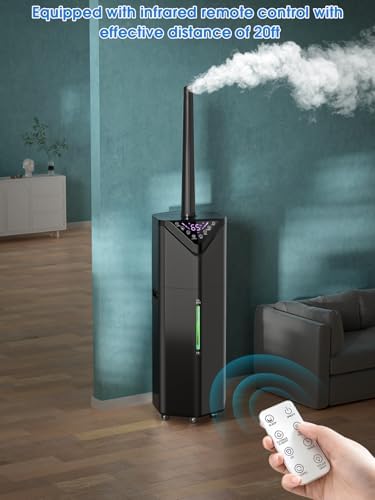
- Multiple Control Methods: Control via touch panel, included remote control (20ft range), or smartphone app.
- Adjustable Settings: Customizable humidity levels (up to 90% RH), three mist intensity levels, timer, and sleep mode.
- Additional Functions: Built-in essential oil box (aromatherapy), ambient night light, and LED display.
- Portability: Equipped with 6 x 360° casters and hidden handles for easy movement.
- Safety Features: Auto-off function activates when water level is low.
Technical Specifications
- Brand: Hiswelle
- Model Number: HQ-JS2326BK
- Water Tank Capacity: 5 Gallons (19 Liters)
- Recommended Room Size: Up to 2800 Square Feet
- Max Runtime: 60 hours
- Max Mist Output: 1000ml/h
- Power Source: AC
- Wattage: 100 watts
- Product Dimensions (D x W x H): 10" x 9" x 45"
- Item Weight: 11 Pounds
- Filter Type: Demineralization Cartridge
- Included Components: Humidifier unit, remote control, user manual, quick start guide.
Setup & Installation Guide
Unpacking
Remove the humidifier and all components from the packaging. The box should contain:
- Main humidifier unit
- Remote control (battery may be included)
- User manual and quick start guide
Inspect all parts for any damage that may have occurred during shipping.
Initial Setup
- Placement: Place the humidifier on a flat, stable, and level floor. Ensure there is at least 12 inches of clearance around the unit, especially from walls and furniture, to allow for proper mist dispersion.
- Filling the Tank:
- Locate the water tank opening on the top of the unit.
- Remove the cap or cover.
- Fill the tank with clean, cool tap water. Do not use hot water. You may use a pitcher or place the unit near a faucet. The water level window allows you to see the fill level.
- Replace the cap securely.
- Power On: Plug the power cord into a standard 120V AC electrical outlet. The LED display may light up briefly.
Connecting to the Tuya Smart App
- Download the free "Tuya Smart" or "Smart Life" app from your device's app store (iOS App Store or Google Play Store).
- Create an account or log in within the app.
- Ensure your smartphone is connected to a 2.4GHz Wi-Fi network. The humidifier does not support 5GHz networks for initial setup.
- Press and hold the Wi-Fi or connection button on the humidifier's control panel (refer to the quick start guide for its specific location) until the indicator light begins to blink.
- Follow the in-app instructions to add a new device. The app should search for and find the humidifier.
- Select your home Wi-Fi network and enter the password to connect the humidifier to your network.
- Once connected, you can name your device (e.g., "Living Room Humidifier") and begin controlling it remotely.
Use Guide
Control Panel & Remote Control
The humidifier can be operated using the touch buttons on the unit itself or the included infrared remote control. The remote has a maximum range of approximately 20 feet and requires a direct line of sight to the unit's sensor.
Common Functions (available on panel and remote):
- Power: Turns the humidifier on or off.
- Mist Level: Cycles through three mist output intensities (Low, Medium, High).
- Humidity Setpoint: Adjusts the target humidity level from the ambient level up to 90% RH. The humidifier will run automatically to maintain this level.
- Timer: Sets an automatic shut-off timer from 1 to 24 hours.
- Sleep Mode: Activates sleep mode, which typically dims the display lights and operates at the quietest settings.
- Light: Controls the ambient night light (On/Off/Auto).
- Swing/Oscillation: Turns the 180° automatic rotation of the mist tube on or off.
Using the Smart App
Once connected, the Tuya app provides full control over all humidifier functions from your smartphone, including:
- Remote power on/off.
- Adjusting mist level and target humidity.
- Setting schedules for automatic operation at specific times of day.
- Controlling the timer and sleep mode.
- Managing the night light and mist tube oscillation.
Using Essential Oils
- Locate the built-in essential oil box, typically near the top-fill opening or control panel.
- Open the box and add a few drops of your preferred essential oil. Do not overfill.
- Close the box securely. The mist will carry the aroma into the room.
- Note: Only use pure essential oils. Do not use thick or synthetic fragrances, as they can damage the atomizer.
Maintenance & Cleaning
Daily/Weekly
- Refilling: Monitor the water level through the window. Refill the tank when the water is low or when the low-water indicator activates.
- Exterior: Wipe the exterior with a soft, dry cloth. If needed, use a damp cloth. Do not use abrasive cleaners.
Regular Cleaning (Every 1-2 Weeks)
To prevent mold and mineral buildup:
- Unplug the humidifier from the electrical outlet.
- Empty any remaining water from the tank and base.
- Fill the tank with a mixture of clean water and white vinegar (a common ratio is 1 cup of vinegar per gallon of tank capacity).
- Let the solution sit in the tank for 20-30 minutes to descale and disinfect. Swirl it around occasionally.
- Use a soft brush or cloth to gently clean the interior surfaces of the tank. Do not submerge the main unit base in water.
- Rinse the tank thoroughly with clean water several times until the vinegar smell is gone.
- Wipe the base and any other removable parts with a cloth dampened with the vinegar solution, then rinse and dry.
- Allow all parts to air dry completely before reassembling and using the humidifier again.
Filter Maintenance
This model uses a demineralization cartridge to reduce white dust. The lifespan of the cartridge depends on water hardness. Replace the cartridge as recommended in the quick start guide or when you notice an increase in white dust output.
Troubleshooting
| Problem |
Possible Cause |
Solution |
| Humidifier does not turn on. |
Not plugged in. Power outlet issue. |
Ensure the power cord is securely plugged into the unit and the wall outlet. Try a different outlet. |
| No mist is produced. |
Empty water tank. Incorrect assembly. |
Fill the water tank. Ensure the tank is correctly seated on the base. |
| Low mist output. |
Mist level set to low. Mineral buildup on atomizer. |
Increase the mist level setting. Clean the humidifier following the regular cleaning instructions. |
| Water leakage. |
Tank cap not secured. Cracked tank. |
Ensure the tank cap and seals are tight. Inspect the tank for damage. |
| Loud or unusual noise. |
Unit not on a level surface. Low water level. |
Place the humidifier on a flat, level surface. Refill the water tank. |
| Cannot connect to app. |
Not using 2.4GHz Wi-Fi. Incorrect setup steps. |
Ensure your phone is on a 2.4GHz network during setup. Repeat the connection process, following app instructions carefully. |
| White dust around humidifier. |
Minerals in water. Demineralization cartridge spent. |
Use distilled or demineralized water. Replace the demineralization cartridge. |
Safety Information
- Read all instructions before using the humidifier.
- Always place the humidifier on a flat, stable, and waterproof surface.
- Use only clean, cool tap water. Do not use hot water.
- Do not add medication or other substances to the water tank unless using the designated essential oil box with pure essential oils.
- Do not block the mist outlet or air intakes.
- Unplug the unit before cleaning, refilling, or when not in use for an extended period.
- Do not operate the humidifier without water.
- This appliance is not intended for use by persons (including children) with reduced physical, sensory, or mental capabilities, unless they have been given supervision or instruction.
- Keep the cord and plug away from heated surfaces.
- Do not immerse the main unit base, cord, or plug in water or other liquids.