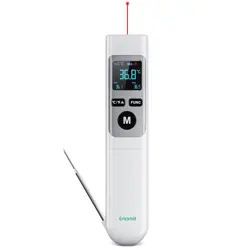
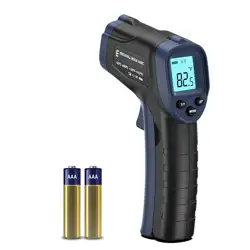
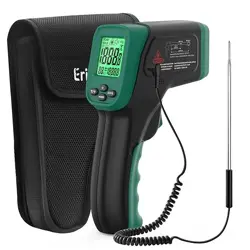
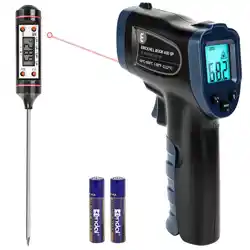
Model: ROOKCORE | -50℃~600℃ Adjustable Emissivity Non-Contact Laser Thermometer Gun
1. Overview
The ERICKHILL Infrared Thermometer is a non-contact temperature measurement tool designed for a variety of applications. It uses infrared technology to measure surface temperatures from a distance.

Key Applications:
- Cooking, BBQ, and food preparation
- Vehicle repair and engine diagnostics
- HVAC system checks
- Electrical maintenance
- Freezer and refrigerator monitoring
- DIY hobbies and crafts
2. Package Contents
- 1 x Infrared Thermometer
- 2 x AAA Batteries
- 1 x User Manual
3. Product Features & Specifications
3.1 Physical Description
- Colour: Dark Green
- Outer Material: Plastic (ABS shell)
- Size: Compact, 14.5 cm in length
- Grip: Non-slip, ergonomic design
3.2 Technical Specifications
- Measuring Range: -50℃ to 600℃ (-58℉ to 1112℉)
- Accuracy: ±1.5℃
- Response Time: 0.5 seconds
- Distance-to-Spot Ratio: 12:1
- Emissivity: Adjustable
- Laser: Class 2 red laser for targeting
- Display: Large backlit LCD digital display
- Power Supply: 2 x AAA batteries (included)
- Auto Shut-off: Activates after 15 seconds of inactivity
- Certifications: CE, RoHS, UKCA, FCC
3.3 Display and Controls

The LCD screen shows the temperature reading, unit of measurement (℃/℉), and status icons. The backlight can be adjusted for visibility in low-light conditions.
Common Display Indicators:
- Numerical temperature value
- ℃ or ℉ unit symbol
- Low battery indicator
- Laser targeting icon (when active)
- Backlight indicator
4. Use Guide
4.1 Initial Setup
- Open the battery compartment on the back of the thermometer.
- Insert the two included AAA batteries, observing the correct polarity (+/-).
- Close the battery compartment.
4.2 Taking a Measurement
- Press the trigger to turn on the device. The display will illuminate.
- Aim the thermometer at the target surface. Use the red laser dot to assist with aiming.
- Ensure you are within the appropriate distance. The measurement spot size increases with distance (governed by the 12:1 ratio).
- Hold the trigger to take a reading. The temperature will be displayed on the LCD screen.
- Release the trigger. The device will stay on for a short period before auto shut-off.

4.3 Adjusting Emissivity
For accurate readings on different materials, the emissivity setting may need adjustment. Refer to the emissivity table in the appendix of the physical manual for common material values. Use the device's mode button (refer to your physical manual for its exact location) to cycle to the emissivity setting and adjust as needed.
4.4 Switching Between ℃ and ℉
Press and hold the mode button (or as indicated in your physical manual) to toggle between Celsius and Fahrenheit temperature units.
4.5 Using the Backlight
Press the backlight button (typically near the display) to turn the LCD backlight on or off, and to adjust its brightness levels for optimal viewing.

5. Applications & Examples
5.1 Cooking and Food Safety
- Check oil temperature for frying (e.g., 180℃ for perfect steak).
- Monitor surface temperatures of grills, pans, and pizza ovens.
- Ensure freezer and refrigerator compartments are at safe temperatures.

5.2 Automotive Repair
- Diagnose engine overheating by scanning components.
- Check brake disc temperature.
- Identify HVAC system issues.

5.3 Home and Electrical Maintenance
- Identify overheating circuit breakers or electrical connections.
- Check heat output from radiators or air conditioning vents.
- Monitor temperatures in DIY projects like soap making or fermenting.

6. Care and Maintenance
- Clean the lens with a soft, dry cloth. Do not use abrasive cleaners or solvents.
- Store the device in a cool, dry place.
- Remove batteries if the device will not be used for an extended period.
- Avoid exposing the thermometer to extreme temperatures, water, or dust.
7. Troubleshooting
- No Display: Check battery installation and charge. Replace batteries if necessary.
- Inaccurate Reading: Ensure the lens is clean. Check and adjust the emissivity setting for the target material. Move closer to the target to reduce spot size.
- Device Won't Turn On: Replace with new AAA batteries.
- Laser Not Working: The laser is a targeting aid only. Its failure does not affect temperature measurement accuracy, but consult support if concerned.
Important Safety Information
- This device is NOT for measuring human or animal body temperature.
- Do not point the laser at anyone's eyes. This is a Class 2 laser product.
- The device measures surface temperature only. It cannot measure internal temperatures.
- Avoid aiming at reflective surfaces (e.g., polished metal, glass) as this can cause inaccurate readings.
- Keep the device away from children.
8. Product Information and Compliance
- Brand: ERICKHILL
- Model Name/Number: ROOKCORE / 1f5909f4-eaaa-4312-a6fc-23096997be58
- Compliance: CE, RoHS, UKCA, FCC standards.
- Power: 2 x 1.5V AAA batteries.
- Warranty: 36 months after-sale service and lifetime technical support.
For technical support or service, please contact ERICKHILL customer service through the retailer where the product was purchased.