LEOTEC 2DD46096 AM FM Radio with Bluetooth,Portable Radio Strong Reception,Plug in Wall,Battery Operated

Product's Documents

Below are documents related to this product, you can read online or download:
2DD46096 photo

1. Overview

The LEOTEC AM FM Radio is a portable audio device that receives AM and FM radio bands. It features Bluetooth connectivity for streaming audio from external devices, a selection of white noise sounds, a digital sleep timer, and dual power options (wall plug or batteries). The unit includes a large LCD display, a carrying handle, a headphone jack, and volume control.

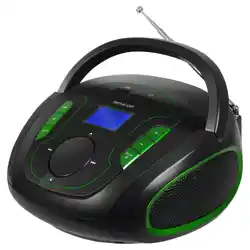
Front view of the LEOTEC AM FM Radio showing the speaker grille, LCD display, tuning dial, and control buttons.

Key Components:

  • Main unit with speaker
  • LCD display
  • Tuning/Volume dial
  • Control buttons (Power, Band, Bluetooth, Sleep, White Noise)
  • Retractable antenna
  • Carrying handle
  • 3.5mm Headphone jack
  • DC power input
  • Battery compartment (for 4x AA batteries, not included)

2. Features and Specifications

2.1 Radio Reception

  • Bands: AM and FM.
  • Antenna: A scalable, retractable antenna is included for stable signal reception.
  • Tuning: A large dial allows for manual tuning of radio stations.

2.2 Bluetooth Connectivity

  • Connect wirelessly to smartphones, tablets, or other Bluetooth-enabled devices to play music and audio files.
  • The Bluetooth function is activated via a dedicated button.

2.3 White Noise and Nature Sounds

  • Provides 10 pre-loaded sounds, such as ocean waves, rain, and birds.
  • Accessed via the dedicated White Noise button to cycle through options.

2.4 Sleep Timer

  • A digital sleep timer can be set from 5 to 90 minutes in 10-minute intervals.
  • The SLEEP button activates the timer. The radio will automatically power off when the set time elapses.

2.5 Display and Controls

  • LCD Display: Shows frequency, mode (AM/FM/Bluetooth), and sleep timer status.
  • Volume Control: A dedicated dial adjusts speaker volume.
  • Headphone Jack: A 3.5mm jack allows for private listening.

2.6 Power Sources

  • AC Power: Plug the included power cord into a wall outlet and the DC input on the radio.
  • Battery Power: Operates on 4 AA batteries (not included). The battery compartment is located on the back or bottom of the unit.

2.7 Physical Specifications

  • Dimensions: 8.46" L x 2.95" W x 5.16" H
  • Weight: 1.58 Pounds
  • Style: Modern
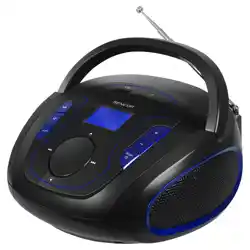
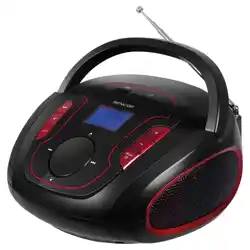
  • Color Options: Black, Black-1, Blue, Blue-1, Red, White
  • Included Components: Power Cord.

3. Use Guide

3.1 Initial Setup

  1. Powering On: Connect the power cord to the radio and a wall outlet, or install 4 AA batteries into the battery compartment.
  2. Extend the Antenna: Fully extend the retractable antenna for best reception.
  3. Press the POWER button to turn on the radio.

3.2 Listening to AM/FM Radio

  1. Ensure the radio is powered on.
  2. Press the BAND button to select either AM or FM mode. The current band will show on the LCD.
  3. Slowly turn the large TUNING dial to find your desired station. The frequency will be displayed on the LCD.
  4. Adjust the VOLUME dial to a comfortable listening level.
  5. For improved FM reception, adjust the angle and length of the antenna.

3.3 Using Bluetooth

  1. Press the BLUETOOTH button on the radio. The display should indicate it is in pairing mode.
  2. On your smartphone or audio device, enable Bluetooth and search for available devices.
  3. Select "LEOTEC Radio" or a similar name from the list on your device to pair.
  4. Once connected, audio from your device will play through the radio's speaker. Use your device's media controls to play, pause, or skip tracks.
  5. Press the BLUETOOTH button again or switch to another mode (AM/FM) to disconnect.

3.4 Using White Noise Sounds

  1. Press the WHITE NOISE button to enter white noise mode.
  2. Each subsequent press of the button will cycle through the 10 available sounds (e.g., ocean, rain, birds).
  3. Use the VOLUME dial to adjust the sound level.
  4. Press the POWER button or select another mode to stop the white noise.

3.5 Setting the Sleep Timer

  1. While the radio is playing (in any mode), press the SLEEP button.
  2. The initial press typically sets the timer to 90 minutes. Each subsequent press reduces the timer by 10 minutes (e.g., 80, 70, 60... down to 10, then 5).
  3. The remaining time will be displayed on the LCD. The radio will automatically power off when the timer reaches zero.
  4. To cancel the sleep timer, press the SLEEP button repeatedly until the timer display turns off.

3.6 Using Headphones

Plug a standard 3.5mm audio plug from your headphones into the HEADPHONE JACK on the radio. Audio will automatically route to the headphones, muting the internal speaker.

3.7 Power Saving and Storage

  • When using batteries, the radio will automatically power off at the end of a sleep timer cycle to conserve battery life.
  • For long-term storage, remove the batteries to prevent potential leakage.
  • Use the carrying handle for easy portability.

4. Troubleshooting

  • No Power:
    • Ensure the power cord is firmly connected to both the radio and the wall outlet.
    • If using batteries, check that they are correctly installed and not depleted.
  • Poor Radio Reception:
    • Fully extend the antenna.
    • For AM reception, try rotating the entire radio. For FM, adjust the antenna's angle.
    • Move the radio to a location with fewer obstructions (away from large metal objects or electronics).
  • Bluetooth Won't Connect:
    • Ensure the radio is in Bluetooth pairing mode (check the LCD).
    • Move your Bluetooth device closer to the radio (within 33 feet/10 meters).
    • Delete "LEOTEC Radio" from your device's Bluetooth memory and attempt pairing again.
  • No Sound from Speaker:
    • Check that the volume is turned up.
    • Ensure headphones are not plugged in.
    • Verify the radio is not in Sleep mode with a timer that has expired.
  • Sleep Timer Not Working:
    • Confirm the timer is set by checking the LCD display.
    • The sleep timer only functions when the radio is actively playing audio.

5. Safety and Care

  • Use only the included power adapter or one with matching specifications.
  • Do not expose the radio to water or excessive moisture. It is not water-resistant.
  • Clean the exterior with a soft, dry cloth. Do not use liquid or aerosol cleaners.
  • Keep the radio away from extreme heat or direct sunlight for prolonged periods.
  • When installing batteries, observe correct polarity (+/-). Remove batteries if the radio will not be used for an extended period.
  • The headphone jack output is designed for standard 3.5mm headphones. Using other connectors may cause damage.

Reference file: LEOTEC 2DD46096 AM FM Radio with Bluetooth,Portable Radio Strong Reception,Plug in Wall,Battery Operated

Specifications

LEOTEC 2DD46096 Questions and Answers