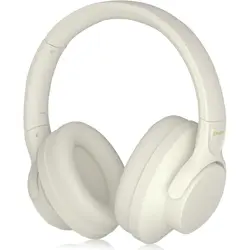
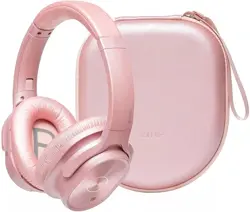
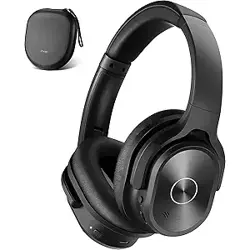
Model: 960 | Color: Pink
Overview
The ZIHNIC Active Noise Cancelling Headphones (Model 960) are wireless Bluetooth over-ear headphones designed for immersive audio, low-latency performance, and extended comfort. They feature active noise cancellation, Hi-Fi stereo sound, and up to 60 hours of battery life.

Features
Active Noise Cancellation
The headphones use advanced noise reduction technology to minimize surrounding environmental noise, allowing you to focus on your audio without distraction.
Low Latency Performance
Designed for TV, gaming, and video calls, the Bluetooth connection provides stable, low-latency audio for a seamless experience with minimal delay between sound and picture.
Hi-Fi Stereo Sound
High-fidelity stereo drivers deliver clear, detailed audio with deep bass, bringing music, movies, and calls to life.
Long Battery Life
A full charge provides up to 60 hours of playback time. Actual battery life may vary depending on volume level, usage patterns, and other factors.
Comfortable Earpads
The ear pads are designed for extended wear, using soft, breathable materials to provide a comfortable fit during long listening sessions.
Foldable and Adjustable Design
The headphones feature rotatable earcups, an adjustable headband, and a foldable construction for easy storage and portability.
What's in the Box
- ZIHNIC Active Noise Cancelling Headphones (Model 960)
- User Manual
Product Specifications
| Brand | ZIHNIC |
|---|
| Model Number | 960 |
|---|
| Color | Pink |
|---|
| Ear Placement | Open Ear (Over-Ear) |
|---|
| Form Factor | Open Ear |
|---|
| Impedance | 32 Ohms |
|---|
| Audio Driver Type | Dynamic Driver |
|---|
| Frequency Range | 20 Hz – 20,000 Hz |
|---|
| Noise Control | Active Noise Cancellation |
|---|
| Connectivity Technology | Wireless Bluetooth |
|---|
| Headphone Jack | No Jack (Wireless only) |
|---|
| Battery Average Life | 60 Hours |
|---|
| Control Type | Media Control (Remote) |
|---|
| Compatible Devices | Bluetooth-enabled devices |
|---|
| Enclosure Material | Plastic |
|---|
| Cable Features | Without Cable |
|---|
| Additional Features | Noise Cancellation |
|---|
| Unit Count | 1.0 Count |
|---|
| Manufacturer | zihnic |
|---|
| ASIN | B0CSK24L88 |
|---|
Use Guide
Charging the Headphones
- Connect the included charging cable to the headphones’ charging port.
- Plug the other end into a USB power source (such as a computer, wall adapter, or power bank).
- A full charge takes approximately 2–3 hours. The LED indicator will show the charging status.
Power On / Off
- Power On: Press and hold the power button for 2–3 seconds until the LED indicator flashes.
- Power Off: Press and hold the power button for 2–3 seconds until the LED indicator turns off.
Bluetooth Pairing
- Ensure the headphones are powered on and in pairing mode (the LED will flash rapidly).
- On your Bluetooth-enabled device (smartphone, tablet, TV, etc.), go to Bluetooth settings and search for available devices.
- Select “ZIHNIC 960” from the list of discovered devices.
- Once connected, the LED will stop flashing and remain steady (or pulse slowly).
Adjusting Volume and Media Control
- Volume Up/Down: Use the dedicated volume buttons on the ear cup.
- Play/Pause: Press the multi-function button once.
- Skip Track Forward/Backward: Press and hold the volume up/down buttons (or use the multi-function button depending on configuration).
- Answer/End Call: Press the multi-function button once to answer; press again to end.
Activating Noise Cancellation
Press the ANC button (located on the ear cup) to toggle Active Noise Cancellation on or off. When active, ambient noise is significantly reduced.
Wearing and Adjusting Fit
- Adjust the headband by extending or retracting the arms until the headphones sit comfortably on your head.
- Rotate the ear cups to achieve the best seal and comfort.
- For storage, fold the ear cups inward and collapse the headband to minimize size.
Troubleshooting
- Headphones not powering on: Ensure the battery is charged. Connect to a charger and wait a few minutes before trying again.
- Bluetooth not connecting: Make sure the headphones are in pairing mode (LED flashing). Delete the device from your phone’s Bluetooth list and re-pair.
- Audio cuts out or is distorted: Move closer to the connected device (within 10 meters / 33 feet). Avoid obstacles like walls or metal objects.
- Noise cancellation not working: Verify that ANC is turned on via the dedicated button. If the battery is low, ANC may automatically deactivate to conserve power.
- Low battery warning: When battery is low, the LED will flash red. Charge the headphones promptly.
Warranty and Support
This product is covered by a 1-year warranty from the date of purchase. For warranty claims or technical support, contact ZIHNIC through the official store page on Amazon or refer to the contact information provided in the product packaging.
Warranty Description: 1 YEAR WARRANTY