1. Overview
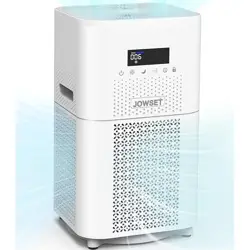
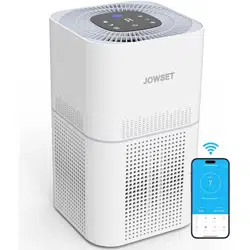
The JOWSET AP403 is an air purifier designed for large rooms up to 3000 square feet. It utilizes a 360-degree air intake system and a four-stage filtration process to remove airborne particles, allergens, and odors. The unit features a real-time air quality display, multiple fan speeds, a sleep mode, and a programmable timer.
2. Features and Specifications
2.1 Key Features
- 360° Air Intake: Draws air from all directions for faster purification.
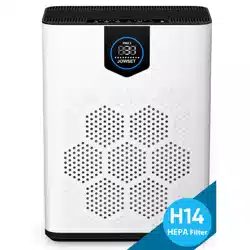
- 4-Stage Filtration System: Includes a pre-filter, H13 True HEPA filter, activated carbon filter, and a final non-woven fabric filter.
- Real-Time Air Quality Display: PM2.5 sensor provides visual feedback on air quality (indicated by color on the display).
- Sleep Mode: Operates at 24 dB for quiet nighttime operation with dimmed lights.
- Programmable Timer: Can be set for 2, 4, or 8 hours.
- Filter Check Indicator: Alerts you when the filter needs replacement.
- Washable Pre-filter: Extends the life of the main filter.
2.2 Technical Specifications
| Model Number | AP403 |
|---|
| Color | White |
|---|
| Product Dimensions | 22.9 cm (D) x 22.9 cm (W) x 43.2 cm (H) |
|---|
| Item Weight | 4.29 kg |
|---|
| Power Source | Corded Electric |
|---|
| Power Consumption | 48 Watts |
|---|
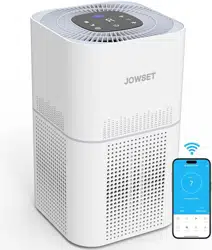
| Control Method | Remote Control (included) & Touch Controls |
|---|
| Filter Type | H13 True HEPA |
|---|
| Recommended Room Size | Up to 3000 Sq. Ft. |
|---|
| CADR (Clean Air Delivery Rate) | 400 m³/h |
|---|
| Noise Level | 22 dB (Min) / 24 dB (Sleep Mode) |
|---|
| Particle Retention Size | 0.03 Microns |
|---|
| Timer Settings | 2, 4, 8 Hours |
|---|
3. Parts and Components
- Main Unit: Housing containing the fan and filter system.
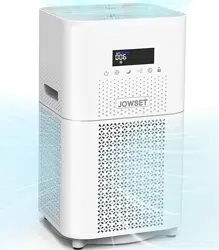
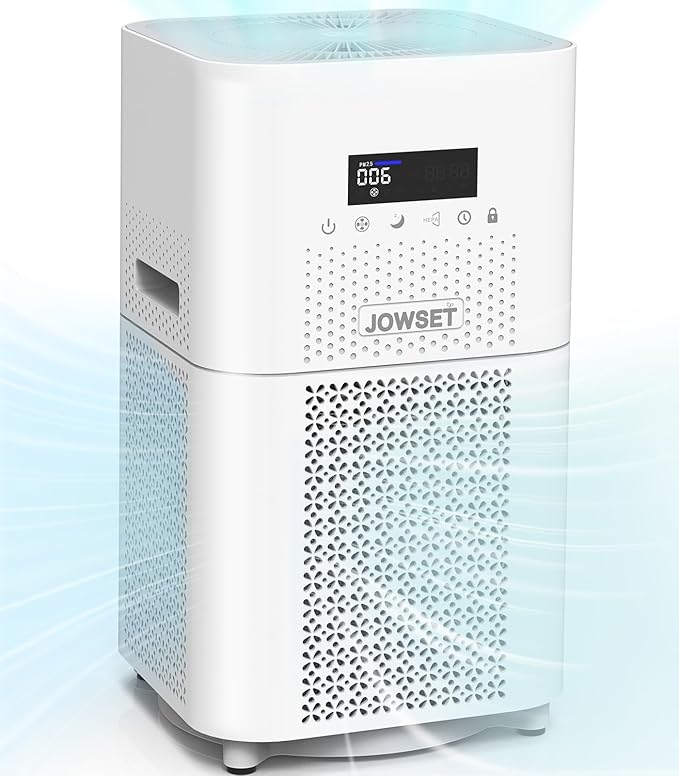
- Control Panel: Located on top of the unit, includes touch buttons and display screen.
- 360° Air Inlet Grilles: Perforated sections around the unit's body.
- Air Outlet: Located at the top of the unit.
- Filter Compartment: Accessible from the rear or side of the unit (refer to packaging for specific location).
- Power Cord: Attached to the unit.
- Remote Control: For operating the purifier from a distance (batteries not specified).
4. Use Guide
4.1 Initial Setup
- Remove all packaging materials from the air purifier and remote control.
- Place the purifier on a flat, stable, and level surface. Ensure at least 15-30 cm of clearance from walls, furniture, and curtains for optimal 360° air intake.
- Plug the power cord into a standard electrical outlet.
- Open the filter compartment and remove any protective packaging from the filters inside. Close the compartment securely.
4.2 Control Panel and Operation
The control panel is your primary interface for operating the purifier.
- Power Button: Turns the purifier on and off.
- Fan Speed / Mode Button: Cycles through fan speeds (Low, Medium, High) and Auto mode. In Auto mode, the fan speed adjusts automatically based on real-time air quality readings.
- Sleep Mode Button: Activates sleep mode. The fan operates at its quietest speed (24 dB) and the display lights dim.
- Timer Button: Sets the auto-off timer. Press repeatedly to cycle through 2H, 4H, 8H, and Timer Off.
- Filter Reset Indicator: An indicator light that illuminates when the filter needs to be replaced. After replacing the filter, this indicator must be reset (procedure not detailed in source).

4.3 Display Screen
The digital display shows real-time air quality information using a color-coded system:
- Blue: Good air quality.
- Yellow: Moderate air quality.
- Red: Poor air quality.
In Auto mode, the fan speed will increase if the display changes to yellow or red.
4.4 Using the Remote Control
The remote control mirrors the functions on the main control panel (Power, Mode, Sleep, Timer). Point the remote at the front of the purifier to operate.
4.5 Recommended Usage
- For continuous air cleaning, leave the purifier running on Auto or Low speed.
- Use higher speeds (Medium/High) for rapid purification when entering a room or after activities that generate pollutants (cooking, dusting).
- Engage Sleep Mode for quiet operation in bedrooms at night.
- Use the timer to have the purifier turn off automatically after a set period.
5. Maintenance
5.1 Cleaning the Pre-filter
- Turn off and unplug the air purifier.
- Open the filter compartment and remove the pre-filter (the outermost filter layer).
- Gently vacuum or rinse the pre-filter with water. Allow it to dry completely before reinstalling.
- Reinstall the dry pre-filter and close the compartment.
- Cleaning the washable pre-filter every 2-4 weeks is recommended to maintain efficiency and extend the life of the main HEPA filter by 6-8 months.
5.2 Replacing the HEPA & Carbon Filter
- The Filter Check Indicator will light up when the combined HEPA and activated carbon filter needs replacement (typical lifespan varies based on usage and air quality).
- Turn off and unplug the unit.
- Open the filter compartment and remove the old filter set.
- Insert the new replacement filter set, ensuring it is oriented correctly.
- Close the compartment securely.
- Reset the Filter Indicator: Locate the Filter Reset button or procedure (often involves holding a button for 3-5 seconds). Consult the product's quick-start guide if available.
Note: Use only JOWSET AP403 replacement filters for optimal performance and safety.
5.3 Cleaning the Exterior
Wipe the exterior housing with a soft, dry cloth. Do not use abrasive cleaners or chemicals.
6. Troubleshooting
| Problem | Possible Cause | Solution |
|---|
| Unit does not turn on. | Not plugged in. Power outlet issue. | Ensure the power cord is securely plugged into the unit and the wall outlet. Try a different outlet. |
| No air flow or weak airflow. | Dirty or clogged pre-filter. Incorrectly installed filter. | Clean the washable pre-filter. Ensure all filters are correctly installed and the compartment is closed. |
| Filter Indicator is lit. | Filter needs replacement. | Replace the HEPA/carbon filter and reset the filter indicator. |
| Unusual noise. | Foreign object in air inlet/outlet. Loose part. | Turn off and unplug the unit. Check for and remove any obstructions. Ensure the filter compartment is closed tightly. |
| Remote control not working. | Batteries are dead. Blocked signal. | Replace remote control batteries. Ensure you are pointing the remote at the purifier and there is no obstruction. |
7. Safety Information
- Read all instructions before use.
- Use this appliance only as described in this manual.
- Ensure the power cord is not damaged and do not run it under carpets or heavy furniture.
- Do not operate the purifier if it has a damaged cord or plug, or if it is malfunctioning.
- Do not block the air inlet grilles or the air outlet.
- Do not use the purifier in areas with high humidity, such as bathrooms.
- Do not place objects on top of the purifier.
- This appliance is not intended for use by persons (including children) with reduced physical, sensory or mental capabilities, unless they have been given supervision or instruction.
- Unplug the unit before performing any maintenance or filter replacement.