1. Overview
The Gracioso Bluetooth Cassette Player Recorder is a portable audio device that plays and records cassette tapes, receives AM/FM radio, and transmits audio via Bluetooth. It operates on two AA batteries or via a DC 5V Type-C cable.

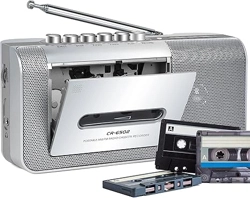
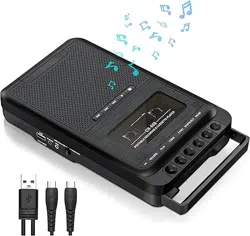
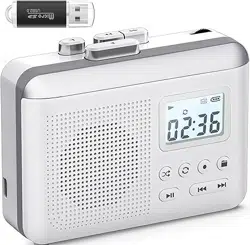
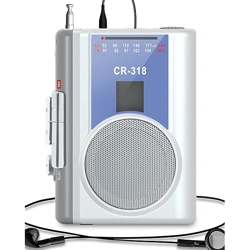
Key components visible in the product image include:
- Cassette compartment door
- Built-in speaker grille
- Control buttons (Play, Stop, Eject, etc.)
- Retractable antenna
- 3.5mm headphone jack
- Microphone jack
- Power input (Type-C)
- Battery compartment
2. Features
2.1 Cassette Playback and Recording
The device plays standard compact cassette tapes. It includes a recording function using the built-in microphone or an external microphone connected to the microphone jack.
- Playback Controls: Standard transport controls for play, stop, fast-forward, and rewind.
- Recording: Insert a blank tape to record audio via the built-in microphone.
2.2 AM/FM Radio
The built-in radio tuner receives AM and FM broadcasts.
- Frequency Range: AM 520-1710 kHz, FM 87-108 MHz.
- Antenna: Use the retractable antenna for improved reception.
2.3 Bluetooth Transmitter
The device features Bluetooth 5.0 for wireless audio transmission.
- Function: Transmits audio from the cassette player or radio to Bluetooth headphones or speakers.
- Limitations: The transmitter only works in tape mode. It cannot connect to devices that are also transmitting Bluetooth (e.g., smartphones) or to car Bluetooth systems.
2.4 Audio Outputs and Inputs
- 3.5mm Headphone Jack: For private listening with wired headphones.
- Built-in Speaker: For playback without headphones.
- Microphone Jack: For connecting an external microphone for recording.
2.5 Power
- Battery Operation: Uses 2 AA batteries.
- DC Input: Includes a DC 5V Type-C port for powered operation.
2.6 Physical Specifications
- Dimensions: 4.89 x 3.63 x 1.59 inches.
- Weight: 0.45 lb (without batteries).
3. Use Guide
3.1 Initial Setup
- Open the battery compartment on the bottom or rear of the unit.
- Insert two AA batteries, observing the correct polarity (+/-).
- Alternatively, connect the provided DC 5V Type-C cable to the port on the device and a USB power source.
3.2 Playing a Cassette Tape
- Press the EJECT button to open the cassette compartment door.
- Insert a cassette tape with the exposed tape facing outward and the side you wish to play facing the front of the player.
- Close the compartment door firmly.
- Press the PLAY button to begin playback.
- Use the FF (Fast Forward) and REW (Rewind) buttons to navigate the tape.
- Press STOP to halt playback.
- Press EJECT to remove the tape.
3.3 Using the Radio
- Fully extend the retractable antenna.
- Set the FUNCTION switch to RADIO mode.
- Use the TUNING knob or buttons to find a station.
- Switch between AM and FM bands using the BAND selector.
3.4 Using Bluetooth Transmission
- Ensure the device is in TAPE mode and playback is active or paused.
- Activate the Bluetooth function (typically via a dedicated button or switch labeled "BT"). The device should enter pairing mode.
- On your Bluetooth headphones or speaker, enable pairing mode and select "Gracioso Cassette Player" from the list of available devices.
- Once connected, audio from the cassette player will stream to the paired device.
Note: This function is for transmitting audio from the cassette player to a Bluetooth receiver. It cannot receive audio from a phone or computer.
3.5 Recording to a Cassette
- Insert a blank or erasable cassette tape.
- To record from the built-in microphone, ensure you are in a quiet environment.
- To record from an external microphone, plug it into the MIC jack.
- Press the RECORD button (often combined with PLAY). The tape will begin recording.
- Press STOP to end recording.
3.6 Using Headphones
Plug a standard 3.5mm audio plug into the headphone jack. This will mute the internal speaker.
4. Troubleshooting
- Tape does not play: Ensure the tape is inserted correctly. The device may not play if the tape is damaged or if the tape heads are dirty.
- Poor radio reception: Fully extend the antenna and move the device to a location near a window. For AM, rotating the device may improve reception.
- Bluetooth does not connect: Ensure the Bluetooth device is in pairing mode and within range (typically 10 meters). Confirm the cassette player is in TAPE mode.
- No sound from speaker: Check volume level. Ensure headphones are not plugged in. Verify batteries are installed correctly or that the DC power is connected.
- Recording is faint or noisy: When using the built-in microphone, speak clearly and close to the unit. For better quality, use an external microphone.
5. Specifications
- Model Number: 317
- Power Supply: 2 x AA Batteries (not included) or DC 5V via Type-C
- Radio Bands: AM (520-1710 kHz), FM (87-108 MHz)
- Bluetooth Version: 5.0 (Transmitter only)
- Audio Jack: 3.5mm headphone output, 3.5mm microphone input
- Dimensions (L x W x H): 4.89 x 3.63 x 1.59 inches
- Weight: 10.2 ounces (approx. 0.45 lb)
6. Warranty and Support
The manufacturer offers a lifetime warranty. For warranty information or support, please contact the seller through your Amazon purchase page or visit the manufacturer's link provided with the product.
Manufacturer: Dingmi