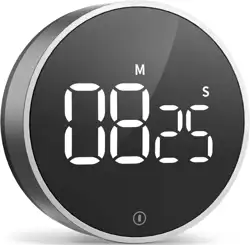
1. Overview
The VOCOO Digital Timer is a battery-powered device for countdown and count-up timing. It features a large LED display, adjustable brightness and volume, a magnetic back, a desktop stand, and a memory function.

The timer is suitable for use in kitchens, classrooms, home gyms, and other settings. It is designed to be easy to operate for users of all ages.
2. What's Included
- VOCOO Digital Timer
- Three AAA batteries
- User Manual (this document)
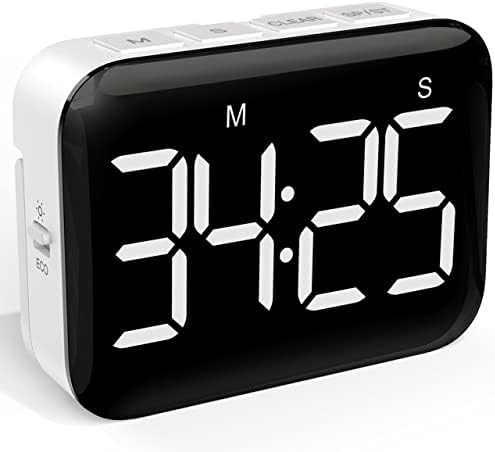
3. Product Features
3.1 Display and Controls
- Large LED Display: Shows time in minutes and seconds with 1.3-inch tall digits.
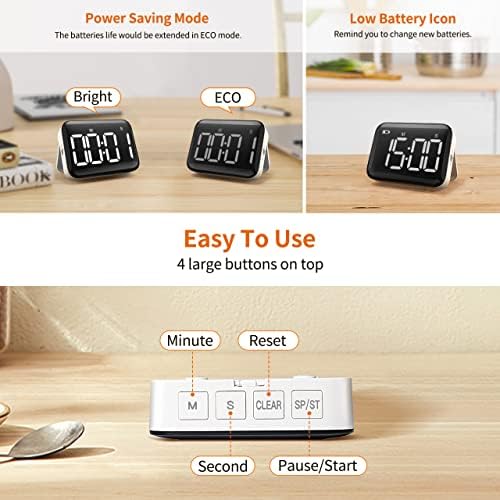
- Control Buttons:
- MIN Button: Increases the minute value during time setting.
- SEC Button: Increases the second value during time setting.
- START/PAUSE Button: Starts or pauses the timer.
- RESET Button: Stops the timer and resets the display to the last set time or zero.
- Side Switches:
- Brightness Switch: Toggles between Bright and ECO modes.
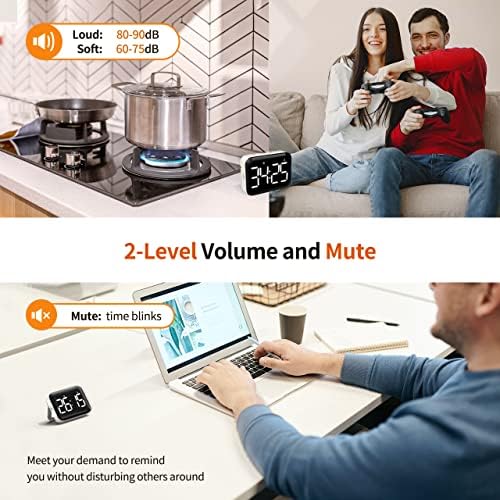
- Volume Switch: Selects between Loud, Soft, and Mute.
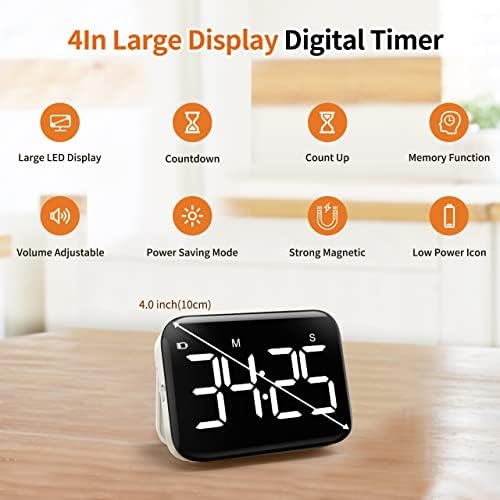
3.2 Timing Functions
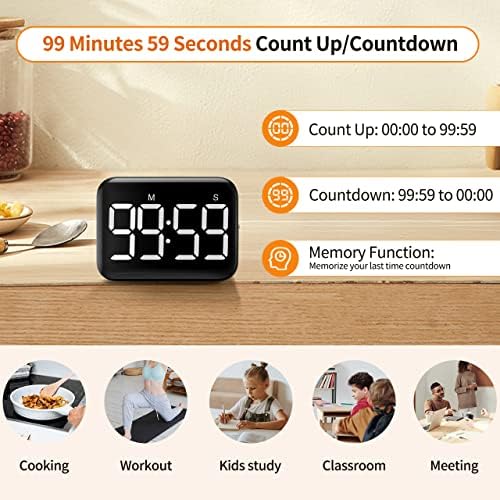
- Countdown Timer: Can be set from 99 minutes 59 seconds down to zero.
- Count-Up Timer (Stopwatch): Counts up from 0:00 to 99:59.
- Memory Function: After a countdown ends, pressing any button recalls the last set time.
3.3 Power and Indicators
- Power Source: Three AAA batteries (included).
- Low Battery Indicator: A battery icon appears on the display when batteries need replacement.
3.4 Placement Options
- Magnetic Back: Adheres to metal surfaces like refrigerators.
- Desktop Stand: Folds out for stable placement on counters or tables.
- Hanging Hook: Integrated hook for hanging.
4. Setup and Installation
- Pull out the desktop stand from the back of the timer.
- Open the battery cover located on the back.
- Insert the three included AAA batteries, observing the correct polarity (+/-) markings.
- Close the battery cover.
Note: It is strongly suggested to set the brightness switch to ECO mode for extended battery life.
5. Basic Operation
5.1 Setting the Time
- Ensure the timer is not running (display shows 0:00 or a set time).
- Press the MIN button to set the minutes.
- Press the SEC button to set the seconds.
- The display will show the total set time (up to 99:59).
5.2 Starting, Pausing, and Resetting
- Press START/PAUSE to begin the countdown or count-up.
- Press START/PAUSE again to pause the timer.
- Press RESET to stop the timer and clear the current time. The display will revert to the last set time (due to memory function) or 0:00.
5.3 Switching Between Countdown and Count-Up
The timer defaults to countdown mode. To use as a stopwatch:
- Ensure the display shows 0:00.
- Press START/PAUSE. The timer will begin counting up from 0:00.
5.4 Using the Memory Function
After a countdown finishes and the alarm sounds, press any button (MIN, SEC, START/PAUSE, or RESET) to restore the last used countdown time to the display.
6. Adjusting Settings
6.1 Brightness Control
- Bright Mode: Display remains at constant full brightness.
- ECO Mode: Display dims slightly after 5 seconds of inactivity to save battery. It is the recommended setting.
6.2 Volume Control
- Loud: Alarm volume is 80-90 dB.
- Soft: Alarm volume is 60-75 dB.
- Mute: No audible alarm. The display flashes when the timer ends.
Note: In Loud or Soft mode, the timer will beep with each button press during time setting. Slide the volume switch to Mute if you wish to silence these setting beeps.
7. Care and Maintenance
- Wipe the timer with a soft, dry cloth. Do not use abrasive cleaners or submerge in water.
- Replace the three AAA batteries when the low battery icon appears on the display.
- To preserve battery life, use the ECO brightness setting and turn the volume to Mute when audible alerts are not needed.
- Store in a dry place at room temperature.
8. Troubleshooting
| Problem | Possible Cause | Solution |
|---|---|---|
| Display is blank or dim. | Batteries are depleted, inserted incorrectly, or missing. | Replace or correctly insert three new AAA batteries. |
| Timer does not start. | No time is set. | Use the MIN and SEC buttons to set a time before pressing START. |
| No alarm sound at the end of countdown. | Volume switch is set to Mute. | Slide the volume switch to Loud or Soft. |
| Timer beeps when pressing buttons. | Volume is set to Loud or Soft. | This is normal. Slide to Mute to disable setting beeps. |
| Time resets unexpectedly. | Batteries are loose or nearly depleted. | Check battery installation and replace if necessary. |
| Magnet does not hold. | Surface is not ferromagnetic (not attracted to magnets). | Use the desktop stand or hanging hook instead. |
9. Specifications
- Brand: VOCOO
- Model: VC5268
- Material: Acrylonitrile Butadiene Styrene (ABS)
- Dimensions: 0.94"D x 3.54"W x 2.64"H
- Display Size: 10 cm (diagonal)
- Time Range: 99 minutes, 59 seconds
- Brightness Levels: 2 (Bright, ECO)
- Volume Levels: 3 (Loud: 80-90dB, Soft: 60-75dB, Mute)
- Power: 3 x AAA batteries (included)
- Features: Magnetic back, desktop stand, memory function