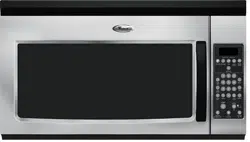
User manual Microwave
INSTALLATION INSTRUCTIONS
Unpacking
- Empty the microwave oven of any packing materials.
- Clean the inside with a soft, damp cloth.
- Check for damage, such as:
- a door that is not lined up correctly,
- damage around the door, or
- dents on the interior or exterior of the microwave oven. If there is any damage, do not operate the microwave oven until a designated service technician has checked it and made any needed repairs.
NOTE: To avoid damage to the microwave oven, do not remove microwave inlet cover. See the “Parts and Features” section.
Location Requirements
IMPORTANT: The control side of the microwave oven is the heavy side. Handle the microwave oven gently. The weight of the microwave oven is over 35 lbs (15.9 kg).
- Place the microwave oven on a cart, counter, table, or shelf that is strong enough to hold the microwave oven and the food and utensils you place inside it.
- The microwave oven should be at a temperature above 50°F (10°C) for proper operation.
NOTE: Some models can be built into a wall or cabinet by using one of the trim kits listed in the “Assistance or Service” section.
- Do not block the exhaust vents or air intake openings. Allow a few inches of space at the back and side of the microwave oven where the exhaust vents are located. Blocking the exhaust vents could cause damage to the microwave oven as well as poor cooking results.
- Make sure the microwave oven legs are in place to ensure proper airflow. If vents are blocked, a sensitive thermal device may automatically turn the microwave oven off. The microwave oven should work properly once it has cooled.
PARTS AND FEATURES
This manual may cover several different models. The model you have purchased may have some or all of the features shown here. The appearance of your particular model may differ slightly from the illustrations in this manual.

A. Door handle (on models without push-button open)
B. Window
C. Cooking guide label
D. Microwave oven light
E. Display
F. Control panel
G. Microwave inlet cover
H. Removable turntable support
I. Glass turntable
J. Model and serial number plate
K. Door lock system
Parts and Features Not Shown: Grill element (on cavity ceiling)
Turntable
-573513.png)
The turntable can rotate in either direction to help cook food more evenly. For best cooking results, do not operate the microwave oven without having the turntable in place. See the “Assistance or Service” section to reorder any of the parts.
To Install:
- Place the support on the microwave oven cavity bottom.
- Place the turntable on the support.
Fit the raised, curved wedges in the center of the turntable bottom between the 3 spokes of the hub. The rollers on the support should fit inside the turntable bottom ridge.
MICROWAVE OVEN CONTROL
-318711.png)
Display
When power is first supplied to the microwave oven, “0:00” will appear in the display. If the “0:00” appears in the display at any other time, a power failure has occurred. Reset the clock if needed. See the “Clock” section.
NOTE: The display language may be set to French, and the weight entry mode may be set to metric within the first 5 minutes of power-up. See the “Language” and “Weight Entry Mode” sections.
Function Icons
-897473.png)
A. Microwaves
B. Defrost
C. Power (high)
D. Power (low to mid)
E. Time
F. Control lock
G. Menu program
H. Ounces
I. Pounds
The icons light up in the display while their specific functions are being programmed. While the set function is operating, the icons flash until the program is over. The Control Lock icon remains lit – not flashing – while the control is locked.
When the microwave oven is in use, the display will show cook time remaining and the function icons will flash. When the microwave oven is not in use, the display will show the time of day (if the clock is set) or Timer countdown (if the Timer is set).
Start
The Start keypad begins any function. If non-sensor cooking is interrupted by opening the door, touching START will resume the cycle.
NOTE: To avoid unintentional operation of the microwave oven, a cooking function cannot be started if the microwave oven door has been closed for about 5 minutes. The word “door” will appear in the display until the door is opened and closed.
Add 30 Seconds
The Start Add 30 Sec keypad automatically starts the microwave oven at 100% power for 30 seconds and it adds 30 seconds of cook time with each additional touch of the keypad.
Time may be added to any manual cooking cycle in 30-second increments, at the current power level, by touching START ADD 30 SEC during cooking.
NOTE: To avoid unintentional operation of the microwave oven, a cooking function cannot be started if the microwave oven door has been closed for about 5 minutes. The word “door” will appear in the display until the door is opened and closed.
Cancel
Cancel clears any incorrect command and cancels any program during cooking. It will not erase the time of day.
The microwave oven will also turn off when the door is opened. Close the door and touch the Start keypad to resume the cycle.
Cancel is also used to lock and unlock the control panel. See the “Control Lock” section.
Tones
Tones are audible signals that may be turned off.
One tone
- Valid entry
- Control Lock activated or deactivated
Two tones
- End of Convection Bake preheat
Three tones
- End of Timer countdown
Five tones
- End of cooking cycle
Clock
This is a standard 12-hour clock (1:00-12:59). The Clock cannot be erased. If the Clock is not set, “0:00” will remain in the display when the microwave oven is not in use.
To Set:
The microwave oven and Timer must be OFF.
- Touch CLOCK.
- Touch the number keypads to enter the correct time of day.
- Touch CLOCK.
Timer
The Timer can be set in minutes and seconds, up to 99 minutes seconds, and counts down the set time.
NOTE: The Timer does not start or stop the microwave oven.
Cook functions may be used while the Timer is counting down. When the cook function is active in the display, touch TIMER to see the Timer countdown for about 5 seconds.
To Set:
- Touch TIMER.
- Touch the number keypads to enter desired time.
- Touch START. When the set time ends, “End” will appear in the display and the end-of-Timer tones will sound.
- Touch CANCEL while the Timer is active in the display to cancel the Timer.
Language
The default display language is English, but it may be set to French. Two display messages are affected: “End” (English) or "Fin” (French) and “door” (English) or “PrtE” (“porte” - French).
To Set Language to French: With the microwave oven 3 door open, touch and hold the number “1” keypad for about seconds, until a tone sounds. Repeat to change back to English. The language remains set after a power failure.
Weight Entry Mode
The default weight entry mode for Defrost is imperial (pounds) but may be set to metric (grams). This setting does not affect any other program besides Defrost. See the “Defrost” section.
To Set Weight Entry to Metric: With the microwave oven door open, touch and hold the number “0” keypad for about seconds, until a tone sounds. Repeat to change back to imperial. The mode remains set after a power failure.
Control Lock
The Control Lock disables the control panel keypads to avoid unintended use of the microwave oven.
To Lock/Unlock Control: The microwave oven must be OFF. Touch and hold CANCEL for about 3 seconds, until the tone sounds and the Control Lock icon appears in the display. Repeat to unlock.
The Control Lock icon will remain lit in the display until the control is unlocked.
If any keypad is touched while the control is locked, there will be no response from the control.
MICROWAVE OVEN USE
A magnetron in the microwave oven produces microwaves which reflect off the metal floor, walls, and ceiling and pass through the turntable and appropriate cookware to the food. Microwaves are attracted to and absorbed by fat, sugar, and water molecules in the food, causing them to move, producing friction and heat which cooks the food.
- To avoid damage to the microwave oven, do not lean on or allow children to swing on the microwave oven door.
- To avoid damage to the microwave oven, do not operate microwave oven when it is empty.
- Baby bottles and baby food jars should not be heated in microwave oven.
- Clothes, flowers, fruit, herbs, wood, gourds, and paper, including brown paper bags and newspaper, should not be dried in the microwave oven.
- Paraffin wax will not melt in the microwave oven because it does not absorb microwaves.
- Use oven mitts or pot holders when removing containers from microwave oven.
- Do not overcook potatoes. At the end of the recommended cook time, potatoes should be slightly firm. Let potatoes stand for 5 minutes. They will finish cooking while standing.
- Do not cook or reheat whole eggs inside the shell. Steam buildup in whole eggs may cause them to burst, requiring significant cleanup of microwave oven cavity. Cover poached eggs and allow a standing time.
Food Characteristics
When microwave cooking, the amount, size and shape, starting temperature, composition, and density of the food affect cooking results.
Amount of Food
The more food heated at once, the longer the cook time needed. Check for doneness and add small increments of time if necessary.
Size and Shape
Smaller pieces of food will cook more quickly than larger pieces, and uniformly shaped foods cook more evenly than irregularly shaped food.
Starting Temperature
Room temperature foods will heat faster than refrigerated foods, and refrigerated foods will heat faster than frozen foods.
Composition and Density
Foods high in fat and sugar will reach a higher temperature and will heat faster than other foods. Heavy, dense foods, such as meat and potatoes, require a longer cook time than the same size of a light, porous food, such as cake.
Cooking Guidelines
Covering
Covering food helps retain moisture, shorten cook time, and reduce spattering. Use the lid supplied with cookware. If a lid is not available, wax paper, paper towels, or plastic wrap approved for microwave ovens may be used. Plastic wrap should be turned back at one corner to provide an opening to vent steam. Condensation on the door and cavity surfaces is normal during heavy cooking.
Stirring and Turning
Stirring and turning redistribute heat evenly to avoid overcooking the outer edges of food. Stir from outside to center. If possible, turn food over from bottom to top.
Arranging
If heating irregularly shaped or different-sized foods, arrange the thinner parts and smaller-sized items toward the center. If cooking several items of the same size and shape, place them in a ring pattern, leaving the center of the ring empty.
Piercing
Before heating, use a fork or small knife to pierce or prick foods that have a skin or membrane, such as potatoes, egg yolks, chicken livers, hot dogs, and sausage. Prick in several places to allow steam to vent.
Shielding
Use small, flat pieces of aluminum foil to shield the thin pieces of irregularly shaped foods, bones, and foods such as chicken wings, leg tips, and fish tails. See the “Aluminum Foil and Metal” section first.
Standing Time
Food will continue to cook by the natural conduction of heat, even after the microwave cooking cycle ends. The length of standing time depends on the volume and density of the food.
Cookware and Dinnerware
Cookware and dinnerware must fit on the turntable. Always use oven mitts or pot holders when handling because any dish may become hot from heat transferred from the food. Do not use cookware and dinnerware with gold or silver trim. Use the following chart as a guide, then test before using.
-470549.png)
To Test Cookware or Dinnerware for Microwave Use:
- Place cookware or dinnerware in microwave oven with 1 cup mL) of water beside it.
- Cook at 100% cooking power for 1 minute.
Do not use cookware or dinnerware if it becomes hot and the water stays cool.
Aluminum Foil and Metal
Always use oven mitts or pot holders when removing dishes from the microwave oven.
Aluminum foil and some metal can be used in the microwave oven. If not used properly, arcing (a blue flash of light) can occur and cause damage to the microwave oven.
OK for Use
Racks and bakeware supplied with the microwave oven (on some models), aluminum foil for shielding, and approved meat thermometers may be used with the following guidelines:
- To avoid damage to the microwave oven, do not allow aluminum foil or metal to touch the inside cavity walls, ceiling, or floor.
- Always use the turntable.
- To avoid damage to the microwave oven, do not allow contact with another metal object during microwave cooking.
Do Not Use
Metal cookware and bakeware, gold, silver, pewter, non-approved meat thermometers, skewers, twist ties, foil liners such as sandwich wrappers, staples, and objects with gold or silver trim or a metallic glaze should not be used in the microwave oven.
For Use with Grill Element
Use the provided tall grill rack with an ovenproof pan to catch the drippings.
For Use with Convection System
Use the provided short convection rack and an ovenproof baking dish for convection baking.
Use the provided short convection rack and a microwave-safe, ovenproof baking dish for convection roasting.
Microwave Cooking Power
Many recipes for microwave cooking specify which cooking power to use by percent or name. For example, PL7 = 70% = Medium-High.
To see the exact power level during a cooking cycle, touch POWER LEVEL. The display will briefly show the current power level, then will return to the cooking countdown. Use the following chart as a general guide for the suggested cooking power of specific foods.
- 100%, High, PL10 (default setting)
- Quick heating convenience foods and foods with high water content, such as soups, beverages and most vegetables
- 90%, PL9
- Cooking small, tender pieces of meat, ground meat, poultry pieces, and fish fillets Heating cream soups
- 80%, PL8
- Heating rice, pasta, or stirrable casseroles Cooking and heating foods that need a cook power lower than high, for example, whole fish and meat loaf
- 70%, Medium-High, PL7
- Reheating a single serving of food
- 60%, PL6
- Cooking sensitive foods such as cheese and egg dishes, pudding, and custards Cooking non-stirrable casseroles such as lasagna
- 50%, Medium, PL5
- Cooking ham, whole poultry, and pot roasts Simmering stews
- 40%, PL4
- Melting chocolate Heating bread, rolls, and pastries
- 30%, Medium-Low, Defrost, PL3
- Defrosting bread, fish, meats, poultry, and precooked foods
- 20%, PL2
- Softening butter, cheese, and ice cream
- 10%, Low, PL1
- Taking chill out of fruit
Manual Cooking
NOTE: To cook at 100% power, begin by touching the number keypads to enter cook time, then touch START.
To Use:
- Place food on the turntable and close the door.
- Touch COOK TIME.
- “00:00” will appear in the display. Enter the length of time to cook.
- If cooking with 100% power, skip Step 3.
- Touch POWER LEVEL.
- The default power level PL10 will appear in the display. Enter the desired power level. See the “Microwave Cooking Power” section.
- Touch START.
- When the cycle ends, “End” will appear in the display and the end-of-cycle tones will sound.
- Touch CANCEL or open the door to clear the display.
Cooking in Stages
The microwave oven can be set to cook at different cooking powers for various lengths of time, up to 2 stages, which may include a defrosting stage. See the “Defrost” section to set the defrosting stage.
NOTE: If a defrosting stage is programmed, it will cycle first.
To Cook in Stages:
- Place food on the turntable and close the door.
- Touch COOK TIME.
- “00:00” will appear in the display. Enter the length of time to cook during the first stage.
- Touch POWER LEVEL, then enter the desired cooking power for the first stage. See the “Microwave Cooking Power” section.
- Repeat steps 2 and 3 for the second stage.
- Touch START.
- One tone will sound between stages.
- When the cycle ends, “End” will appear in the display and the end-of-cycle tones will sound.
- Touch CANCEL or open the door to clear the display.
Cook time may be added in 30-second increments during the cycling stage by touching START ADD 30 SEC.
Favorite
Use the FAVORITE control to program, store and recall the top 3 most frequently used manual cook programs. Each Favorite may have 1 or 2 stages (see “Cooking in Stages” section). In the event of a power failure, the saved Favorites will have to be reprogrammed.
To Set FAVORITE:
- Touch FAVORITE.
- “1” will appear in the display. Touch FAVORITE repeatedly to scroll through “2” and “3,” until the desired Favorite program number is displayed.
- Touch COOK TIME, then enter the cook time.
- Touch POWER LEVEL, then enter the power level. If programming a second stage, enter the cook time and power level for that stage (see “Cooking in Stages” section).
- Touch FAVORITE to save program
OR
Touch START to begin the programmed cycle. The program will also be saved.
To Use FAVORITE:
- Place food on the turntable, and close the door.
- Touch FAVORITE repeatedly until desired program number appears in the display.
- Touch START.
- When the cycle ends, “End” will appear in the display, and the end-of-cycle tones will sound.
- Touch CANCEL or open the door to clear the display
Sensor Cooking
A sensor in the microwave oven detects humidity released from the food as it heats and adjusts the cook time accordingly.
Many sensor cycles require the covering of foods. Microwavesafe containers or steamers with loose-fitting lids are recommended. The loose-fitting lid allows enough steam to escape to be detected by the sensor. When covering foods with plastic wrap, be sure to leave a large enough vent opening to allow the steam to escape.
“SC” (sensor cook) will appear in the display during sensor cooking.
NOTES:
- The microwave oven should be plugged in for at least 3 minutes.
- The microwave oven cavity and the exterior of the cooking container should be dry.
- The room temperature should not exceed 95°F (35°C).
- If the door is opened while the sensor is detecting moisture (while “SC” appears in the display), sensing will stop and the program will be canceled.
MICROWAVE OVEN CARE
General Cleaning
IMPORTANT: Before cleaning, make sure all controls are off and the microwave oven is cool. Always follow label instructions on cleaning products.
Soap, water, and a soft cloth or sponge are suggested unless otherwise noted.
MICROWAVE OVEN CAVITY
To avoid damage to the microwave oven cavity, do not use soap-filled scouring pads, abrasive cleaners, steel-wool pads, gritty washcloths, or some recycled paper towels.
To avoid damage to stainless steel models, rub in direction of grain.
The area where the microwave oven door and frame touch when closed should be kept clean.
Average soil
- Mild, nonabrasive soaps and detergents: Rinse with clean water and dry with soft, lint-free cloth.
Heavy soil
- Mild, nonabrasive soaps and detergents: Heat 1 cup (250 mL) of water for 2 to 5 minutes in microwave oven. Steam will soften soil. Rinse with clean water and dry with soft, lint-free cloth.
Odors
- Lemon juice or vinegar: Heat 1 cup (250 mL) of water with 1 tbs (15 mL) of either lemon juice or vinegar for 2 to 5 minutes in microwave oven.
Microwave Inlet Cover
To avoid arcing and microwave oven damage, the microwave inlet cover (see the “Parts and Features” section) should be kept clean.
- Wipe with wet cloth.
MICROWAVE OVEN DOOR AND EXTERIOR
The area where the microwave oven door and frame touch when closed should be kept clean.
- Mild, nonabrasive soaps and detergents: Rinse with clean water and dry with soft, lint-free cloth.
- Glass cleaner and paper towels or nonabrasive plastic scrubbing pad: Apply glass cleaner to towel, not directly to surface.
Stainless Steel (on some models)
To avoid damage to microwave oven door and exterior, do not use soap-filled scouring pads, abrasive cleaners, steel-wool pads, gritty washcloths, or some paper towels. Rub in direction of grain.
- Stainless steel cleaner (not included): See the “Assistance or Service” section to order.
- Liquid detergent or all-purpose cleaner: Rinse with clean water and dry with soft, lint-free cloth.
- Vinegar for hard water spots
CONTROL PANEL
- Sponge or soft cloth and water: Dampen sponge with water and wipe panel. Dry with soft cloth.
- To avoid damage to the control panel, do not use chemical or abrasive cleansers.
TURNTABLE
Replace turntable immediately after cleaning. Do not operate the microwave oven without the turntable in place.
- Mild cleanser and scouring pad
- Dishwasher
TROUBLESHOOTING
First try the solutions suggested here. If you need further assistance or more recommendations that may help you avoid a service call, refer to the warranty page in this manual, or visit producthelp.kitchenaid.com.
Nothing will operate
Check the following:
- Household fuse or circuit breaker: If a household fuse has blown or a circuit breaker has tripped, replace the fuse or reset the circuit breaker. If the problem continues, call an electrician.
Microwave oven will not operate
Check the following:
- Magnetron: Try to heat 1 cup (250 mL) of cold water for 2 minutes at 100% cooking power. If water does not heat, try the steps in the bullets below. If microwave oven still does not operate, call for service.
- Door: Firmly close door. On some models, if a packaging spacer is attached to the inside of the door, remove it, then firmly close door.
- If a message about the door appears in the display, the door has been closed for 5 minutes or more without the microwave oven being started. This occurs to avoid unintended starting of the microwave oven. Open and close the door, then start the cycle.
- Control: Make sure control is set properly. Make sure Control Lock is OFF. Make sure Demo mode on some models) is OFF.
Microwave oven makes humming noise
- This is normal and occurs when the power supply in the magnetron cycles on.
Microwave oven door looks wavy
- This is normal and will not affect performance.
Turntable will not operate
Check the following:
- Turntable: Make sure turntable is correct-side up and is sitting securely on the turntable support. See the “Turntable” section.
- Turntable support: Remove turntable. Remove and clean turntable hub, support, and rollers. Replace hub, support, and turntable. Place 1 cup (250 mL) of water on the turntable, then restart microwave oven. If it still is not working, call for service. See the “Warranty” section. Do not operate the microwave oven without turntable and turntable support working properly.
Turntable alternates rotation directions
- This is normal and depends on motor rotation at the beginning of the cycle.
Display shows messages
- A flashing “0:00” means there has been a power failure. Reset the clock.
Display shows time countdown, but the microwave oven is not operating
Check the following:
- Timer: See the “Timer” section.
Tones are not sounding
Check the following:
- Tones: See the “Tones” section.
Cooking times seem too long
Check the following:
- Cooking power: See the “Microwave Cooking Power” section.
- Amount of food: Larger amounts of food need longer cooking times.
- Voltage: Have a qualified electrician check the electrical system in the home.
Odor coming from microwave oven during convection and/or grill cooking
- This is normal for the first few convection and/or grill cycles. The odor will dissipate with repeated use.
Radio, TV, or cordless phone interference
Check the following:
- Proximity: Move the receiver away from the microwave oven or adjust the radio or TV antenna. If the microwave oven is plugged into the same outlet, try a different outlet for the electronic device.
- Soil: Make sure the microwave oven door and sealing surfaces are clean.
- Frequency: Some 2.4 GHz-based cordless phones and home wireless networks may experience static or noise while microwave oven is ON. Use a corded phone, a different frequency cordless phone, or avoid using these items during microwave oven operation.