Overview
The Thunelec U9 are wireless Bluetooth earbuds featuring a multifunctional touch screen on the charging case. They are designed for music, calls, and active use with features like Active Noise Cancellation (ANC), Environmental Noise Cancellation (ENC), and an IPX7 waterproof rating.

The package includes the earbuds, a wireless charging case, a charging cable, three pairs of silicone ear tips (S/M/L), and a user manual.
Features
Noise Cancellation & Call Quality
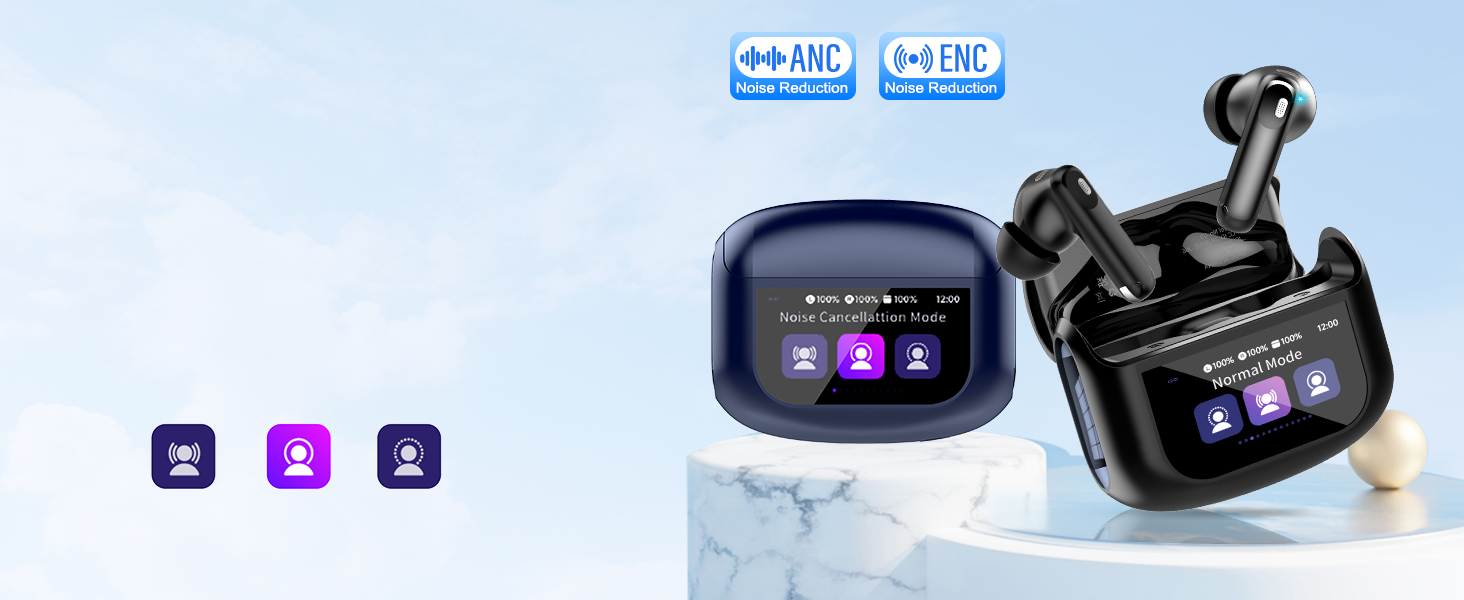
- Pro-Grade 45dB ANC + ENC: Uses active noise cancellation to block up to 90% of ambient noise (e.g., traffic, office chatter). ENC (Environmental Noise Cancellation) enhances vocal clarity during calls by suppressing background static.
Battery & Charging
- 48-Hour Total Battery Life: Earbuds provide 6-8 hours of playtime on a single charge. The charging case provides additional charges for a total of up to 48 hours.
- Fast Charging: The charging case can be fully powered in approximately 1.5 hours.
- Smart Battery Indicator: The touch screen on the charging case displays real-time battery levels for the case and each earbud.
Design & Comfort
- Ergonomic Fit: Includes three sizes of soft silicone ear tips (S, M, L) for a secure and comfortable fit.
- IPX7 Waterproof: Nano-coating protects against sweat, rain, and splashes, making them suitable for workouts and commutes.
- Lightweight Construction: Designed for all-day wear without pressure or discomfort.
Connectivity & Controls
- Bluetooth 5.4: Provides a stable connection with 98% connection stability and supports multi-device pairing.
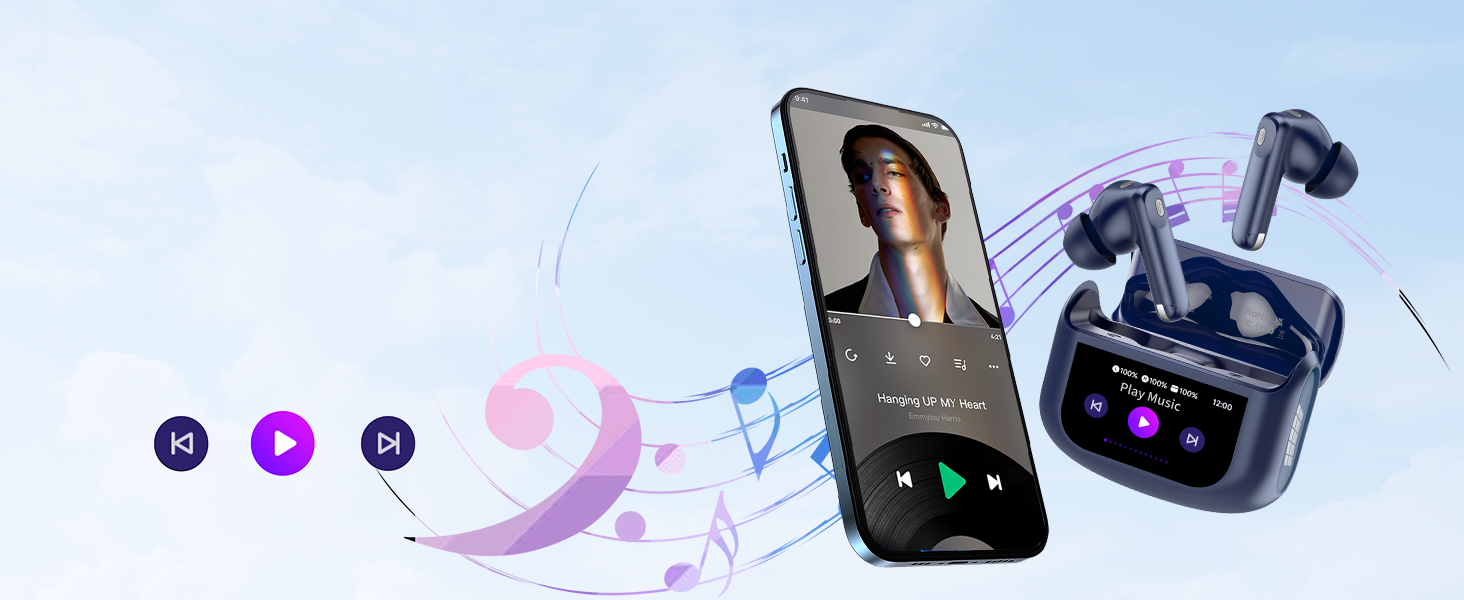
- Multifunctional Touch Screen: The full-color display on the charging case allows control of music, calls, noise-canceling modes, and settings without using your phone.
- Functions include: music playback control, track switching, call management, noise-canceling mode selection, 7-language switching, wallpaper customization, screen brightness adjustment, headphone search, and timer.
- Touch Controls on Earbuds: The earbuds themselves have touch-sensitive controls for basic functions.
- Transparency Mode: Allows you to hear surrounding environmental sounds (like traffic) for safety without removing the earbuds.
Sound Quality
- 14.2mm Dynamic Drivers: Bio-carbon fiber dynamic coils deliver deep bass (down to 50Hz) and balanced mid-high frequencies.
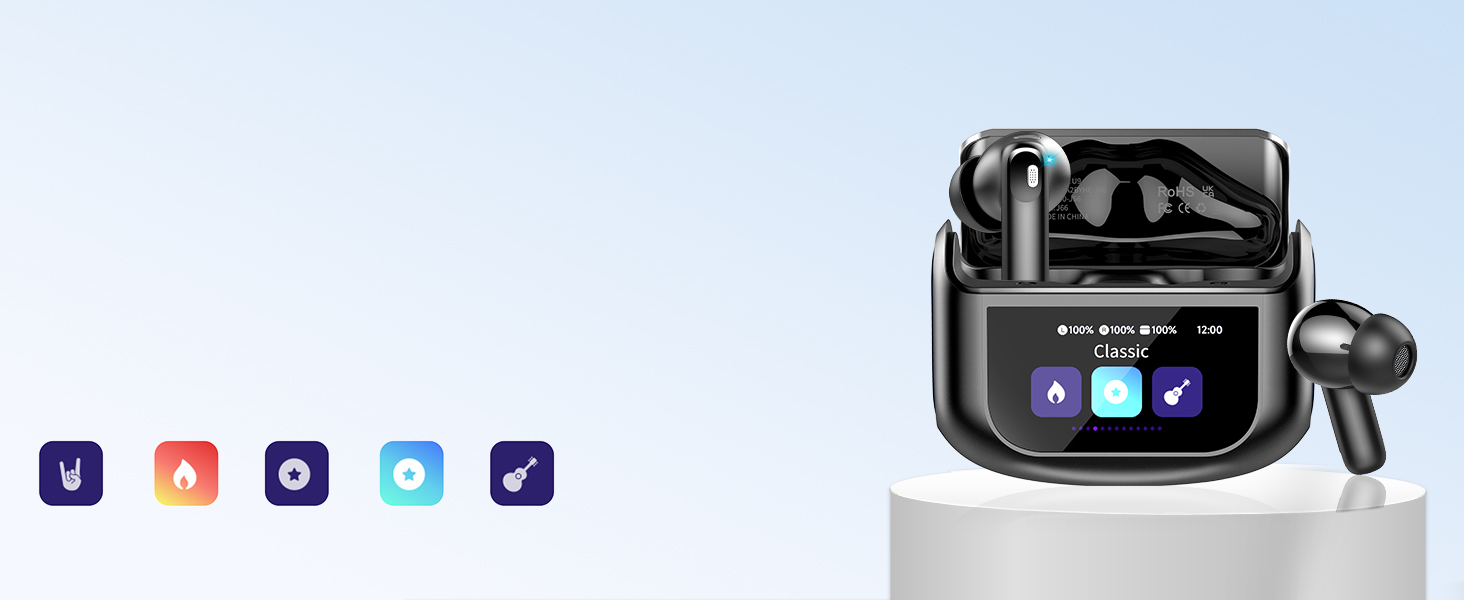
- 5 Custom EQ Modes: Pre-set sound profiles include Standard, Classic, Jazz, Rock, and Pop. These can be selected via the touch screen.
Compatibility
- Compatible with Bluetooth-enabled devices including iOS and Android smartphones, tablets, laptops, and smart TVs.
Use Guide
Charging the Earbuds and Case
- Place the earbuds into their corresponding slots in the charging case. The case will begin charging them automatically.
- To charge the case, connect the provided USB-C cable to the port on the back of the case and plug the other end into a power adapter or USB port.
- The touch screen will display the charging status and battery levels for the case and each earbud.
Powering On/Off & Pairing
- Power On: Remove the earbuds from the charging case. They will power on automatically and enter pairing mode if not already connected.
- Initial Pairing:
- Enable Bluetooth on your device (e.g., smartphone).
- Select "Thunelec U9" from the list of available Bluetooth devices.
- Follow any on-screen prompts on your device to complete pairing.
- Subsequent Use: The earbuds will typically reconnect to the last paired device automatically when removed from the case.
- Power Off: Place the earbuds back into the charging case and close the lid. They will power off and charge.
Using the Touch Screen Controls (Charging Case)
The primary touch screen is located on the front of the charging case. Use taps and swipes to navigate.
- Music Playback: Play, pause, skip to next track, or go to previous track.
- Call Management: Answer, end, or reject incoming calls.
- Noise Control Mode: Cycle between ANC On, Transparency Mode, and Noise Cancellation Off.
- EQ Selection: Access and select from the five EQ modes (Standard, Classic, Jazz, Rock, Pop).
- Settings Menu: Access additional functions like language selection, wallpaper change, screen brightness, headphone finder, and timer.
Note: Volume control is not supported directly on the earbuds. Adjust volume using the touch screen on the charging case or the volume controls on your connected device.
Using the Touch Controls (Earbuds)
Each earbud has a touch-sensitive area. Refer to the manual for specific touch gesture mappings (e.g., single-tap, double-tap, tap-and-hold) for functions like play/pause, answering calls, or activating voice assistant.
Wearing the Earbuds
- Select the silicone ear tip size (S, M, or L) that provides the most secure and comfortable seal in your ear.
- Insert the earbud into your ear and gently twist it forward until it sits snugly.
- Repeat for the other ear.

Switching Between Noise Control Modes
Use the touch screen on the charging case to select your preferred audio mode:
- ANC On: Activates Active Noise Cancellation to reduce ambient noise.
- Transparency Mode: Allows external sounds to pass through for situational awareness.
- Off: Turns off both ANC and Transparency Mode.
Product Specifications
- Model Name: U9
- Bluetooth Version: 5.4
- Wireless Range: Typical Bluetooth range (approx. 10 meters/33 feet without obstacles).
- Driver Size: 14.2mm dynamic driver
- Frequency Response: Includes bass down to 50Hz
- Battery Life: Up to 8 hours (earbuds), up to 48 hours total with case
- Charging Time (Case): Approx. 1.5 hours
- Charging Port: USB-C
- Water Resistance: IPX7
- Weight: Lightweight (specific weight not provided)
- Included Components:
- U9 wireless earbuds (2)
- Wireless Charging Case
- Charging cable (USB-C)
- Ear tips (S, M, L sizes)
- User Manual
Troubleshooting
- Earbuds won't power on: Ensure the earbuds and charging case are charged. Place earbuds in the case for a few minutes, then remove them.
- Bluetooth connection issues:
- Ensure the earbuds are in pairing mode (remove from case).
- On your device, forget "Thunelec U9" from Bluetooth settings and pair again.
- Ensure the earbuds are within range (10m/33ft) of your device.
- One earbud not working: Place both earbuds in the charging case, ensure they are charging, then remove them together.
- Touch screen or touch controls not responding: Clean the screen and earbud surfaces. Ensure your fingers are not wet. Restart the earbuds by placing them in the case and closing the lid for 10 seconds.
- Poor call quality or noise cancellation: Ensure you have selected the correct mode (ANC for noise blocking, ENC is automatic for calls). Try different ear tips for a better seal.
- Battery drains quickly: Fully charge the case and earbuds. Ensure the earbuds are properly seated in the case and the lid is closed when not in use.
Safety & Care
- Use only the provided charging cable or a certified USB-C cable and adapter.
- Do not expose the earbuds or case to extreme temperatures.
- While IPX7 waterproof, do not submerge the charging case. The earbuds are protected against sweat and rain.
- Clean the earbuds and ear tips with a dry, soft cloth. Do not use liquids or chemicals.
- Keep the earbuds and small parts away from children.
- Use caution when using transparency mode in environments where full awareness of your surroundings is critical for safety.
