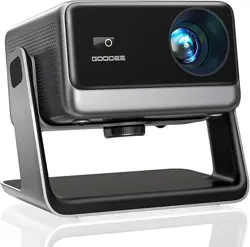
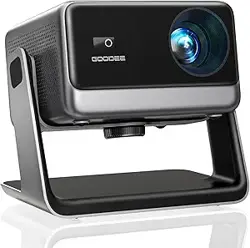
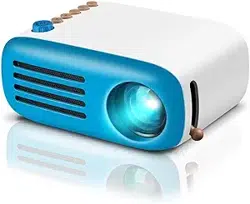
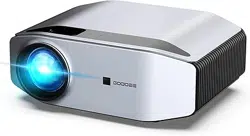
The GooDee AC321 is a smart portable video projector designed for home theater and outdoor use. It features built-in Wi-Fi and Bluetooth connectivity, an auto-focus system, and supports 4K video decoding with native 1080p output.
Key attributes of the projector include:
Model: AC321
Form Factor: Portable
Weight: 3.2 lbs (1.45 kg)
Dimensions: 8.1"L x 6.1"W x 7.1"H
2. Features & Specifications
2.1 Display & Image
Native Resolution: 1920 x 1080 (1080p Full HD)
Brightness: 1200 ANSI Lumens
Contrast Ratio: 25000:1
Display Technology: LCD
Supported Resolutions: 4K video hardware decoding with 1080p output.
AI Image Optimization: Uses deep learning algorithms to enhance HDR10+ color, contrast, and sharpness in real-time.
2.2 Projection
Projection Size: 30 inches to 200 inches diagonal.
Throw Distance: 3 feet to 21 feet.
Projection Modes: Supports front and rear projection (adjustable in settings).
Keystone Correction: Automatic vertical and horizontal correction. Wide correction range up to 80 inches.
Auto Focus: Automatically adjusts for a clear picture.
2.3 Connectivity
Wi-Fi: Built-in Wi-Fi 6 (supports 5GHz and 2.4GHz bands).
Bluetooth: Version 5.4 for audio transmission.
Ports:
HDMI 2.0 x1
USB 2.0 x1
3.5mm Audio Jack x1
DC Power Input
Wireless Casting: Compatible with DLNA, AirPlay, and Miracast protocols.
Compatible Devices: Gaming consoles, laptops, smartphones, tablets, and speakers.
2.4 Audio
Built-in Speakers: Yes, with Dolby Audio support.
Audio Output: Can connect external speakers via Bluetooth or the 3.5mm audio jack.
2.5 Smart Features & Software
Operating System: Movin 2.0 OS with regular updates.
Pre-installed Apps: Netflix, YouTube, YouTube Kids, Prime Video.
Note: YouTube TV is not supported due to platform limitations.
2.6 Physical Features
Cooling System: Built-in with large fan and fins. Operating noise as low as 35dB.
Mounting: Bottom features a 1/4" screw hole for tripod or ceiling mount (bracket not included). Includes a 180° rotating stand.
Light Source Life: Up to 30,000 hours.
Power: 65W. Input: AC 100V-240V, 50/60Hz.
3. What's in the Box
GooDee AC321 Projector
Power Cord
HDMI Cable
Remote Control
User Manual
4. Use Guide
4.1 Initial Setup
Placement: Position the projector on a stable, flat surface. Ensure there is adequate ventilation around the intake and exhaust vents.
Power: Connect the included power cord to the projector and a wall outlet (100V-240V).
Power On: Press the power button on the projector or remote control.
Initial Focus & Alignment: The projector will automatically focus and perform keystone correction. You can manually adjust these settings via the remote or on-screen menu if needed.
4.2 Connecting to Video Sources
Wired Connection:
Use the included HDMI cable to connect a device (like a laptop, game console, or streaming stick) to the projector's HDMI port.
Select the correct input source using the "Source" button on the remote.
Wireless Connection (Wi-Fi & Casting):
From the projector's home screen, navigate to Settings and connect to your Wi-Fi network.
To cast from a smartphone, tablet, or computer, ensure both devices are on the same Wi-Fi network. Use your device's built-in casting function (e.g., Screen Mirroring, AirPlay).
Bluetooth Audio:
Enable Bluetooth on your external speaker or headphones.
On the projector, go to Settings > Bluetooth and search for your device to pair.
4.3 Using the Smart Features
Accessing Apps: From the home screen, select pre-installed apps like Netflix or YouTube. To download more apps, navigate to the "App Store" or "My Apps" section.
Playing Local Media: Insert a USB drive into the USB port. Use the built-in media player to access video, audio, or picture files.
4.4 Image Adjustment
Auto Focus/Keystone: These functions work automatically. To trigger manually, press the corresponding button on the remote.
Manual Adjustments: Use the remote or on-screen menu (Settings > Picture) to adjust brightness, contrast, color, and sharpness.
AI Eagle Eye 3.0 Features: The system can automatically avoid obstacles, align to a screen border, maintain focus, and correct keystone distortion.
4.5 Mounting the Projector
Remove the projector from its rotating stand if attached.
Align the 1/4" screw hole on the bottom of the projector with a compatible tripod or ceiling mount bracket.
Secure the projector firmly to the mount.
Adjust the angle as needed. Use the keystone correction features to square the image.
Cleaning: Use a soft, dry cloth to clean the exterior. Do not use liquid or aerosol cleaners. Use a lens brush or blower for the lens; do not touch the lens directly.
Ventilation: Keep vents clear of obstructions to prevent overheating.
Storage: Store in a cool, dry place when not in use.
Lamp Life: The LED light source has a long lifespan. The projector will notify you if replacement is ever necessary.
Warning: Do not look directly into the projector lens while it is on, as the bright light can cause eye damage.
7. Troubleshooting
Problem
Possible Solution
No power
Ensure the power cord is securely connected to both the projector and the outlet. Check that the outlet is working.
No image / Blank screen
Check that the lens cap is removed. Ensure the correct input source is selected. Adjust the focus. Increase the projector's brightness setting.
Image is blurry
Press the auto-focus button on the remote. Ensure the projector is positioned within the correct throw distance (3-21 ft).
Image is distorted (trapezoidal)
Press the auto keystone correction button on the remote. Manually adjust keystone settings in the menu. Ensure the projector is placed as perpendicular to the screen as possible.
No sound
Check the volume level on both the projector and your source device. Ensure "Mute" is not activated. Verify audio output settings in the projector's menu.
Wi-Fi will not connect
Verify your Wi-Fi password is correct. Move the projector closer to your router. Restart the projector and router.
Remote control not working
Replace the remote's batteries. Ensure there are no obstructions between the remote and the projector's IR sensor.
Projector is overheating
Ensure all ventilation openings are clear. Do not operate the projector on soft surfaces like beds or sofas. Allow ample space around the unit.
8. Warranty and Support
The GooDee AC321 projector comes with a 2-year warranty from the date of purchase.
Manufacturer: GOODEE
Model Number: AC321
UPC: 768924890205
ASIN: B0FS513SGN
For warranty service or technical support, please contact the seller from whom you purchased the product or visit the manufacturer's official support channels.