Model: T2431A0 | Brand: Onlyone
Overview
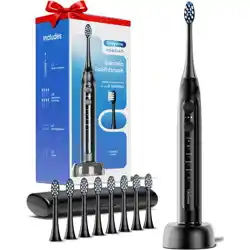
The Onlyone Ultrasonic Electric Toothbrush is a rechargeable oral care device designed for adults. It uses advanced sonic vibration technology to assist with daily oral cleaning and plaque maintenance. The toothbrush features multiple cleaning modes, a smart timer, and comes with a set of accessories including 8 brush heads, a travel case, a charging base, and wireless charging capability.
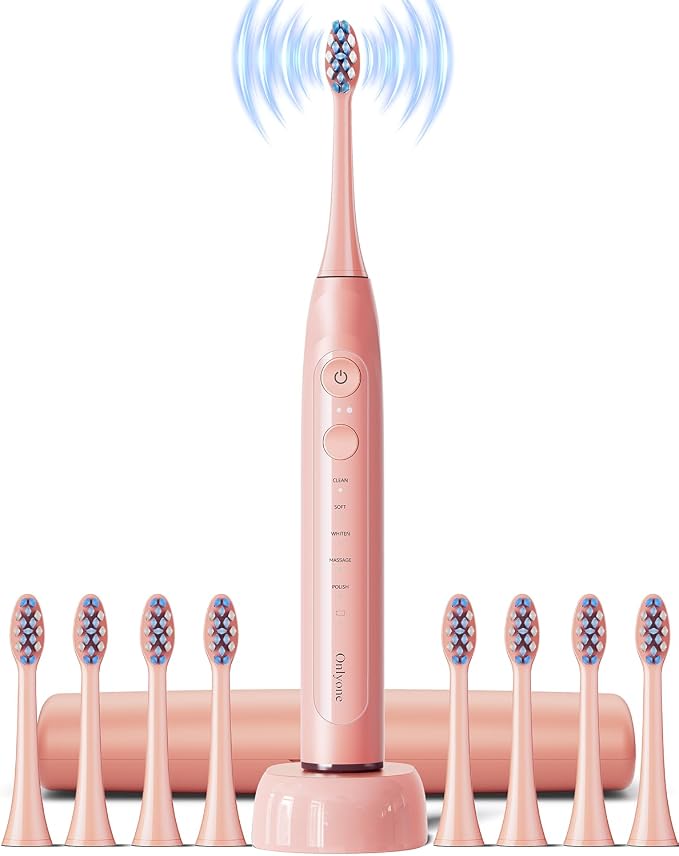
The toothbrush is available in Black, Pink, and White color options. It is powered by a rechargeable battery and operates in ultrasonic mode with a pulsating motion.
What's in the Box
- Onlyone Sonic Electric Toothbrush handle × 1
- Brush heads × 8
- Charging base × 1
- Travel bag × 1
- User manual × 1
Features
Ultrasonic Technology
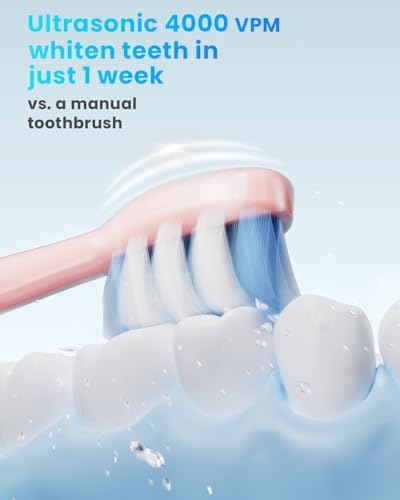
The toothbrush adopts advanced sonic vibration technology with up to 40,000 brush strokes per minute. This high-speed vibration helps break down plaque and assists with daily oral cleaning.

5 Cleaning Modes
The toothbrush offers five brushing settings to adjust to your daily oral care habits:
- Clean – Standard daily cleaning mode
- Sensitive – Gentle cleaning for sensitive teeth and gums
- Whitening – Enhanced cleaning for stain removal
- Massage – Gentle pulsation to stimulate gums
- Additional mode – Fifth mode for customized cleaning
To change the brushing mode, press and hold the top power button until the indicator word lights up.
Smart Timer
The toothbrush includes a 2-minute brushing timer programmed to remind you every 30 seconds to switch to a different quadrant of your mouth. This ensures proper gum health and even cleaning across all areas.
Battery Life & Charging
The built-in rechargeable battery provides over 30 days of use with typical brushing (twice a day). The toothbrush supports both charging base and wireless charging.

Waterproof Design
The toothbrush features an IPX8 waterproof rating, making it safe for use in the shower and easy to rinse clean under running water.

Included Accessories
The package includes:
- 1 Electric toothbrush handle
- 8 Brush heads
- 1 Travel case
- 1 Charging base
- Wireless charging capability
- User manual

Use Guide
Specifications
| Brand |
Onlyone |
| Model |
T2431A0 |
| Age Range |
Adult |
| Power Source |
Battery Powered (Rechargeable) |
| Operation Mode |
Ultrasonic |
| Number of Settings |
5 |
| Brush Strokes |
Up to 40,000 strokes per minute |
| Battery Life |
Over 30 days (typical use) |
| Waterproof Rating |
IPX8 |
| Toothbrush Head Shape |
Oval |
| Bristle Material |
Nylon |
| Handle Material |
ABS Plastic |
| Item Dimensions |
7.87 x 2.95 x 2.56 inches |
| Item Weight |
80 grams (2.82 ounces) |
| Color Options |
Black, Pink, White |
| Included Components |
Brush Heads (8), Charging Base, Electric Toothbrush, User Manual, Travel Case |
Use Guide
Charging the Toothbrush
- Place the toothbrush handle upright on the wireless charging base.
- Connect the charging base to a USB power adapter (not included) or a computer USB port.
- The LED display will indicate the charging status. A full charge takes approximately 12–16 hours.
- When fully charged, the battery indicator shows a full level. The toothbrush can be used for up to 30 days.
Attaching a Brush Head
- Align the brush head with the metal shaft on the handle.
- Push the brush head firmly onto the handle until it clicks into place.
- Ensure there is a small gap (about 1 mm) between the brush head and the handle to allow free movement.
Selecting a Mode and Intensity
- Press the power button once to turn on the toothbrush. It will start in the default mode (Clean).
- Press the mode button repeatedly to cycle through the 5 modes: Clean → White → Sensitive → Massage → Polish.
- To adjust intensity, press the intensity button (if available) to cycle through Low, Medium, and High.
- The LED display will show the selected mode and intensity level.

Getting Started
- Remove the toothbrush and all accessories from the box.
- Charge the toothbrush before first use. Place the toothbrush on the charging base or use the wireless charging feature. A full charge takes approximately 4-6 hours.
- Attach a brush head to the handle by pushing it onto the metal shaft until it clicks into place.
Brushing Instructions
Step 1: Wet the bristles and apply a pea-sized amount of toothpaste.
Step 2: Press the power button to turn on the toothbrush. The toothbrush will start in the default cleaning mode.
Step 3: To change modes, press and hold the power button until the indicator word lights up. Cycle through the modes by pressing the button again.
Step 4: Place the brush head against your teeth at a 45-degree angle. Gently move the brush across your teeth, allowing the ultrasonic vibrations to do the work. Do not scrub hard.
Step 5: The toothbrush will pause every 30 seconds to remind you to switch to a different quadrant of your mouth. After 2 minutes, the toothbrush will automatically stop.
Step 6: Rinse the brush head and handle with water after use. Store the toothbrush upright to allow it to dry
Using the Travel Case
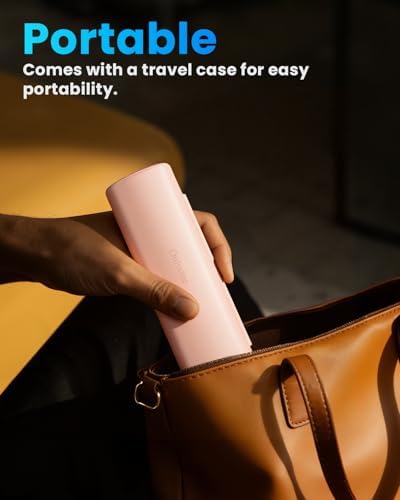
The included travel bag protects the toothbrush and brush heads during travel. Store the toothbrush and up to two brush heads inside the case.

Replacing Brush Heads
Replace the brush head every 3 months or when the bristles become frayed. To remove, pull the brush head straight off the handle. To attach a new one, push it onto the metal shaft until it clicks.
Travel
The toothbrush is safe for travel and approved for carry-on luggage. Use the included travel case to protect the toothbrush during transport.
Indicators and Buttons
| Element |
Function |
| Power button |
Turns the toothbrush on/off. When on, press to start or stop brushing. |
| Mode button |
Cycles through the 5 cleaning modes. The selected mode is shown on the LED display. |
| Intensity button |
Adjusts vibration intensity (Low / Medium / High). |
| LED display |
Shows current mode, battery level, and intensity setting. |
| Battery indicator |
Low battery: flashing red light. Charging: pulsing light. Full: solid light. |
| Timer indicator |
Toothbrush stops after 2 minutes. A brief pause every 30 seconds signals quadrant change. |
Product Video
The following video demonstrates the product in use, setup, and unboxing.
Onlyone Rechargeable Ultrasonic Electric Toothbrush
Video description: The video showcases the product in use, guides you through product setup, compares multiple products, and shows the product being unpacked.
Maintenance and Care
- Rinse the brush head and handle thoroughly after each use.
- Do not immerse the charging base in water. Wipe it with a damp cloth if needed.
- Replace brush heads every 3 months or when bristles show wear.
- Store the toothbrush in a dry place when not in use.
- Clean the charging contacts on the base and handle occasionally with a dry cloth.
Frequently Asked Questions
How long does the battery last?
The Onlyone electric toothbrush comes with a built-in rechargeable battery. With typical use (brushing twice a day), a single charge will last over 30 days.
Are replacement brush heads available?
Yes, electric toothbrush replacement brush heads are available and sold in packs of 8.
How often should you change the head of an electric toothbrush?
We recommend changing the brush head every 3 months.
How do I change the brushing mode?
Press and hold the top power button until the indicator word lights up.
Can I take this electric toothbrush on a trip or on a plane?
Yes, it is safe for travel and approved for carry-on luggage. For your convenience, we have also included a travel case with your electric toothbrush.
Troubleshooting
| Issue |
Possible Cause |
Solution |
| Toothbrush does not turn on |
Battery is empty |
Charge the toothbrush for at least 12 hours. |
| Weak vibration |
Low battery or incorrect mode |
Charge the toothbrush or select a higher intensity level. |
| Charging base not working |
Poor connection or faulty adapter |
Ensure the base is properly connected. Try a different USB adapter. |
| Brush head not fitting |
Not aligned correctly |
Remove and reattach, ensuring the head clicks into place. |
| LED display not showing |
Battery depleted |
Charge the toothbrush. |
Safety Information
Always use this product under adult supervision. Replace brush heads every 3 months or when bristles become frayed. Not intended for use by children under 3 years old. Do not use for purposes other than oral hygiene. Always follow the 2-minute brushing timer for optimal results.
Warranty and Support
For warranty information and customer support, please contact the manufacturer:
- Manufacturer: Onlyone
- Model: T2431A0
- UPC: 199284432888
- ASIN: B0FRFXQ1M6
Refer to the included user manual for detailed warranty terms. For product inquiries or support, visit the Onlyone brand page on Amazon or contact the seller.