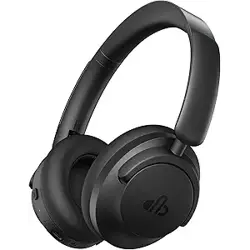
1. Overview
The dbsono DB SoundPods are true wireless stereo (TWS) earbuds designed for everyday use including commuting, studying, working, and leisure. They feature an ultra-lightweight semi-in-ear design, Bluetooth 5.3 connectivity, touch controls, and an IPX5 water-resistant rating.

Key Features at a Glance
- Ultra-Lightweight: Each earbud weighs approximately 0.11 oz (3.1 g).
- Bluetooth 5.3: Provides instant pairing and stable connection.
- 25-Hour Total Playtime: 5 hours from earbuds + 20 hours from charging case.
- Smart LED Display: Shows the remaining battery level of the charging case.
- Touch Controls: Manage music, calls, and voice assistant via touch gestures.
- IPX5 Waterproof: Resistant to sweat and light rain.
- Built-in Microphone: For hands-free calling.

2. What's in the Box
- DB SoundPods True Wireless Earbuds (L & R)
- Charging Case
- Type-C Charging Cable
- User Manual
3. Product Specifications
| Specification | Details |
|---|---|
| Brand | dbsono |
| Model | DB SoundPods |
| Color Options | White, Black, Brown, Pink |
| Ear Placement | On Ear (Semi-in-ear) |
| Connectivity | Bluetooth 5.3 |
| Wireless Range | Approx. 10 m (33 ft) |
| Audio Driver | 13 mm Dynamic Driver |
| Frequency Range | 20 Hz – 20 kHz |
| Noise Control | None (Passive isolation only) |
| Microphone | Yes, high-sensitivity mic |
| Battery Life (Earbuds) | 5 hours per charge |
| Battery Life (Total) | 25 hours (with charging case) |
| Charging Time | Approx. 5 hours for earbuds |
| Charging Port | Type-C |
| Water Resistance | IPX5 (sweat and rain resistant) |
| Weight (per earbud) | 0.11 oz (approx. 3.1 g) |
| Compatible Devices | iOS, Android, tablets, laptops, and other Bluetooth-enabled devices |
4. Features
4.1 Ultra-Lightweight & Ergonomic Design
The semi-in-ear design allows your ears to breathe and reduces the "plugged-up" feeling common with silicone tips. At just 0.11 oz, the earbuds are designed for all-day comfort.

4.2 Smart LED Battery Display
The charging case features a digital LED display that shows the remaining battery percentage of the case, so you always know when it's time to charge.

4.3 Instant Pairing (Bluetooth 5.3)
With Bluetooth 5.3, the earbuds automatically enter pairing mode when you open the charging case lid. They will reconnect to the last paired device automatically.

4.4 Touch Controls
Each earbud has a touch-sensitive surface. Use simple taps to control playback, calls, and voice assistant.

4.5 IPX5 Water Resistance
The earbuds are rated IPX5, meaning they can withstand sweat and light rain. Suitable for workouts and outdoor commutes.

4.6 Balanced Sound & Clear Calls
Custom-tuned 13 mm dynamic drivers deliver balanced audio with clear highs and warm mids. The high-sensitivity microphone ensures your voice is heard clearly during calls.

5. Use Guide
5.1 Charging the Earbuds & Case
- Place the earbuds into the charging case. Ensure the charging pins make contact.
- Connect the included Type-C cable to the charging case and a USB power source (e.g., computer, wall adapter).
- The LED display on the case will show the current battery level.
- Full charge takes approximately 5 hours. The earbuds provide 5 hours of playback per charge.
5.2 Pairing for the First Time
- Open the charging case lid. The earbuds will automatically power on and enter pairing mode (indicated by a flashing LED on the earbuds).
- On your device (smartphone, tablet, etc.), enable Bluetooth and search for available devices.
- Select "DB SoundPods" from the list.
- Once connected, you will hear a confirmation tone. The earbuds are now ready to use.
Automatic reconnection: After initial pairing, the earbuds will automatically reconnect to the last paired device when the case lid is opened.

5.3 Touch Control Operations
Use the touch-sensitive area on each earbud to control functions. The table below describes the default gestures:
| Function | Gesture |
|---|---|
| Play / Pause | Single tap (left or right) |
| Next Track | Double tap (right earbud) |
| Previous Track | Double tap (left earbud) |
| Answer / End Call | Single tap |
| Reject Call | Long press (2 seconds) |
| Activate Voice Assistant (Siri/Google Assistant) | Triple tap (left or right) |
5.4 Wearing the Earbuds
- Identify the left (L) and right (R) earbuds.
- Gently insert the earbud into your ear without pushing too deep. The semi-in-ear design rests comfortably in the outer ear.
- Adjust the angle for a secure fit. The earbuds are designed to stay in place during light activity.

5.5 Making Calls
- When a call comes in, single-tap either earbud to answer.
- To end a call, single-tap again.
- To reject an incoming call, long-press the touch area for 2 seconds.
- The built-in microphone picks up your voice clearly; speak normally.
5.6 Resetting the Earbuds
If you experience connection issues or want to clear the pairing list:
- Place both earbuds in the charging case and close the lid.
- Open the lid and remove both earbuds.
- Quickly tap the touch area on both earbuds 5 times simultaneously. The LEDs will flash rapidly.
- Place the earbuds back in the case, close the lid, then reopen to re-enter pairing mode.
6. Compatibility
The DB SoundPods are compatible with most Bluetooth-enabled devices, including:
- Smartphones (iOS and Android)
- Tablets (iPad, Android tablets)
- Laptops and desktop computers with Bluetooth
- Smartwatches
- Audio CD players and MP3 players with Bluetooth
No additional apps are required for basic operation.
7. Troubleshooting
| Issue | Possible Cause | Solution |
|---|---|---|
| Earbuds not charging | Charging pins not aligned; case battery depleted | Ensure earbuds are seated correctly in case; charge the case via Type-C cable. |
| No sound or one earbud silent | Bluetooth disconnection; low battery | Reconnect via Bluetooth; charge both earbuds; reset if needed. |
| Cannot pair | Earbuds already connected to another device | Disconnect from other device; reset earbuds and try again. |
| Poor audio quality or intermittent connection | Bluetooth interference; distance too far | Move closer to the source device; avoid areas with heavy wireless interference. |
| Touch controls unresponsive | Wet or gloved fingers; software glitch | Dry hands; reset earbuds. |
8. Safety & Care
- Do not expose the earbuds or charging case to extreme temperatures or direct sunlight for prolonged periods.
- Clean the earbuds and charging contacts with a soft, dry cloth. Do not use liquids or abrasive cleaners.
- Store the earbuds in the charging case when not in use to protect them from dust and damage.
- Do not attempt to disassemble or modify the earbuds. The battery is not user-replaceable.
- Keep the earbuds away from small children to avoid choking hazards.
- If the earbuds get wet, dry them thoroughly before placing them in the charging case.
9. Warranty & Support
This product is covered by a limited warranty. For warranty claims, support, or questions, please contact the seller or manufacturer through the Amazon storefront.
Contact: Visit the dbsono Store on Amazon for support options.
Model Number: DB SoundPods
ASIN: B0FG2PMNS2