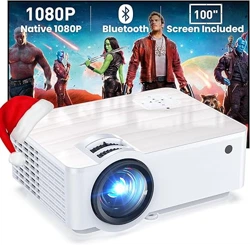
This manual provides instructions for the safe and effective use of the GROVIEW B2D Mini Projector. Please read all instructions before use.
1. Overview
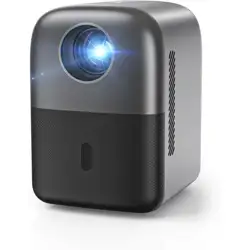
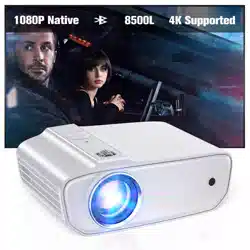
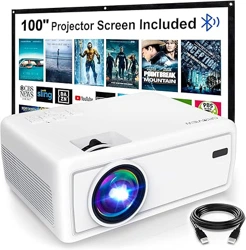
The GROVIEW B2D is a portable, fully sealed mini projector designed for indoor and outdoor use. It features electric focus, Bluetooth audio, and multiple connectivity options.
Key Characteristics:
Form Factor: Portable, mini size
Recommended Use: Indoor/Outdoor
Mounting: Table, Ceiling, or Tripod
Dimensions: 4.8"L x 5.7"W x 6.9"H
Weight: 1.36 kg (approx. 3 lbs)
2. Package Contents
1 x GROVIEW Electric Focus Projector
1 x HDMI Cable
1 x Power Cord
1 x Remote Control
1 x User Manual
Inspect the contents upon receipt. Contact the seller if any items are missing or damaged.
3. Features and Specifications
3.1 Core Features
Electric Focus: Adjust focus remotely for a clear image.
Fully Sealed Design: Dust-proof construction for lower noise and longer lifespan.
Bluetooth 5.1: Connect to Bluetooth speakers or headphones for audio. Note: Bluetooth does not support smartphone screen mirroring.
Image Quality: Native 720P (1280 x 720) resolution with 1080P Full HD support. Advanced LED technology for uniform illumination.
Zoom: 75%-100% digital zoom to adjust projection size.
Connectivity: HDMI, USB, 3.5mm Audio Jack.
3.2 Technical Specifications
Specification
Detail
Display Resolution (Native)
1280 x 720
Display Resolution (Max Support)
1920 x 1080 (1080P)
Display Type
LED
Brightness
8000 Lumen
Contrast Ratio
8000:1
Light Source Life
20,000 Hours
Maximum Image Size
150 inches
Minimum Image Size
30 inches
Throw Distance
0.8m to 5m
Keystone Correction
Vertical ±15°
Compatible Devices
Laptop, Smartphone, Tablet, TV Stick, Gaming Console, USB Drive
Connectivity
HDMI, USB 2.0, 3.5mm Audio, Bluetooth 5.1
Power
42W, 240V
Model
Groview-B2D-US
4. Use Guide
4.1 Initial Setup
Placement: Place the projector on a stable, flat surface or mount it on a tripod/ceiling. Ensure there is adequate ventilation.
Power: Connect the power cord to the projector and a wall outlet. The power indicator will light up.
Power On/Off: Press the power button on the projector or remote control.
4.2 Connecting Source Devices
Choose one of the following connection methods:
HDMI: Use the included HDMI cable to connect to a laptop, TV Stick, or game console.
USB: Insert a USB flash drive with media files (video, image, audio) into the USB port.
3.5mm Audio: Connect external speakers or headphones using a 3.5mm audio cable.
Bluetooth Audio: Enable Bluetooth on your audio device. On the projector remote, press the Bluetooth button to enter pairing mode. Select "GROVIEW B2D" from your device's Bluetooth list.
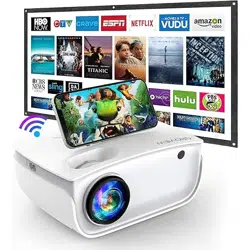
Note on Streaming Services: Due to HDCP copyright, videos from Netflix, Prime Video, Hulu, etc., must be played through a connected TV Stick/Roku or laptop connected via HDMI.
4.3 Adjusting the Image
Focus: Use the focus buttons on the remote control to achieve a sharp image.
Zoom:
Press the "Menu" button on the remote.
Navigate to the "Zoom" option using the direction buttons.
Adjust the zoom level between 75% and 100%.
Keystone Correction: Access the Keystone setting from the on-screen menu to correct trapezoidal distortion.
Image Settings: Use the Menu to adjust Brightness, Contrast, Color, and other picture settings.
4.4 Using the Remote Control
The remote control provides access to all major functions:
Power, Menu Navigation, Source Selection, Volume, Play/Pause, Focus, and Zoom.
Ensure the remote sensor on the projector is not obstructed.
4.5 Audio Setup
Built-in Speaker: Audio will play through the projector's internal speaker by default.
External Audio: For better sound, connect external speakers via Bluetooth or the 3.5mm audio jack.
5. Care and Maintenance
Always turn off and unplug the projector before cleaning.
Clean the lens only with a soft, dry microfiber cloth. Do not use liquids or abrasive materials.
Clean the projector casing with a soft, dry cloth.
Ensure the ventilation ports are not blocked during operation.
Store the projector in a cool, dry place when not in use.
Warning: Do not open the projector casing. There are no user-serviceable parts inside. Refer all servicing to qualified personnel.
6. Troubleshooting
Problem
Possible Cause & Solution
No power / No image
Check power connection. Ensure the power outlet is working. Press the power button.
Image is blurry
Use the remote control focus buttons to adjust. Ensure the projector is perpendicular to the screen.
No sound
Check volume level on projector and source device. Ensure correct audio output is selected (e.g., switch from Bluetooth to internal speaker if needed).
Bluetooth not connecting
Ensure the audio device is in pairing mode. Restart both the projector and the audio device. Remember, Bluetooth is for audio only, not screen mirroring.
Device not recognized via HDMI/USB
Try a different cable. Ensure the source device is powered on and outputting a signal. Check the projector's source input selection.
Projector overheats
Ensure ventilation ports are not blocked. Do not operate in excessively hot environments. Allow the projector to cool down.
7. Warranty
This product is covered by a 2-Year Limited Warranty from the date of purchase. The warranty covers defects in materials and workmanship under normal use.
Warranty Service: For warranty claims or technical support, contact the seller through your Amazon order page or visit the GROVIEW Store on Amazon.