Overview
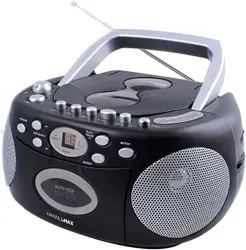
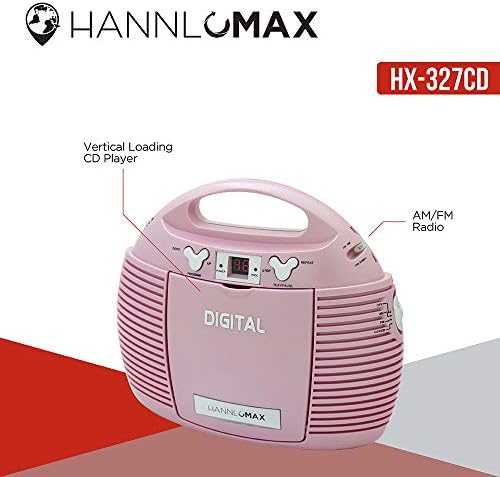
The HANNLOMAX HX-327CD is a portable, vertical CD player with an integrated AM/FM analog radio and an auxiliary input for external audio devices. It is designed for stereo audio playback and can be powered by an AC adapter or batteries for mobility.

Features & Specifications
Audio Playback
- CD Player: Plays standard Audio CDs.
- Supported Format: MP3 files on CD.
- Number of Discs: 1.
- Media Format Type: Audio CD.
Radio
- Radio Bands: AM and FM analog radio.
- Tuning: Manual tuning via a rotary Radio Tuning Control.
- Antenna: External FM antenna included to improve reception.
Connectivity
- Auxiliary Input (Aux-in): 3.5mm jack for connecting external audio devices (e.g., smartphones, tablets).
- Headphone Jack: 3.5mm jack for private listening.
- Compatible Devices: Speakers and headphones.
- Number of Channels: 1.
- Connector Type: 3.5mm Jack.
Power
- Dual Power Source:
- AC Power: Uses the included AC power cord.
- DC Power: Requires 6 x AA batteries (not included).
- Use Case: Suitable for both indoor and outdoor use.
Physical
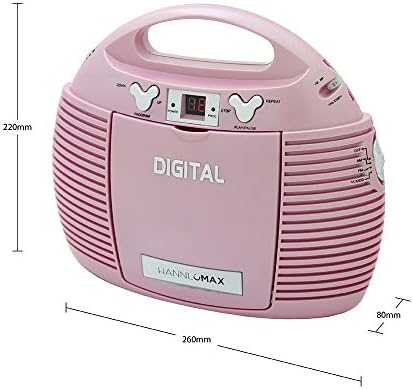
- Design: Portable, vertical orientation.
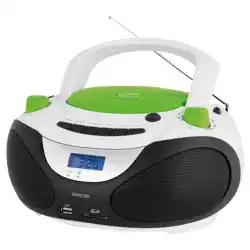
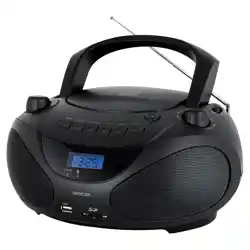
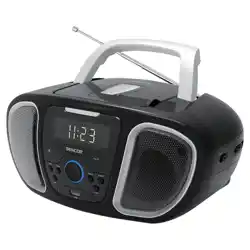
- Color Options: Available in Black, Blue, Pink, Purple, and White.
- Special Feature: Portable.
What's in the Box
- HANNLOMAX HX-327CD Portable CD Player
- AC Power Cord
- User Manual (this document)
Note: Batteries are not included.
Use Guide
Initial Setup
- Place the unit on a stable, flat surface.
- Choose your power source:
- For AC power, connect the included power cord to the unit and a wall outlet.
- For battery power, open the battery compartment (location indicated on the unit), insert 6 AA batteries observing the correct polarity (+/-), and close the compartment.
Playing a CD
- Press the 'Open' button (or similar mechanism) to open the CD compartment door.
- Place a standard Audio CD or MP3 CD into the tray with the label facing up.
- Gently close the compartment door.
- Press the 'Play' button. Playback should begin automatically.
- Use the 'Previous', 'Next', 'Pause', and 'Stop' buttons to control playback.
Using the Radio
- Extend the external FM antenna for better reception.
- Switch the 'Function' or 'Mode' selector to either 'AM' or 'FM'.
- Slowly rotate the 'Radio Tuning Control' knob to scan for stations.
- Stop rotating when you find a clear station. Fine-tune as necessary.
Using the Auxiliary Input
- Switch the 'Function' or 'Mode' selector to 'AUX'.
- Connect one end of a standard 3.5mm audio cable (not included) to the 'AUX IN' port on the player.
- Connect the other end to the headphone jack of your external audio device (e.g., smartphone, tablet, MP3 player).
- Start playback on your external device. The audio will play through the CD player's speakers or connected headphones.

Using Headphones
- Plug a pair of standard 3.5mm headphones into the 'Headphone' jack.
- Audio will automatically route to the headphones, muting the built-in speakers.
Care & Maintenance
- Use a soft, dry cloth to clean the exterior. Do not use abrasive cleaners or solvents.
- Keep CDs clean and free of scratches for optimal playback.
- Store the unit in a cool, dry place when not in use.
- If using batteries, remove them if the player will not be used for an extended period to prevent potential leakage.
- Do not expose the unit to extreme temperatures, moisture, or direct sunlight for prolonged periods.
Troubleshooting
- No Power:
- Ensure the AC power cord is firmly connected at both ends.
- If using batteries, check that they are inserted correctly and are not depleted.
- CD Will Not Play:
- Ensure the CD is placed correctly (label side up).
- Check if the CD is scratched or dirty.
- Confirm the unit is in 'CD' mode.
- Poor Radio Reception:
- Fully extend the external FM antenna.
- Move the unit to a different location, away from potential interference (e.g., computers, other electronics).
- For AM, rotating the unit may improve reception.
- No Sound from Aux-in:
- Ensure the audio cable is firmly connected to both the player and the external device.
- Confirm the unit is in 'AUX' mode.
- Check the volume level on both the player and the external device.
- Distorted Sound:
- Reduce the volume level.
- Check the audio source (CD or external device) for quality issues.
Product Details
- Brand: HANNLOMAX
- Model Number: zmyzxz-214
- Manufacturer: Hannix Ltd.
- ASIN: B086LDBY6X